I love POWER GUI But this plug in will not work because I have 3.5 installed and the newest version of the plug only works with 3.2 and there is know where to down load the old version of the Power GUI
Does not works on x64. Any 64 bits Snapin ( as Microsoft.SharePoint.PowerShell) can be loaded in Powergui Script Editor (V3.0.0.2015 64bits) but cannot load in VS 2010 PowerGuiVSX (1.4.1)...
--------------------------- Microsoft Visual Studio --------------------------- The 'PowerGUIVsx.PowerGuiVsxPackage, PowerGUIVsx, Version=1.0.0.0, Culture=neutral, PublicKeyToken=b7e1ba102ebba51e' package did not load correctly.
The problem may have been caused by a configuration change or by the installation of another extension. You can get more information by running the application together with the /log parameter on the command line, and then examining the file 'C:\Users\m\AppData\Roaming\Microsoft\VisualStudio\10.0\ActivityLog.xml'.
Continue to show this error message? --------------------------- Yes No ---------------------------
Log file C:\Users\m\AppData\Roaming\Microsoft\VisualStudio\10.0\ActivityLog.xml does not exists.
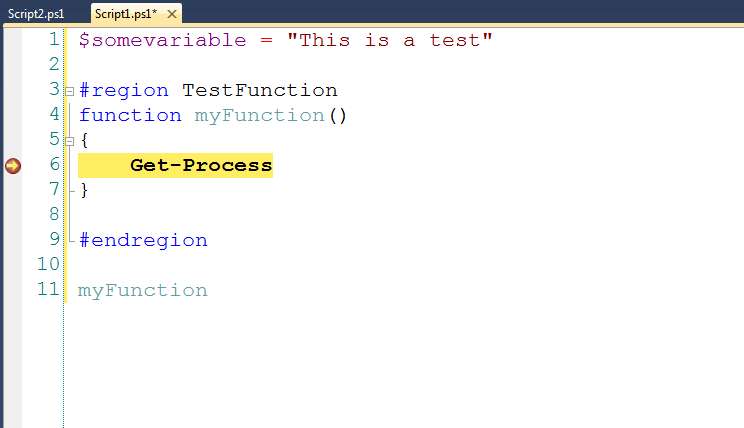
Outstanding. Code-folding on #region tags is pure WIN, and you can use the built-in VS TFS integration. My only issue is I can't get linenumbers to show up.
I had been running the 1.6.1 version of the PowerGUI VSX in VS 2012 until earlier this week when PowerGUI auto-updated to version 3.5, now the VSIX won't run saying that I don't have a compatible version of PowerGUI installed.
Are you going to do a new drop that supports PowerGUI 3.5 on VS 2012?
I have three PowerShell scripts in a Visual Studio 2010 project, but I don't know how to run them interactively (the work fine within the post-build process).
How do I run a .ps1 script interactively?
We use Powershell with some C# classes we've created. I'd like to debug a PS script that uses these classes and get a breakpoint inside the C# class.
So, I add the types from my DLL via:
Add-type -Path <path to debug assembly>
then set a breakpoint in PS script at:
new-object <myclassname>($var)
Hoping to break into the constructor for <myclassname> c# code.
It doesn't get there. What am I missing?
Hi grokq,
The problem with doing it your way is that the C# debugger is not attached to Visual Studio. Also, if you were to load your type into PowerGUI VSX like that you may experience problems rebuilding because the assembly will be loaded into the process. My recommendation is to follow this post and use some local PowerShell remoting to host the assembly in a WinRM session.
http://csharpening.net/?p=279
I know it's not as easy as F5 but I'm working on that. ;)
http://csharpening.net/?p=1363
Adam
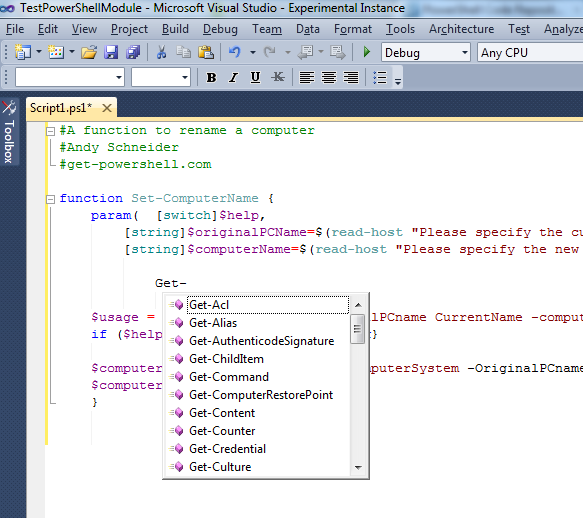
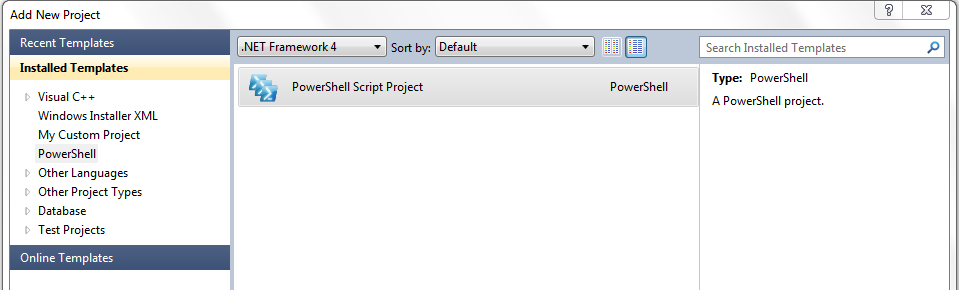
This looks like the ideal environment for me who am working in the interface between C# and PS. Very impressed. Got a bit confused in the beginning as Intellisense did not seem to work - it appears that if I open the PS file in the PS project with "view code", it shows with no Intellisense, but if I open the file by double-clicking it appears in all its glory...just thought I'd mention that in this Q and A because I was searching unsuccessfully here for a while for "no colors" "intellisense not working" and similar.
I need a way to debug a script that is intended to be used with command line args.
For C# projects (and probably most project types) the properties for the project has a place where you can set any command line args that are needed. With this tool there is no way to set them so I have to mess with the actual script and dummy up where the args are read. Not really optimal.
is this a feature you have considered or did I just miss it?
Hey sedotax,
I hadn't thought to do that but that's a great idea. Could you please post that as an issue\feature request on the CodePlex site so that I don't lose track?
Thanks,
Adam
Hi,
Thanks for doing this work! When I use write-host or write-output in a script I'm testing where does the output go? I looked in the various "output" window sub-panes but didn't see anything there.
Cheers,
Gordon.
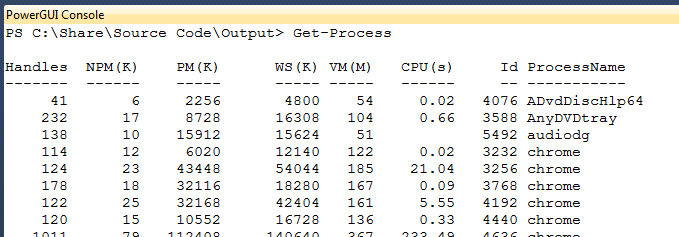
Ha! It is the PowerGui console window. It might be a nice feature if this popped up automatically when the run occured - at least the first time so newbie's like me could sort through what is going on.
After installing this latest release (1.4.1) along with the latest release of PowerGUI, I can open PS script files. However, as soon as I begin to edit them, I get the the "Visual Studio has encountered a problem and needs to close" error. VisualStudio then restarts. There aren't any errors in the EventViewer regarding this problem.
I had to disable it in VisualStudio. However, once I open PowerGUI (v 3.0.0.2015), I get the following error in the PowerShell console:
Import-Module : Could not load file or assembly 'file:///C:\Users\foo\AppData\Local\Microsoft\VisualStudio\10.0\Extensions\Adam Driscoll\PowerGUI VSX\1.4.1\PowerGUIVSX.Module.dll' or one of its dependencies. This assembly is built by a runtime newer than the currently loaded runtime and cannot be loaded.
At line:1 char:213
+ @('C:\Users\foo\AppData\Local\Microsoft\VisualStudio\10.0\Extensions\Adam Driscoll\PowerGUI VSX\1.4.1\PowerGUIVSX.Module.dll') | Where-Object { @(Get-Module | %{$_.Path} ) -notcontains $_ } | %{ Import-Module <<<< $_ }+ CategoryInfo : NotSpecified: (:) [Import-Module], BadImageFormatException+ FullyQualifiedErrorId : System.BadImageFormatException,Microsoft.PowerShell.Commands.ImportModuleCommand
I'm running VS2010 Ultimate SP1 on Win7 x64.
It looks as though the PowerGUIVSX.Module.dll was built against .NET 4.0 yet the PowerGUI script editor (both x86 and x64) were built against .NET 2.0.
Could you grab a log of when the Visual Studio crashes? http://powerguivsx.codeplex.com/documentation
The issue with an error in PowerGUI console has been fixed in the beta. http://powerguivsx.codeplex.com/releases/view/73564
hi,I have a problem facing in my visual studio 2010.When i edit script,visual studio automatically restarting and some time going to hang mode.It only occur in my system ,in other systems working perfectly. So i formated my system completely and install visual studio ones more.But the problem is showing again.if have any solution please tell,its very urgent
---------------------------
Microsoft Visual Studio
---------------------------
The 'PowerGUIVsx.PowerGuiVsxPackage, PowerGUIVsx, Version=1.0.0.0, Culture=neutral, PublicKeyToken=b7e1ba102ebba51e' package did not load correctly.
The problem may have been caused by a configuration change or by the installation of another extension. You can get more information by running the application together with the /log parameter on the command line, and then examining the file 'C:\Users\m\AppData\Roaming\Microsoft\VisualStudio\10.0\ActivityLog.xml'.
Continue to show this error message?
---------------------------
Yes No
---------------------------
what should i do?
What version of PowerGUI do you have installed? This extension requires PowerGUI 2.4. You can download that here: http://www.powergui.org/entry.jspa?externalID=2192&categoryID=299