More From Adam Driscoll

PowerGUI VSX

Free

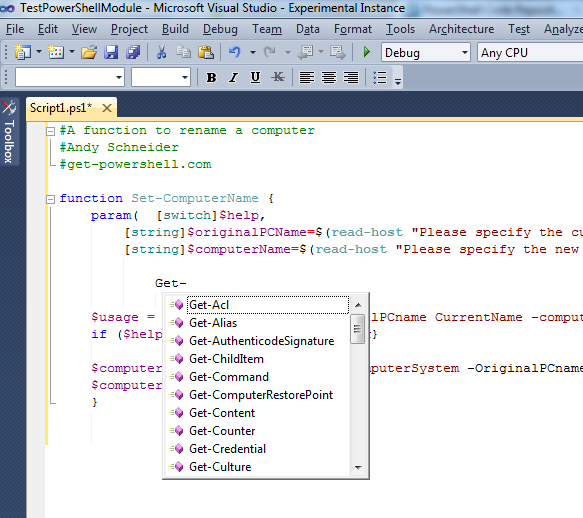
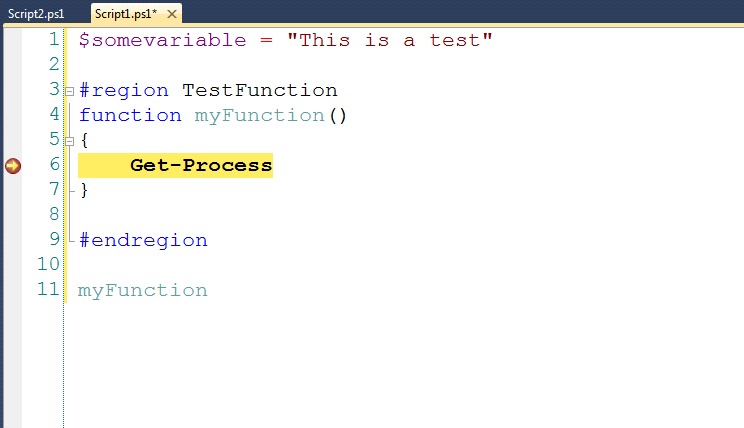
PowerGUI integrated into Visual Studio.

(8) Review
Visual Studio
2010
Download (32,018)
3/5/2012
1.5.2
E-mail Twitter del.icio.us Digg Facebook
Add To Favorites
Description
Reviews (8)
Q and A (15)
Sign in to Write a Review
Sort By:

by Dzmuh | December 14 2011

by B4F8CAE5-0CD3-4632-8038-1A44A7CFDD39 | December 08 2011

Shift+f5 is not working for me.

by fkm | October 09 2011

Does not works on x64.
Any 64 bits Snapin ( as Microsoft.SharePoint.PowerShell) can be loaded in Powergui Script Editor (V3.0.0.2015 64bits) but cannot load in VS 2010 PowerGuiVSX (1.4.1)...

Adam Driscoll October 10 2011
| Edit |
Delete

Visual Studio is x86 and this is why it will not work with x64 snap-ins. This is a limitation imposed by VS and not PowerGUI. Sorry about that...

by Rich Prescott | September 01 2011

by Mike Chaliy | July 19 2011

Great idea, however it does not work:

---------------------------
Microsoft Visual Studio
---------------------------
The 'PowerGUIVsx.PowerGuiVsxPackage, PowerGUIVsx, Version=1.0.0.0, Culture=neutral, PublicKeyToken=b7e1ba102ebba51e' package did not load correctly.


The problem may have been caused by a configuration change or by the installation of another extension. You can get more information by running the application together with the /log parameter on the command line, and then examining the file 'C:\Users\m\AppData\Roaming\Microsoft\VisualStudio\10.0\ActivityLog.xml'.


Continue to show this error message?
---------------------------
Yes No
---------------------------


Log file C:\Users\m\AppData\Roaming\Microsoft\VisualStudio\10.0\ActivityLog.xml does not exists.

Adam Driscoll August 01 2011
| Edit |
Delete

Hey Mike,

Do you have PowerGUI 3.0 installed? You'll need to install PowerGUI 2.4 if you do. We are working on 3.0 support right now.

You can download PowerGUI 2.4 here: http://www.powergui.org/entry.jspa?externalID=2192&categoryID=299

by Matthew Manela | May 27 2011

by Genady | August 12 2010

Outstanding. Code-folding on #region tags is pure WIN, and you can use the built-in VS TFS integration. My only issue is I can't get linenumbers to show up.

by Dmitry Sotnikov | July 06 2010

Great to have PowerGUI Script Editor functionality right inside Visual Studio. Very handy for dev projects which includes PowerShell scripts.

Dmitry

Sign in to Start a Discussion


  • Support fro Visual Studio 11
    3 Posts | Last Post April 11, 2012
    • Will PowerGUI VSX support Visual Studio 2011 beta any time soon? It's such a useful thing and I'm missing it in VS11.
    • Hey Borek,
      
      I hope to be taking a look at this in the near future. No time frame slated yet. Stay tuned! 
    • Hey Borek,
      
      Funny story. I tried to upgrade PowerGUI VSX to VS2011 and it worked really well. More information here: http://csharpening.net/?p=1097
  • debugging with command line arguments
    2 Posts | Last Post April 10, 2012
    • I need a way to debug a script that is intended to be used with command line args. 
      For C# projects (and probably most project types) the properties for the project has a place where you can set any command line args that are needed. With this tool there is no way to set them so I have to mess with the actual script and dummy up where the args are read. Not really optimal. 
      
      is this a feature you have considered or did I just miss it?
    • Hey sedotax,
      
      I hadn't thought to do that but that's a great idea. Could you please post that as an issue\feature request on the CodePlex site so that I don't lose track?
      
      Thanks,
      
      Adam
  • Where does output go?
    5 Posts | Last Post October 10, 2011
    • Hi,
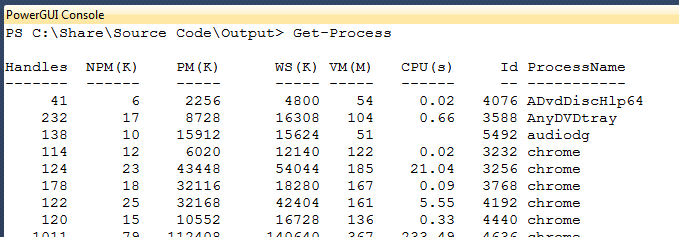
        Thanks for doing this work! When I use write-host or write-output in a script I'm testing where does the output go? I looked in the various "output" window sub-panes but didn't see anything there.
      
        Cheers,
          Gordon.
    • Ha! It is the PowerGui console window. It might be a nice feature if this popped up automatically when the run occured - at least the first time so newbie's like me could sort through what is going on.
    • That's a good suggestion. Let me add it to the Issue Tracker. 
    • I've added this here: http://powerguivsx.codeplex.com/workitem/31519
      
      Feel free to up vote it. 
    • A change has been checked in that fixes this. 
  • VS2010 crashes and PowerGUI errors
    2 Posts | Last Post September 27, 2011
    • After installing this latest release (1.4.1) along with the latest release of PowerGUI, I can open PS script files.  However, as soon as I begin to edit them, I get the the "Visual Studio has encountered a problem and needs to close" error.  VisualStudio then restarts.  There aren't any errors in the EventViewer regarding this problem.
      
       I had to disable it in VisualStudio.  However, once I open PowerGUI (v 3.0.0.2015), I get the following error in the PowerShell console:
      
      Import-Module : Could not load file or assembly 'file:///C:\Users\foo\AppData\Local\Microsoft\VisualStudio\10.0\Extensions\Adam Driscoll\PowerGUI VSX\1.4.1\PowerGUIVSX.Module.dll' or one of its dependencies. This assembly is built by a runtime newer than the currently loaded runtime and cannot be loaded.
      
      At line:1 char:213 
      
      + @('C:\Users\foo\AppData\Local\Microsoft\VisualStudio\10.0\Extensions\Adam Driscoll\PowerGUI VSX\1.4.1\PowerGUIVSX.Module.dll') | Where-Object { @(Get-Module | %{$_.Path} ) -notcontains $_ } | %{ Import-Module <<<< $_ }+ CategoryInfo : NotSpecified: (:) [Import-Module], BadImageFormatException+ FullyQualifiedErrorId : System.BadImageFormatException,Microsoft.PowerShell.Commands.ImportModuleCommand
      
      I'm running VS2010 Ultimate SP1 on Win7 x64.
      
      It looks as though the PowerGUIVSX.Module.dll was built against .NET 4.0 yet the PowerGUI script editor (both x86 and x64) were built against .NET 2.0.
      
    • Could you grab a log of when the Visual Studio crashes? http://powerguivsx.codeplex.com/documentation
      
      The issue with an error in PowerGUI console has been fixed in the beta. http://powerguivsx.codeplex.com/releases/view/73564
      
      
  • visual studio 2010 restarting problem
    2 Posts | Last Post September 27, 2011
    • hi,I have a problem facing in my visual studio 2010.When i edit script,visual studio automatically restarting and some time going to hang mode.It only occur in my system ,in other systems working perfectly. So i formated my system completely and install visual studio ones more.But the problem is showing again.if have any solution please tell,its very urgent
    • Oy that is quite an issue. Can you enable logging while reproducing the issue? 
  • error
    2 Posts | Last Post August 01, 2011
    • ---------------------------
      Microsoft Visual Studio
      ---------------------------
      The 'PowerGUIVsx.PowerGuiVsxPackage, PowerGUIVsx, Version=1.0.0.0, Culture=neutral, PublicKeyToken=b7e1ba102ebba51e' package did not load correctly.


      The problem may have been caused by a configuration change or by the installation of another extension. You can get more information by running the application together with the /log parameter on the command line, and then examining the file 'C:\Users\m\AppData\Roaming\Microsoft\VisualStudio\10.0\ActivityLog.xml'.


      Continue to show this error message?
      ---------------------------
      Yes No
      ---------------------------
      what should i do?
    • What version of PowerGUI do you have installed? This extension requires PowerGUI 2.4. You can download that here: http://www.powergui.org/entry.jspa?externalID=2192&categoryID=299
  • VS.NET Fonts and Colors
    2 Posts | Last Post June 22, 2011
    • I use a non-standard set of Fonts and Colors for my VS environment. I'd truly love to see them reflected in the PowerGUI editor in VS.NET.
      
      Keep up the good work!
      
      p.s. if you want me to send you my Fonts and Colors VS settings file, just let me know.
    • I'd love to be able to modify the Fonts and Colors in VS. I'll make a CodePlex issue on it. Vote it up if you're interested!
  • Issues
    4 Posts | Last Post June 22, 2011
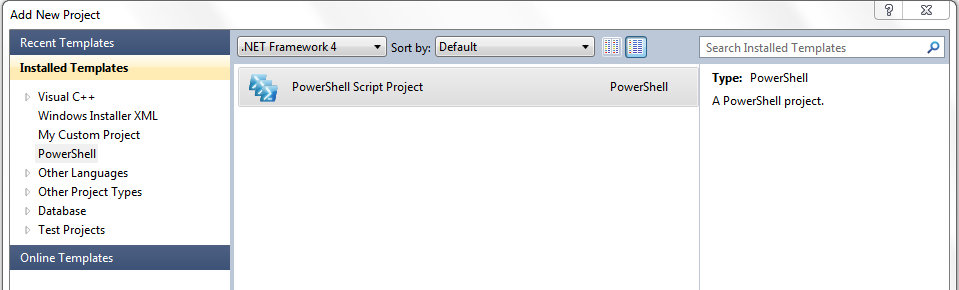
    • I Installed version 1.3.5 on Visual Studio 2010 Ultimate. I am unable to get the syntax highlighting and code completion working. When I create a new powershell project it throws up an error "project type is not supported by this version of application".
      
      
    • Do you have the latest version of PowerGUI installed? You can get it here: http://powergui.org/index.jspa
    • Yes I have PowerGUI 2.4.0 installed.
    • Is it the free version or Pro? If you have free installed could you try and grab a log of the issue? More information on the CodePlex site http://powerguivsx.codeplex.com/documentation
  • 2 issues with VS 2010
    3 Posts | Last Post June 21, 2011
    • - PS1 file do not trigger a TFS Check out when entering keystrokes
      - F3 to search next does not work.
    • The checkout issue is a bit frustrating for me as well, as it breaks my workflow.
    • Just checked in a fix for the TFS issue. That will be in the next version. Still working out the F3 issue. 
  • Text style is not consistent with either VS or PowerGUI
    3 Posts | Last Post April 15, 2011
    • Most noticeably, the font is small an non-monospaced when using the plugin, but it's monospaced in PowerGUI and other code is monospaced in Visual Studio.
    • If you go into PowerGUI and click View->Font and then click Ok on the dialog. If you then open PowerGUI VSX it should have the correct font settings.  
    • Hi Adam
      I have the same issue, and that didn't fix it.
      (I presumed that when you said "go into PowerGUI", you were referring to the PowerGUI Script Editor external to Visual Studio ... since there is no View->Font menu option in VS)
1 - 10 of 15 Items   
« First   < Prev   1  2    Next >   Last »