I love POWER GUI But this plug in will not work because I have 3.5 installed and the newest version of the plug only works with 3.2 and there is know where to down load the old version of the Power GUI
Does not works on x64. Any 64 bits Snapin ( as Microsoft.SharePoint.PowerShell) can be loaded in Powergui Script Editor (V3.0.0.2015 64bits) but cannot load in VS 2010 PowerGuiVSX (1.4.1)...
--------------------------- Microsoft Visual Studio --------------------------- The 'PowerGUIVsx.PowerGuiVsxPackage, PowerGUIVsx, Version=1.0.0.0, Culture=neutral, PublicKeyToken=b7e1ba102ebba51e' package did not load correctly.
The problem may have been caused by a configuration change or by the installation of another extension. You can get more information by running the application together with the /log parameter on the command line, and then examining the file 'C:\Users\m\AppData\Roaming\Microsoft\VisualStudio\10.0\ActivityLog.xml'.
Continue to show this error message? --------------------------- Yes No ---------------------------
Log file C:\Users\m\AppData\Roaming\Microsoft\VisualStudio\10.0\ActivityLog.xml does not exists.
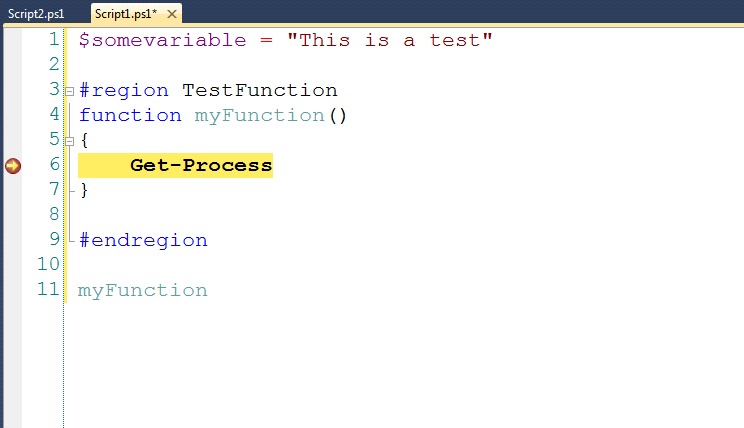
Outstanding. Code-folding on #region tags is pure WIN, and you can use the built-in VS TFS integration. My only issue is I can't get linenumbers to show up.
I use a non-standard set of Fonts and Colors for my VS environment. I'd truly love to see them reflected in the PowerGUI editor in VS.NET.
Keep up the good work!
p.s. if you want me to send you my Fonts and Colors VS settings file, just let me know.
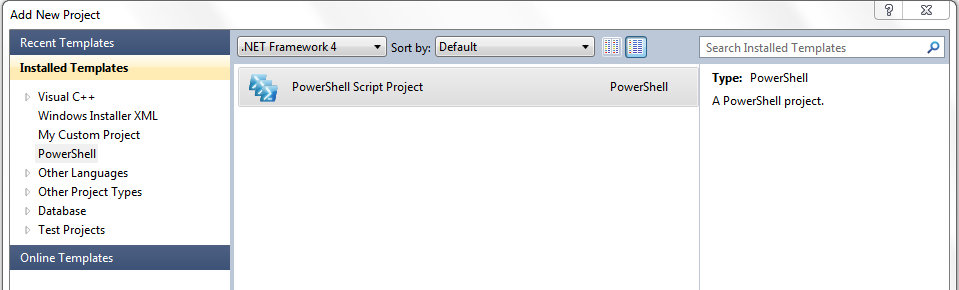
I Installed version 1.3.5 on Visual Studio 2010 Ultimate. I am unable to get the syntax highlighting and code completion working. When I create a new powershell project it throws up an error "project type is not supported by this version of application".
Is it the free version or Pro? If you have free installed could you try and grab a log of the issue? More information on the CodePlex site http://powerguivsx.codeplex.com/documentation
Most noticeably, the font is small an non-monospaced when using the plugin, but it's monospaced in PowerGUI and other code is monospaced in Visual Studio.
Hi Adam
I have the same issue, and that didn't fix it.
(I presumed that when you said "go into PowerGUI", you were referring to the PowerGUI Script Editor external to Visual Studio ... since there is no View->Font menu option in VS)
I cannot install this extension, I get the result above. I have PowerGUI version 2.4 and I have run it once. I am running VS2010 Ultimate x64. Any ideas?
I have a perfectly OK, running PowerGUI when in standalone (actually using it a lot). However, when in VS
I am getting the above error, and a following 'Object reference not set to an instance of an object'.
Is there any way to further diagnose this (a trace or an event logged)?
You can try turning on logging. Check out the documentation page: http://powerguivsx.codeplex.com/documentation Let me know if anything useful comes from it. Thanks!
When I try to add the PowerGui snippets VS 2010 says the file is invalid but gives no additional details. If these snippets are already installed somehow, how to I expand them?
Sorry for the very late reply. I'm not quite sure why the snippet files are complaining that they are invalid. If they are already installed you should be able to press CTRL I to insert them. Give that a go and let me know the result.
[string] $var = "test"
$var.
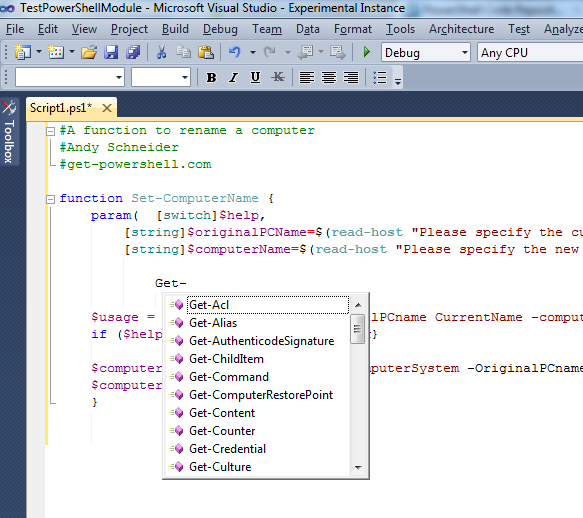
This will not give any options like "Length" etc which it will in a powershell prompt. Is this a planned feature, or is there a way to make it work?
Regards,
Mikael Svenson
I installed the PowerGUI extension in Visual Studio 2010 and now .ps1 files do not show line numbers, I cannot CTRL+G to go to a line number and Edit | Go To... is grayed out.
Thoughts? It is a deal breaker for me to not have line numbers/Go To ability.
Hi Craig,
This is a known bug and is fixed in betas after the version 1.0 stable release. Development will soon be ramping up again for getting those betas on track to be the next stable releases.