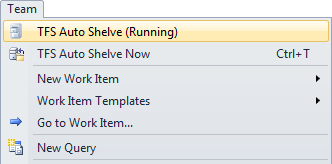
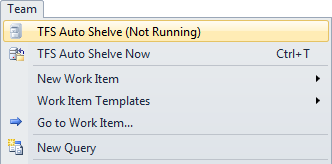
TFS Auto Shelve

Free

Create a shelveset for the latest version of all pending changes, automatically. Pending changes from the local TFS workspaces will be shelved to the TFS Server every "x" number of minutes when solutions are opened.

(12) Review
Visual Studio
2010
Download (5,912)
6/10/2011
1.6
E-mail Twitter del.icio.us Digg Facebook
Add To Favorites
Description
Reviews (12)
Q and A (14)
Sign in to Write a Review
Sort By:

by Dmitry Gusarov | January 10 2013

Great idea, thanks!
Could you add an ability to store N last shelves? e.g. for undo purposes (may be I lost my work and realized it after 5 minutes, while shelve already rewritten). I suggest 3..5 shelvesets by default.

by John Ludlow | June 25 2012

Nice idea, but it's taken my username (rather than the workspace name) as the shelveset name. I have several workspaces, so changes in one workspace blat the changeset for another workspace.

e.g: I would expect this:

TFS Auto Shelve - Workspace1
TFS Auto Shelve - Workspace2
TFS Auto Shelve - Workspace3

Whereas I get this:

TFS Auto Shelve - DOMAIN\User_Name

It also seems to shelve whether or not anything has changed since the last time it shelved.

(Just realised this has already been noted on the Q&A. Oh well...)

by VMK007 | March 30 2012

Edited. Back down to one star until we have the option to disable it from displaying messages in the output window.

by HanduMan | February 17 2012

Great idea, worth of five stars, but compatibility issues with domain networks (?) take three of them away. See Q and A for details.

by Colby Africa | October 05 2011

Perfect. Much needed. Thank you!

by Stimo | August 30 2011

It's good, but I would like to autoshelve my changes even if I haven't got any solution open. I can make changes to files out of any solution.

Thanks.

by ShivaniS | August 05 2011

Love it. I no longer worry about backing up my work. I can rely on TFS Auto Shelve. I have it installed on all my dev machines. Thanks for a great extension!

by Bebo | January 19 2011

Great safety net! It quietly runs in the background and only have to interact with it when I REALLY need it!

by MikeParks | May 23 2010

by MSDNMike | May 20 2010

by CoryCiss | May 06 2010

by Cory Cissell | May 06 2010

Sign in to Start a Discussion


  • Focus Stealing
    8 Posts | Last Post March 19, 2013
    • After the latest update, a random running instance of Visual Studio steals focus whenever TFS Auto Shelve runs, which is maddening when it happens. Is anyone else seeing this? I'm downgrading back to the previous version I had installed...
    • Yes, I see this. 
      Also, when TFS Auto Shelve writes to the Output window (every time it shelves) it switches to the 'TFS Auto Shelve' Output window, taking focus away from the selected Output window which is very frustrating.
    • Could we get an option to suppress this output or just turn it off all together?  Having visual studio maximize every 5 minutes is getting really annoying.
    • Love the product.  Hate the maximizing every 5 minutes.  I second the suggestion to get an option to suppress having it take focus.
    • Focus stealing is annoying. Mike, would you be able to spend 15 mins to change it to make us all happy please?
      
      Thanks.
    • Yes, having VS steal focus and pop up random VS instances is SO ANNOYING.  Same with the output window changing. I'm about to stop using this because of those 2 things.
    • Oh PLEASE PLEASE fix this issue...   How many times has it switched to Visual Studio while I was in the middle of typing and it caused a checkout of a source file?   I can't even count them.  I *LOVE* this extension but since i reloaded my machine and loaded the latest version, it is almost unusable.
    • I think it may be specific to the status bar message updates, rather than the Output window.  Thankfully, this isn't an issue in the VS 2012 version.
  • Feature request: rolling backups?
    3 Posts | Last Post March 19, 2013
    • I was thinking that it would be neat if this addin would keep a configurable number of rolling backups. That way if you have it set to 5 backups set at every hour, you would have shelfsets running 5 hours back with changes at each hour. Does that make sense? That way you kind of have an undo going back in 1 hour increments.
      
      What do you think?
    • Sounds like a good idea. Not sure if I'll have the extra time to implement it anytime soon though :) As a  work around, you could just create a batch file and have a windows task execute it every hour. I wrote a blog on how to do this a while back. If you look through the comments, Jaap suggested a way to use the day of the week and hour variables in the shelveset name:
      
      http://geekswithblogs.net/MikeParks/archive/2009/09/15/tfs-auto-shelving.aspx#feedback
    • I just published a 2012 version of this tool, which allows for a date time format string to be included in the shelveset name.  For example, you could set the ShelveSetName expression to "Auto-{1}-{2:yyMMdd hhmmss}"  where {0}=WorkspaceInfo.Name, {1}=WorkspaceInfo.OwnerName, {2}=DateTime.Now.  Just be aware that the shelveset name will be truncated to a maximum of 64 characters.
  • VS 2012 support?
    2 Posts | Last Post March 19, 2013
    • Any plans?
    • I published a separate 2012 version. http://visualstudiogallery.msdn.microsoft.com/3ea440a5-d6f7-44f3-9ca0-091cc9f04df6
  • TFS Auto Shelve shelved 0 pending changes. Shelveset Name:
    6 Posts | Last Post March 19, 2013
    • I just downloaded TFS Auto Shelve.
      I have some pending changes so I tried to force auto-shelve but every time I got this message:
      "TFS Auto Shelve shelved 0 pending changes. Shelveset Name: " and nothing more happened.
      The version 1.6 doesn't fix the problem?
    • I am having this same exact issue. Any attempt to manual or auto save using the extension gets the same result, and no items get shelved.
      
      It says the same exact message in the status bar as well as the output window.
      
      I am using VS 2010. I am not certain what version of Team Foundation Server is being used.
    • Same issue here. Just downloaded v1.6. VS2010 and TFS2008.
    • I fixed my own issue.
      new vsix: http://goo.gl/8fWfc
    • Try unable Scheduled Tasks in the Control Panel if it was disabled. 
    • @DDSeb: What was the fix?  Uri.Replace("/",string.empty) before comparing URIs?
  • The process cannot access the file 'some file.ext' because it is being used by another process.
    1 Posts | Last Post January 03, 2013
    • The following appeared in Visual Studio 2010's "TFS Auto Shelve" output window:
      TFS Auto Shelve shelved 51 pending changes. Shelveset Name: TFS Auto Shelve - domain\username
      The process cannot access the file 'C:\WorkingPath\Some word document.docx' because it is being used by another process.
         at Microsoft.TeamFoundation.VersionControl.Client.Workspace.UploadChanges(IEnumerable`1 changes, OnProcessingChangeDelegate onPendingMethod)
         at Microsoft.TeamFoundation.VersionControl.Client.Workspace.ShelveInternal(Shelveset shelveset, PendingChange[] changes, ShelvingOptions options)
         at Microsoft.TeamFoundation.VersionControl.Client.Workspace.Shelve(Shelveset shelveset, PendingChange[] changes, ShelvingOptions options)
         at VsExt.AutoShelve.TfsAutoShelve.SaveShelveset()
      
      Can this exception be caught or locked files identified and the Volume Shadow Copy Service be used only on those locked files for example?
  • Not Honoring Multiple Workspaces - Lost Code!
    5 Posts | Last Post June 20, 2012
    • The Description here specifically says that the Workspace Name will be appended to the Base name.  That is not happening in our environment.  Both myself and another developer have this behavior: It is appending our domain username after the dash rather than the workspace name.  That means anytime we open an IDE with a different workspace, our other workspace's shelveset gets overwritten.  Completely defeats the purpose of the extension.
      
      Thanks.
    • P.S.  Visual Studio and TFS 2010
    • Same here. I have several workspaces but there is only one shelvset 'TFS Auto Shelve - <domain>\<user>'. The Shelve gets overwritten for each workspace I have. Finally there are just the files of the last workspace in it. 
      
      My Environment: VS2010 Ultimate (x64) german with TFS 2010
      Format Workspace: Project-XYZ[MAIN][WorkstationName]
      
      Perhaps some characters in the name of the workspace.
      Any Idea? I would like to use your tool. Sounds really good :-)
    • Any news on this one? I love the idea of this tool, but this problem makes it unusable for me.
    • I have the same issue, but only after upgrading from v1.3 to v1.6. What versions are you all using?
  • Visual Studio 11
    1 Posts | Last Post March 12, 2012
    • What about compatibility with new Visual Studio 11 aka Visual Studio 2012??
      
      It would be nice to have your great extension available there.
      
      greetings
      magges
  • Suggest
    3 Posts | Last Post November 22, 2011
    • Accidentally delete the code but it's Shelved, 
      when I open VS again,I want to get the delete version before, but no,
       I hope to add a feature that can save several versions of the set
    • Yeah, we were planning on updating the extension to do this but always seem to get caught up with other work :) There's been a few others that have requested this feature as well. I wrote a blog on how to do this without using an extension a long time ago. I think it should still work for VS 2010. You can try it as a work around for now if you'd like:
      
      http://geekswithblogs.net/MikeParks/archive/2009/09/15/tfs-auto-shelving.aspx
    • I have the same issue with v1.6. Do you support other Team Project Collections than the DefaultCollection? In our team we use a dedicated Team Project Collection. When I use your tool using that collection, I get the same behavior as desrcibed above.
      I did an additional test where I use the DefaultCollection. On this collection everything works fine.
  • Unable to shelve all workspaces
    4 Posts | Last Post October 11, 2011
    • I have three workspaces called "Backup", "Main" and "Test" and the auto shelve is only working for the "Backup" workspace. Any ideas what could be wrong? I'm using VSTF 2010.
      
    • The code should loop through all three workspaces and shelve each as long as there are pending changes. Are there pending changes or files checked out in all 3 workspaces? Or do you only have pending changes in the "Backup" workspace?
    • I had pending changes in all. After a couple days it started working and I now see shelfset for all three workspaces. Thanks. This extension is a life saver. I just now lost a day's work because I hadn't installed the shelfset on my second dev box.. Lesson learned. Got the extension for it now.
    • I have three workspaces and have multiple changes in both.  The shelveset name does not have my workspace name added to it, which causes my single shelveset to be overwritten.  This has caused me significant difficulty and renders the tool mostly useless for me.  I am running version 1.6 of the auto shelf software and the documentation and the tools/options has documentation that clearly indicates the workspace name is included appended to the base name.  Any ideas what is going wrong?
  • Does not see pending changes.
    3 Posts | Last Post July 15, 2011
    • When I pull up my pending changes windows I have numerous files with pending changes however TFS Auto Shelve keeps giving the below message both for both auto and manual. I also checked my unshelf window and no shelves are being created.  I'm using the latest version (1.6). 
      
      TFS Auto Shelve shelved 0 pending changes. Shelveset Name:
    • Me too.
      Also, when it gives the status for the (empty) auto shelve, if the VS application is minimized, it gets restored.
    • Sorry about the late response guys, haven't been on here much lately (again) :) But I opened the code up and tested this locally. Everything works fine for me on my machine using v 1.6. I think I may have found where the problem could be though. The code basically uses the TFS dll's to get all your workspaces, then it loops through each one and checks to see that workspace is the one your instance of Visual Studio is currently connected to based on the url. It also checks to see if that workspace has active mapped folders. If it does, it will check if that workspace has any pending changes and then fall into the auto shelve code. So it looks like for some reason your mapped paths count is coming back as 0 or the Server and Domain TFS urls aren't matching. I can probably add some extra code around there to log additional info in the VS output window in v 1.7.
      
      How many workspaces do you have setup? How many mapped folders in each workspace?
1 - 10 of 14 Items