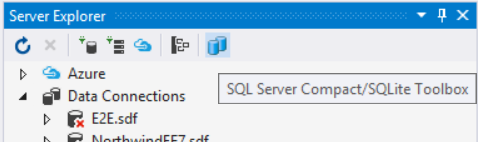
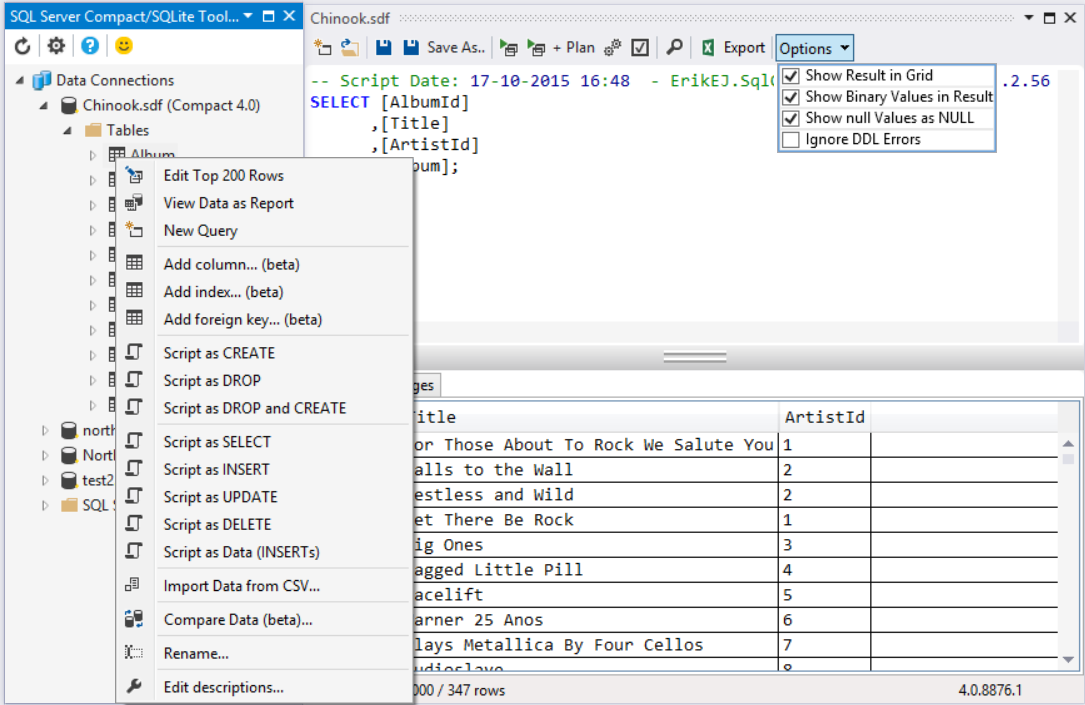
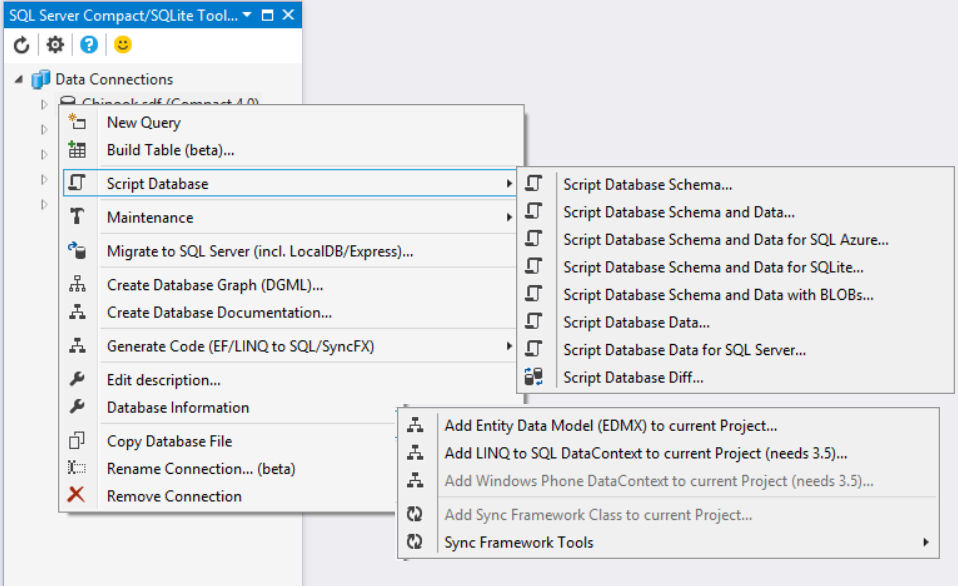
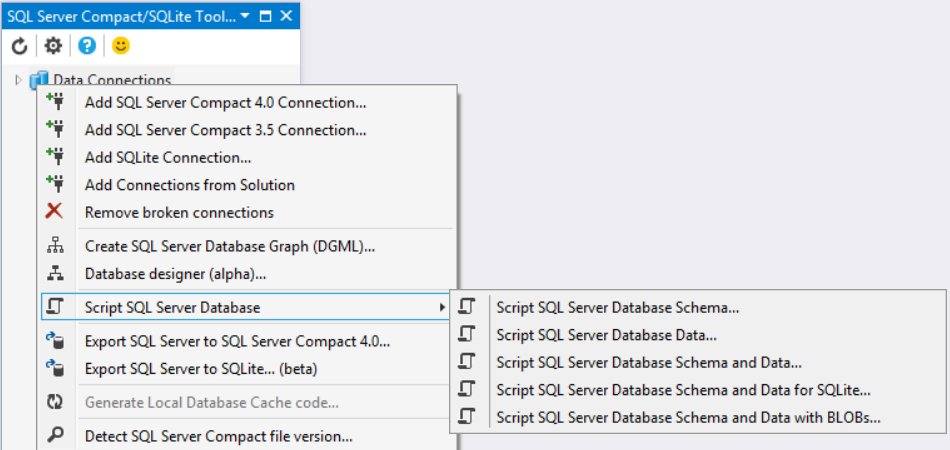
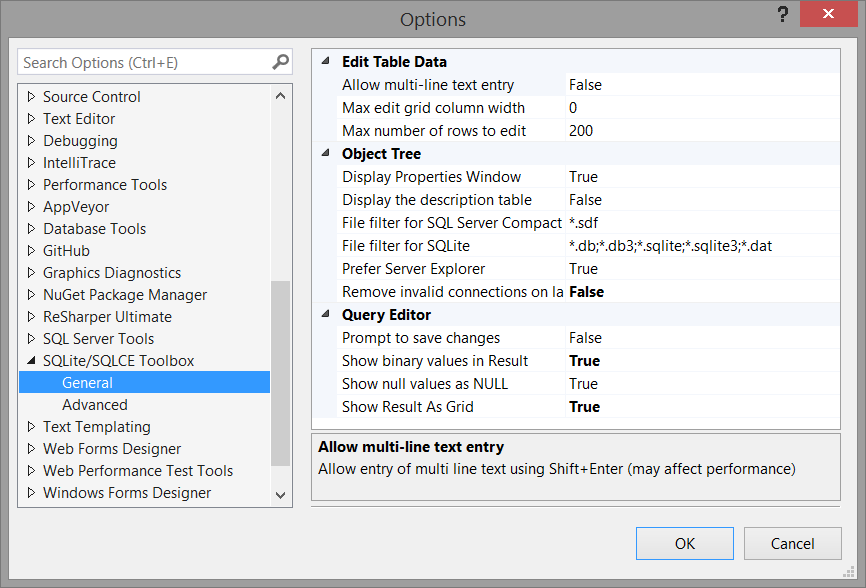
SQL Server Compact 3.5 and 4.0 Toolbox add-in for Visual Studio. This add-in adds several features to help your SQL Server Compact development efforts: Scripting of tables and data, import from SQL Server and CSV files and much more.
This is a great tool that has saved me much effort even in the few times I've had to use it so far - particularly the compact <-> full migrations. Thank you for making it available to the community.
Hi Erik, Thanks for this wonderful tools. The only thing I can think of for the next releases is a kind of progress bar or the number of rows imported like SSMS import dialog. Your tool has created a long SQL from a CSV file and right now I'm running it and I don't know how far is it. All I can do is looking to the size of the sdf file to make sure it's still working :) THANKS Mohsen
Hi Erik,
Thanx for the great tool! I'm trying to move my project with some Linq to SQL from SQL Express to SQL Compact 4 and you tool definitely makes the process much easier.
And a little feature request:
Is it possible to add tables selection to 'Create DataContext' dialog (similar to existing in 'Create EDM'), so it will be possible to generate a bunch of small and cute DataContext, rather than one big and fat one?
How does one use this tool to import from SQL Server? I only see import from CSV. I'm using sql server ce version 3.5, would that only work with 4.0? Sorry if I'm simply not finding the appropriate documentation.
Right click the root not, and select script from SQL Server - see this blog post: http://erikej.blogspot.com/2012/02/migrating-databases-between-sql-server.html
I just installed SQL Server Compact 4.0 and the toolbox,already had the version 3.5.I just created a project in VS2010 ultimate.My problem is that in toolbax whenever i click on my database and expand the tables node, i get the following error:
Error Code:80004005
Message:incompatible Database version
Minor Error:28609
Source:SQL Server Compact ADO.NET Data Provider
Num par.:4000000
Num. Par:350503 plz help....
Hi Eric, I have installed SQL Server Compact 4.0 and the SQL Server Compact Toolbox. I have Visual Studio 2010 Premium. I created a small project and open the Toolbox, when I right-click on “SQL Server Compact Data Connection” the “Add SQL Compact 4.0 Connection …” is grayed out. Yes, I’m new to SQL Compact. Can you tell what I’m doing wrong?
Hi Erik,
I'm also facing the same problem, however cannot get rid of the same by installing 3.5SP2.
Could u pls advise?
Environment :VS2010 Ultimate
Many thanks
VJ
I have the same problem. Both 3.5 SP2 and 4.0 runtimes are installed. The About dialog says yes to everything except "SQL Server Compact 3.5 DbProvider". I have VS2010 on Windows 7 X64. The 32 and 64-bit 3.5 runtimes are installed. Any ideas?
Hi Erik,
Thank your for your cool tool. I have a question. I'm developing a phone app for Windows Phone 7. I have created the database in the project. Using your tool, I right click on the database and "Add Windows Phone Data Context" is greyed out. What am I doing wrong?
Hi Erik,
First of all thank for providing such a wonderfull tool. It saved me a lot of time. I just have a question regarding the version table. Is this table for me track my version changes? First time around it created the _VERSION table. I made some changes to my table and when I tried to add the DataContext again it warned that there is no PK defined and will not be generated properly. Now the datacontext in the project has some errors because of @_VERSION. Sorry. I am kind of new to SQLCE and all this MVVM concept. So pls forgive my ignorance.
It depends on you scenario, if you want to include a database with your project or not. If you want to include one, the presense of this table enables you to deploy updates to your database schema. But it should not cause errors, though. Could you please report a detailed error report, and maybe include some code here: http://sqlcetoolbox.codeplex.com/workitem/list/basic
I am including the DB with my project. First time around the tool just created the _VERSION table and added the DataContext and Models to the project. I didn't see a __VERSION.cs in my project. So I renamed the version table to VERSION and added a PK. Re-ran the tool and it created the VERSION.cs file and added the entries to the DataContext. Now I just have to implement the logic to handle the version check. I guess I didn't quite understand how the version table creation process works. Was the tool supposed to do anything more other than just creating it?
thanks.
The __VERSION table is an internal table used by the DatabaseUpdater class to support schema changes, you should NOT rename it at all. Please read up on DatabaseUpdater before you decide to include a __VERSION tabel at all, otherwise do NOT include it (the default is to not include it)
Thanks Erik. I did some reading on DatabaseSchemaUpdater. Now I understand the purpose of the version table. Sorry. I am still not sure how to properly use the toolbox when I the __VERSION table is included in the DB. Let's say I have a table named SETTINGS and the __VERSION table in my DB. I added a new col to the SETTINGS table and I need to update the DataContext and Class files in my project. I went to the Compact Toolbox and selected Add DataContext to current project. A window poped up stating there is no PK on the __VERSION table and will not be generated properly. Hit OK. The DataContext and class file in my project got updated. I see the following entry in my DataContext
public System.Data.Linq.Table<@__VERSION> @__VERSIONs
{
get
{
return this.GetTable<@__VERSION>();
}
}
The above code has error. The error indicates Unknown Type '__VERSION'. Is this just a matter of removing the above entries from the DataContext since __VERSION is an internal table? I am using the Compact Toolbox version 2.6.0.4 installed through the VS 2010 Extension Manager.
thanks in advance.
Please continue this discussion here: http://sqlcetoolbox.codeplex.com/workitem/list/basic where you can upload code etc. This Q&A section is notideal for support issues like this. I cannot repro your issue, so more information, like a copy of your database and which option you select when creating the context is needed.
Just updated to 2.6.0.3 and now Import Data from CSV no longer works.
Can browse & select a csv file to import, but then clicking the Import button does nothing at all.
Only option is to Cancel to exit.
Hello,
I would like first to compliment this very useful tool and I would ask if there will be a version to get the DataContext in code vb, for now i do the conversion by hand ...
thanks
I will consider this, and have created a work item here: http://sqlcetoolbox.codeplex.com/workitem/9239 that you can vote for. Could you share your translated CreateDatabaseIfExists method?
Public Function CreateIfNotExists() As Boolean
Dim created As Boolean = False
Using db = New SpesafacileContext(SpesafacileContext.ConnectionString)
If Not db.DatabaseExists() Then
Dim names As String() = Me.[GetType]().Assembly.GetManifestResourceNames()
Dim name As String = names.Where(Function(n) n.EndsWith(FileName)).FirstOrDefault()
If name IsNot Nothing Then
Using resourceStream As Stream = Assembly.GetExecutingAssembly().GetManifestResourceStream(name)
If resourceStream IsNot Nothing Then
Using myIsolatedStorage As IsolatedStorageFile = IsolatedStorageFile.GetUserStoreForApplication()
Using fileStream As New IsolatedStorageFileStream(FileName, FileMode.Create, myIsolatedStorage)
Using writer As New BinaryWriter(fileStream)
Dim length As Long = resourceStream.Length
Dim buffer As Byte() = New Byte(31) {}
Dim readCount As Integer = 0
Using reader As New BinaryReader(resourceStream)
While readCount < length
Dim actual As Integer = reader.Read(buffer, 0, buffer.Length)
readCount += actual
writer.Write(buffer, 0, actual)
End While
End Using
End Using
End Using
End Using
created = True
Else
db.CreateDatabase()
created = True
End If
End Using
Else
db.CreateDatabase()
created = True
End If
End If
End Using
Return created
End Function
this is a telerik convertion... is the first issue!!!
Sorry, but there is a 2000 char limit. I repost here:
first part:
Public Function CreateIfNotExists() As Boolean
Dim created As Boolean = False
Using db = New SpesafacileContext(SpesafacileContext.ConnectionString)
If Not db.DatabaseExists() Then
Dim names As String() = Me.[GetType]().Assembly.GetManifestResourceNames()
Dim name As String = names.Where(Function(n) n.EndsWith(FileName)).FirstOrDefault()
If name IsNot Nothing Then
Using resourceStream As Stream = Assembly.GetExecutingAssembly().GetManifestResourceStream(name)
If resourceStream IsNot Nothing Then
Using myIsolatedStorage As IsolatedStorageFile = IsolatedStorageFile.GetUserStoreForApplication()
Using fileStream As New IsolatedStorageFileStream(FileName, FileMode.Create, myIsolatedStorage)
Using writer As New BinaryWriter(fileStream)
Dim length As Long = resourceStream.Length
Dim buffer As Byte() = New Byte(31) {}
Dim readCount As Integer = 0
Using reader As New BinaryReader(resourceStream)
I installed this toolbox. I have a project that has two (2) SSCE databases, both with passwords on them. The two options to add a SQL Server Compact 3.x/4.x Connection are greyed out and neither of the two (2) SSCE databases are showing up.
How do I add them to the toolbox?
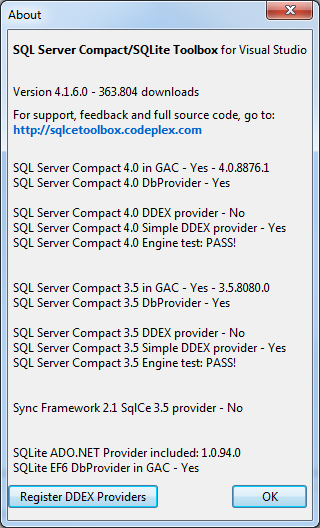
Check your About screen (Question mark icon) - both the 3.5 SP2 and 4.0 SQL Server Compact runtime MSIs, including DbProviderFactory must be installed.
Hi Erik. I have a problem with SQL Server CE 3.5. In SQL Server Compact (latest version) Toolbox I can see error message "Unable to load native components of SQL Server Compact corresponding to the ADO.NET provider of version 8087". When I select in context menu "Remove Broken Connections" then I can see error message "System.DllNotDoundException sqlceme35.dll". I have tried to uninstall and new install SQL Server CE 3.5 SP2 (x86 and x64) but nothing happened. In other application/projects I can use SQL Server CE 3.5 without any problem.
Connections for SQL CE 4.0 works fine.
Could you check the About dialog in the add-in? This error indicates that something in your global 3.5 installtion is broken or you have mixed x64 and x86 versions of the DLL files.
About box:
Version 2.4.0.3
SQL CE 4.0 in GAC - Yes - 4.0.8482.1
SQL CE 4.0 DbProvider - Yes
SQL CE 3.5 in GAC - Yes - 3.5.8087.0
SQL CE 3.5 DbProvider - Yes
I have installed (Windows 7 x64 + VS 2010 Ultimate):
- SQL CE 3.5 SP2 x86 (required by x64 - "Before installing x64 version of SQL Server Compact, download and install the x86 version...")
- SQL CE 3.5 SP2 x64
- SQL CE 4.0 x64
I don't have installed SQL CE 4.0 x86 because x86 version can't be installed on x64 OS ("SQL Server Compact x86 installation package is not supported on x64 OS...")
I have tried to uninstall SQL CE 3.5 SP2 x64 but nothing happened (the error still occurs). If I uninstall SQL CE 3.5 (both versions x86 and x64) and leave only SQL 4.0 x64 then I can't create any new connection including connection for SQL CE 4.0 (option in "Add SQL CE 4.0 Connection" context menu is disabled). I'm a bit confused :-).
I'm sorry for my English.
The reason for this (for Kamil) was that he (for some reason) did not have the exact same file version of the SQL Server Compact DLL files installed for x86 and x64. Remove both runtimes (possibly manually) and re-install 3.5 SP2 (both for x64 and x86)
Erik, I installed the toolbox and everything seems to have gone fine, but I am not seeing a "Microsoft SQL Server Compact 4.0" item in the "Change Data Source" dialog box when I try to add a new data source. I can see the 3.5 version, and I can see the "Visual Studio 2010 SP1 Tools for SQL Server Compact 4.0 ENU" in the installed programs control panel. Also, if I go to my ClickOnce prerequisite dialog, I have the option of selecting "SQL Server Compact 4.0", but if I go to Help->About Microsoft Visual Studio, I only see the SQL Server Compact 3.5 Toolbox, nothing on 4.0. I've tried uninstalling/reinstalling and restarting. Any other ideas?
I what context are you adding a 4.0 source - only Web projects are supported - see this blog post for detailed info: http://blogs.msdn.com/b/sqlservercompact/archive/2011/03/15/sql-server-compact-4-0-tooling-support-in-visual-studio-2010-sp1-and-visual-web-developer-express-2010-sp1.aspx
"SQL Server Compact 3.5 Toolbox" is just the old name... I will update that!