SQL Server Compact Toolbox

Free

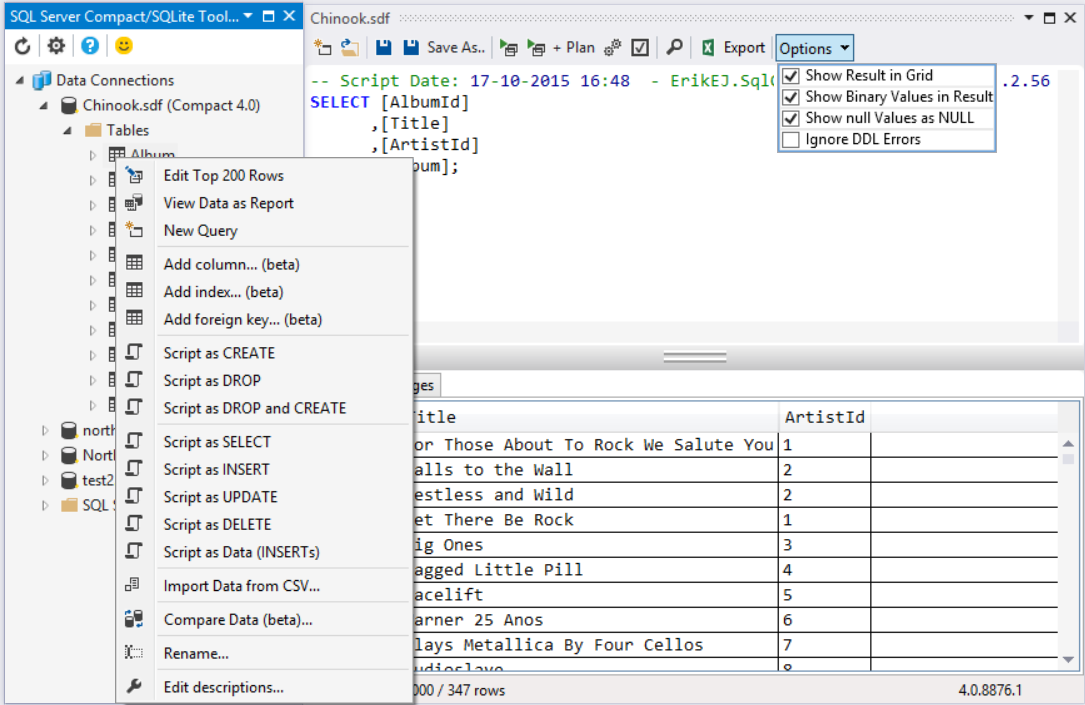
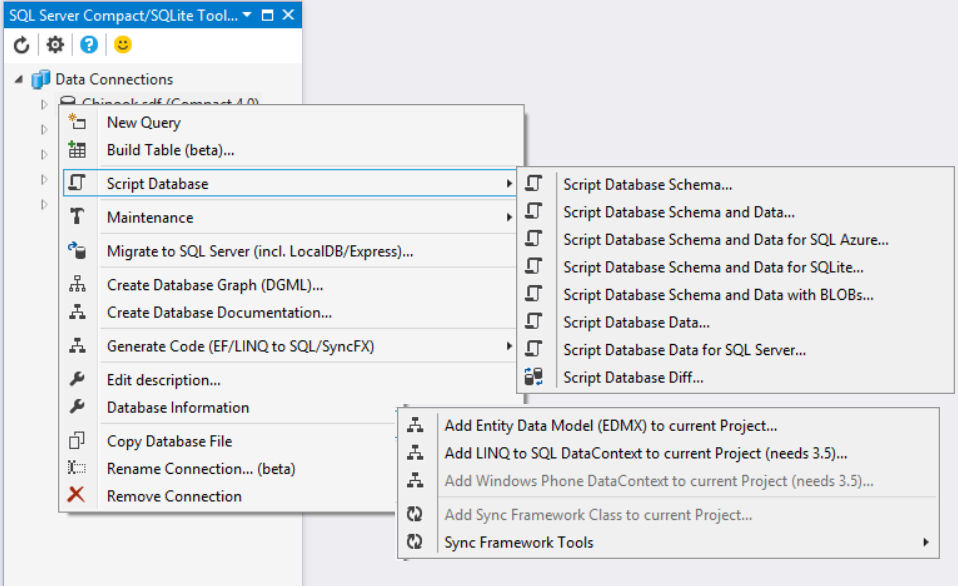
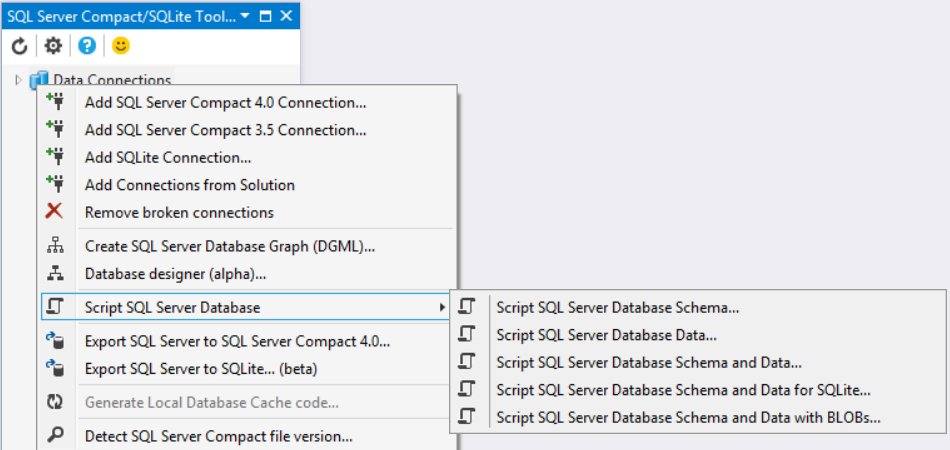
SQL Server Compact 3.5 and 4.0 Toolbox add-in for Visual Studio. This add-in adds several features to help your SQL Server Compact development efforts: Scripting of tables and data, import from SQL Server and CSV files and much more.

(46) Review
Visual Studio
2012, 2010
Download (180,816)
5/14/2013
3.3.0.4
View
E-mail Twitter del.icio.us Digg Facebook
Add To Favorites
Description
Reviews (46)
Q and A (26)
Sign in to Write a Review
Sort By:

by Gerardo Melendrez | February 09 2012

Great tool!

Thanks.

by Greg_AD | February 08 2012

The ADO EF support alone just saved me hours in what I was doing before with 3.5 and the migration to 4.0.

Great tool, very slick integration into Visual Studio 2010.

by Comaneci | February 04 2012

by Dzmuh | January 06 2012

by erickorlando | December 02 2011

Que excelente esta herramienta, imprescindible.

by Ilija Injac | December 02 2011

Hi, thank you - and thank you! You did a great job here! Why does MS not buy this thing and integrates it into VS2010? Microsooooooft! Come and buy this tool and make this man rich!

ErikEJ December 05 2011
| Edit |
Delete

It is already integrated into VS 2010 (and VS 11)

by DanielMaxwell | November 15 2011

The features provided are a great help with SQL Compact edition databases and the updates frequent (a bit too frequent, though). This saves time when creating a model. Thank you.

ErikEJ December 05 2011
| Edit |
Delete

You are welcome, how frequent would you like the releases to be?

by Oliver Michalski | November 11 2011

Very Helpful!

by Santhosh Sivarajan- | November 08 2011

Good job guys!

by Chitragupta | October 27 2011

Exellent! Thanks

by Uffe Iversen | October 25 2011

by Bjørn Storkholm | October 16 2011

Great tool. During my last project I really enjoyed the scripting capabilities and the SQL editor.

Now that's cool... but when i showed the DGML and HTML documentation generated by the toolbox, the rest of the team went WOW!!!!

by DPS Bali | October 08 2011

Nice to have ..

by Shadow_dog007 | October 02 2011

You Rock Erik!!!
Thanks a ton for your efforts. This just works!!! and that is the best thing about it :)

I have been going through countless workarounds to no avail. Most examples mention a provider when creating the Data Source for the Data Entity but I never could get it to show up.

Your tool took care of everything :)

Thanks again.
SD.

by luca pastore | September 26 2011

When will be a release that create datacontext code in vb?

Thanks

by TadAnderson | August 11 2011

Nice Tool!!!!

by Blarty Fargo | July 24 2011

Excellent. The most useful extension to VS2010 I have.

Three big wins for me:

1) Creation of CE 4.0 EDMX files
2) The ability to script your DB and save the script easily
3) Easy creation of new CE 4.0 databases

Thank you Erik

by Esref DURNA | July 14 2011

by Axonn Echysttas | May 02 2011

After waiting for so many months for VS 2010 SP 1 to come out, I found myself flabbergasted when I saw Microsoft did ZERO to help SQL Compact 4 users in managing their databases. I waited a lot to be able to use SQLCE4 in my Desktop app only to find myself out in the rain.

But here comes Erik with a great addon! The SQL Server Compact Toolbox is already, at the time of this writing, an almost complete replacement of SSMS, at least for what I need it! It's very light and works great, and what's even better, is that it's still actively developed, and I see a golden future ahead for it.

This is great stuff!

by joeawilliams | April 26 2011

Just what I was looking for. This is great!!!!

21 - 40 of 46 Items   
Sign in to Start a Discussion


  • Having Installing problem
    2 Posts | Last Post April 16, 2013
    • Im using VS2012 on window 8. After downloading it when i open the file it does not open and ask me to chose which program to open with
    • Which edition of VS do you have installed?
  • Unable to install the downloaded VSIX
    2 Posts | Last Post April 16, 2013
    • Hi ErikEj, 
      I am not able to install the VSIX, I've downloaded. I'm using VS 2012 express for WP. I get "Installation Failed" error box "This extension is not installable on any currently installed products.
      
      Log --
      4/14/2013 8:10:22 PM - Searching for applicable products...
      4/14/2013 8:10:23 PM - Found installed product - Microsoft Visual C# Express 2010
      4/14/2013 8:10:23 PM - Found installed product - Microsoft Visual Studio Express 2012 for Web
      4/14/2013 8:10:23 PM - Found installed product - Microsoft Visual Studio Express 2012 for Windows 8
      4/14/2013 8:10:23 PM - Found installed product - Microsoft Visual Studio Express 2012 for Windows Phone
      4/14/2013 8:10:23 PM - Found installed product - Global Location
      4/14/2013 8:10:23 PM - VSIXInstaller.NoApplicableSKUsException: This extension is not installable on any currently installed products.
         at VSIXInstaller.App.InitializeInstall()
         at System.Threading.Tasks.Task.InnerInvoke()
         at System.Threading.Tasks.Task.Execute()
      
      Could you please help me with getting this installed?
      
    • You must have Visual Studio Professional or higher to install VS add-ins of this type. Alternatively you can use the standalone edition.
  • Add SQL Server Compact 4.0 Connections is disabled
    2 Posts | Last Post March 16, 2013
    • Hi ErikEj,
      I downloaded your SQL Server Compact Toolbox, when I right click SQL Sever Compact Data Connections, the Add SQL Server Compact 4.0 Connections is disabled. Please help.
      
      I am using Visual Studio Ultimate with SP1.
    • You must install both the 3.5 and 4.0 runtimes, see the documentation here: http://sqlcetoolbox.codeplex.com/documentation (bottom of that page)
  • Allow opening a sql server compact file with file extensions other than sdf also
    2 Posts | Last Post March 08, 2013
    • We are using sql server compact files to store data for our application. For associating these files with our application we have chosen the file extension *.dfm. Unfortunately the connection dialog will not let me open the file (OK button is grayed out). "Test connection" works and opening the file after renaming to *.sdf works also.
      
      Can you always enable the OK button regardless of the file extension? Thank you for providing such a great tool! We used to use the sql server management studio for this task but MS decided to kill this functionality for whatever reason. 
      
      Daniel Flemming.
      
    • Currently I am using the Microsoft supplied dialog to get connection information in some cases, and this dialog only accepts .sdf files. I will change this so I only use my own dialog, I have logged a Work item here: http://sqlcetoolbox.codeplex.com/workitem/list/basic
  • Database is not supported
    5 Posts | Last Post February 01, 2013
    • when a try to fill my grid whith a IQueryable<> method show me a message database version is not supported DB Version 40000, requested version 3505053
    • How does this relate to the toolbox?
    • toolbox has an option that says add a LINQ to SQL DataContext class to the current project, and I'm using that class that I generated to populate a gridview
    • Ok, to use 4.0 you need to initialize the Datacontext with a SqlCeConnection instane, see http://erikej.blogspot.dk/2012/04/using-linq-to-sql-with-sql-server.html 
    • Now I see what my problem was, I had read this article but apparently did not read the note to initialize my connection with SQLCE
      
      NOTE: Notice that the Chinook DataContext class is initialized with a SqlCeConnection object, I could not make it work with a full connection string, or the name of an existing connection string setting in app.config.
      thank you very much for your help now I have clear
  • SQL Server Compact AddIn and VS Express for Web
    2 Posts | Last Post January 17, 2013
    • Hi, 
      Is it possibe to install SQL Server Compact Addin for VS Expresse for Web? I get the following error:
      Found installed product - Microsoft Visual Studio Express 2012 for Web
      VSIXInstaller.NoApplicableSKUsException: This extension is not installable on any currently installed products.
      
      Thanks for your help.
    • No, you must have VS Pro or higher to use VISX extensions. But the Toolbox is also available as a standalone .exe from Codeplex.
  • Cant import from csv
    2 Posts | Last Post October 29, 2012
    • always get this error when I try to import from a csv file
      
       Error Code: 80040E14
       Message   : Data conversion failed. [ OLE DB status value (if known) = 2 ]
       Minor Err.: 26306
       Source    : SQL Server Compact ADO.NET Data Provider
       Num. Par. : 2
      
      a demo version of a commercial program created the table based on the same csv, so the table and csv type should be ok.
    • Suggest you post tech support issues at sqlcetoolbox.codeplex.com, and provide more info in the posting there, thanks.
  • Could not find SQLMetal location in registry
    5 Posts | Last Post September 19, 2012
    • When I try to generate Linq2Sql datacontext, it gives me "Could not find SQLMetal location in registry", I've looked at dll's and found this: string sqlMetalPath = (string)Registry.GetValue(@"HKEY_LOCAL_MACHINE\SOFTWARE\Microsoft\Microsoft SDKs\Windows\v7.0A\WinSDK-NetFx40Tools", "InstallationFolder", null);
      
      I've added following value to registry(there was also similar value to this, only with v8.0A), but error message didn't went away. I think it would be better to allow choose sqlmetal path if registry value not found or smth.
    • I would prefer to  avoid that, where is sqlmetal.exe located on your PC? And which VS version are installed?
    • sqlmetal is located here:
      "C:\Program Files (x86)\Microsoft SDKs\Windows\v8.0A\bin\NETFX 4.0 Tools\SqlMetal.exe"
      "C:\Program Files (x86)\Microsoft SDKs\Windows\v7.0A\Bin\SqlMetal.exe"
      
      I have only VS2012 RTM installed.
    • I will fix the check so it Works on machines with only VS 2012 installed.
    • This has been fixed in the latest source
  • Installed and dont'see the menues
    3 Posts | Last Post August 10, 2012
    • I've installed the Toolbox on a Windows 7 64bit system. I can see only what looks to be standard menu options. None of the advanced menu options are available. Did I miss something - from what I can tell eveything is installed.
      
      Peter
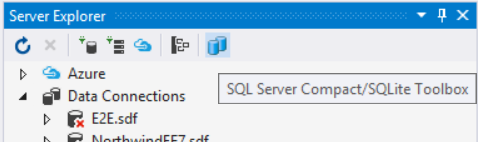
    • Are you looking in Server Explorer? The Toolbox has its own window, as is launched as described here: http://sqlcetoolbox.codeplex.com/documentation
    • ok;
      
      I guess I should reply with the defacto dhoooo....
      
      Yes; I did not realize the toolbox came with its own interface - thought it extended the server explorer interface - I guess that's what you get when you don't read the documentation.
      
      thx
      Peter
  • QuickGraph.NonAcyclicGraphException
    2 Posts | Last Post July 22, 2012
    • I got this exception when I'm trying to export schema and data from a SqlCe 4.0 Db
      How can I get over this ?
      
      
      QuickGraph.NonAcyclicGraphException: Exception of type 'QuickGraph.NonAcyclicGraphException' was thrown.
      
         at QuickGraph.Algorithms.TopologicalSort.TopologicalSortAlgorithm`2.BackEdge(TEdge args)
      
         at QuickGraph.Algorithms.Search.DepthFirstSearchAlgorithm`2.OnBackEdge(TEdge e)
      
         at QuickGraph.Algorithms.Search.DepthFirstSearchAlgorithm`2.Visit(TVertex root)
      
         at QuickGraph.Algorithms.Search.DepthFirstSearchAlgorithm`2.InternalCompute()
      
         at QuickGraph.Algorithms.AlgorithmBase`1.Compute()
      
         at QuickGraph.Algorithms.TopologicalSort.TopologicalSortAlgorithm`2.InternalCompute()
      
         at QuickGraph.Algorithms.AlgorithmBase`1.Compute()
      
         at QuickGraph.Algorithms.TopologicalSort.TopologicalSortAlgorithm`2.Compute(IList`1 vertices)
      
         at QuickGraph.Algorithms.AlgorithmExtensions.TopologicalSort[TVertex,TEdge](IVertexListGraph`2 visitedGraph, IList`1 vertices)
      
         at QuickGraph.Algorithms.AlgorithmExtensions.TopologicalSort[TVertex,TEdge](IVertexListGraph`2 visitedGraph)
      
         at ErikEJ.SqlCeScripting.Generator4.ExcludeTables(IList`1 tablesToExclude)
      
         at ErikEJ.SqlCeToolbox.Commands.DatabaseMenuCommandsHandler.ScriptDatabase(Object sender, ExecutedRoutedEventArgs e)
      
    • This will be fixed in next release (expected soon after VS 2012 is released)
1 - 10 of 26 Items