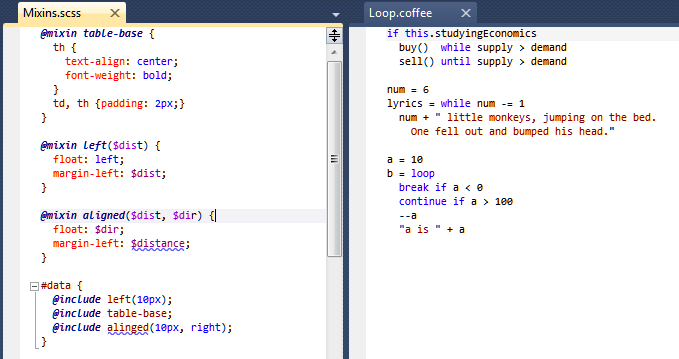
Free edition doesn't compile LESS but it still create CSS files. Its very weird and annoying me since it conflic with other LESS compile tools. May you have a option to turn it off?
The new version just released will NOT try and generate .css files from LESS files.
If you already have files, please right click on the LESS file, go to Properties, and delete the value in the 'CustomTool' property so that it is blank. This will stop generation from occurring (you may need to delete the .css file also).
The previous Freeware version was extremely valuable for SCSS and LESS editting, but later versions becoming "Nagware" has made Web Workbench just too annoying to use.
I sincerely appreciated the original tool, but have had to de-install :(
I now urge Mindscape to do one of two things:
a) Remove the Nagware entirely from the "free" version b) Be HONEST in Gallery/Nuget and other decriptions of the add-in and classify it as Nagware so people can avoid annoying install/de-install cycles.
This scenario reminds me of what happened with .NET Reflector which ultimately turned into a simple bait-and-switch - an activity that only gives a bad feeling about the parent company's future intentions with all products in their portfolio.
Great plugin guys, although can you please create a setting to toggle the intellisense on and off. I find it just gets in the way when using nested css.
EDIT: Thanks guys for fixing my problem, it works like a charm now :)
Great thank you very much for this, this has been missing for me! First impression is great. Everything seems to work as expected. It would be very nice (->Feature Request) if there would be some kind of document structure view (like in original CSS). PS: Why do people complain about regular updates? That is plain crazy...
Edit: After using this for nearly two days, I have to review my comment and rating. I really still like the plugin. But for my project (1200 LOC), the syntax highlighting seems to work too slow. (This seems to be a known issue?) I can feel the delay between every keystroke and the time it appears. I hope you can prioritize the performance issues. Bug: If i type a Word. the intellisense does provide me with an autocomplete option. If I type some more letters, and the word does not match anymore, the item gets deselected (it was highlighted before, now it is only bordered). If I hit enter now, the item still overwrites my typed word. Maybe you can look into that?
I use the version from today (2.0.332.18684) Keep up the good work. I will go pro, if the performance is at an acceptable level.
The first drop of 2.0 included a big set of performance improvements. Then we started to get feedback that performance was still an issue with even larger files. A release made today should help address these concerns even more.
Could you report the issue to us on our site forum? Certainly don't want it crashing on folks and it would be great for one of the developers to work with you to resolve the problem for you.
We have resolved this - we swapped to the super fast Google V8 JavaScript engine and have had great feedback on the performance improvements. Grab the latest version to try it yourself!
Sorry if you're not happy with the updates. We post approximately two releases per week currently to either improve syntax highlighting or add minor feature enhancements.
Simply excellent, I can finally ditch VIM and work inside VS again with LESS/CoffeeScript/Sass, I've reported 2 bugs in the past few days and there has been fixes within hours or a day, very impressed.
Using the bundled ruby installation doesn't generate .css files out of .scss files.
Pointing to to ruby folder (C:\Ruby200-x64\bin or C:\Ruby200-x64\bin\ruby.exe or C:\Ruby200-x64\bin\rubyw.exe) generates .css file with the following message in it:
===============================================
/* System.ComponentModel.Win32Exception (0x80004005): The system cannot find the file specified
at System.Diagnostics.Process.StartWithCreateProcess(ProcessStartInfo startInfo)
at System.Diagnostics.Process.Start()
at Mindscape.VisualSass.Integration.CustomTool.ExternalCommandBase.Execute(String customToolFolder)
at Mindscape.VisualSass.Integration.Compilation.CompassCompiler.CompileCore(String text, String sourceFilePath, String rootPath, IEnumerable`1 additionalPaths, ICompilationSettings settings, ICompilerContext context, CompilationResult result)
at Mindscape.VisualSass.Integration.Compilation.CompilerWithMinification.Compile(String text, String sourceFilePath, String rootPath, IEnumerable`1 additionalPaths, ICompilationSettings settings, ICompilerContext context, CompilationResult result) */
===============================================
Has no effect on .sass files. Doesn't generate .css at all.
Does this thread help?
Hi Hrusi & Riderman,
http://www.mindscapehq.com/forums/thread/631361
Usually posting on the Mindscape forum will get a faster result since the developers typically answer on there.
I hope that helps!
Hi,
First of all, thank you for making this great extension.
I just got the latest Mindscape update version 3.2.837.22573 but it gives me the following errors in the css file that SASS produces.
/* System.ComponentModel.Win32Exception (0x80004005): The system cannot find the file specified
at System.Diagnostics.Process.StartWithCreateProcess(ProcessStartInfo startInfo)
at System.Diagnostics.Process.Start()
at Mindscape.VisualSass.Integration.CustomTool.ExternalCommandBase.Execute(String customToolFolder)
at Mindscape.VisualSass.Integration.Compilation.ScssCompiler.CompileCore(String scss, String sourceFilePath, String rootPath, IEnumerable`1 additionalPaths, ICompilationSettings settings, ICompilerContext context, CompilationResult result)
at Mindscape.VisualSass.Integration.Compilation.CompilerWithMinification.Compile(String text, String sourceFilePath, String rootPath, IEnumerable`1 additionalPaths, ICompilationSettings settings, ICompilerContext context, CompilationResult result) */
Any ideas?
Hi Handitan,
Have you checked this thread?
http://www.mindscapehq.com/forums/thread/631361
Usually posting on the Mindscape forum will get a faster result since the developers typically answer on there.
I hope that helps!
I downloaded the free version and it still won't run as it asks for a licence key? I do not want to buy any pro versions, I need Workbench only for a class I'm attending...Why is this download done so misleading? Can someone guide me to where I can download the real FREE Workbench???? Thanks in advance
After the recently update I am starting to get these errors when working on a .scss
/* System.ComponentModel.Win32Exception (0x80004005): The system cannot find the file specified
at System.Diagnostics.Process.StartWithCreateProcess(ProcessStartInfo startInfo)
at System.Diagnostics.Process.Start()
at Mindscape.VisualSass.Integration.CustomTool.ExternalCommandBase.Execute(String customToolFolder)
at Mindscape.VisualSass.Integration.Compilation.ScssCompiler.CompileCore(String scss, String sourceFilePath, String rootPath, IEnumerable`1 additionalPaths, ICompilationSettings settings, ICompilerContext context, CompilationResult result)
at Mindscape.VisualSass.Integration.Compilation.CompilerWithMinification.Compile(String text, String sourceFilePath, String rootPath, IEnumerable`1 additionalPaths, ICompilationSettings settings, ICompilerContext context, CompilationResult result) */
In an 1800 line LESS file, I am noticing that all coloring/formatting is being applied for every single keystroke causing the editing experience to be very slow. It seem like there should be a timer to not do all the coloring until there is an N millisecond pause in keystrokes.
Hi,
I came back from a 2 week holiday last monday and say an update for the Web Workbench, so I installed it.
But now stuff started happening which is really annoying me:
- Syntax highlighting for nested rules is messed up: http://kipusoep.nl/1.png
The first line with a { } is wrong, the second line is good
- Syntax highlighting for variables is broken: http://kipusoep.nl/2.png (first line)
- Less comments breaks the syntax highlighting for the rest of the page: http://kipusoep.nl/2.png (lines 3 - 5)
- Pressing the enter key in various situations leads to unwanted behavior
- Look at the cursor in this screenshot: http://kipusoep.nl/2.png
When I press the enter key on that spot, this happens: http://kipusoep.nl/3.png
- Take a look at these screenshots: http://kipusoep.nl/4.png
The first arrow arrows means 'Pressing the enter key'. The second arrow means 'Pressing the } key followed by the enter key'. It's just completely confused it seems.
Hi Kipus0ep,
Thanks for the feedback -- I'll just note that Jeremy will be helping you over on our forum (we get better notifications there so usually use that). Quickly though, we can't reproduce this behaviour so Jeremy will probably need to get some additional information from you.
Since I was running into problems with the intellisense and highlighting for .less files. I uninstalled Chirpy. I had Workbench installed prior to installing Chirpy, but after I uninstalled it, all intellisense and highlighting for it stopped working. I checked and Chirpy was completely gone from my machine. It was removed from the "Add-Ins" folder in both VS2010 and VS2008. And sometimes the highlighting comes back intermittently, but is gone the next time I open VS. Any help would be apprieciated.
Thanks.
I have it installed, open a new web project, right click add file-> nothing. None of the file types are available for creation. I am on VS2010 and I see the MindScape extension listed under installed extensions. I've tried this twice, what could I be doing wrong?
Hi,
This was likely because there was no templates for Web Site projects. This should now be fixed in the new version we just deployed - can you please grab the update and see if it works? If it doesn't you can create a normal .txt file and rename it to a .less file in the meantime.
I hope that helps!
Hello,
I use you tool mainly with twitter bootstrap but the latest less files are written in less 1.3 and they give errors. Will there be an update so the less files will work when written in less 1.3 style.
Greetings