An extension for Visual Studio, AVR Studio and Atmel studio to format C/C++ and C# documents using Artistic Style engine.
Supported Visual Studio editions:
AStyle Extension for Visual Studo 2017 is available at AStyle Extension 2017
Changelog: Version 3.0 (April 10 2017) - Upgraded GUI to Artistic Style 3.0. Version 2.8 (January 08 2017) - Upgraded GUI to Artistic Style 2.0.6. Version 2.7 (October 7 2015) - Fixed --indent-preproc-block checkbox. Added support for Atmel Studio 7.0. Version 2.6 (June 27 2015) - Fixed: out-of-range values no longer crash VS. Upgraded to Artistic Style 2.05.1. Version 2.5 (November 18 2014) - Upgraded to Artistic Style 2.0.5. Added support for Visual Studio 2015. Version 2.3 (November 18 2013) - Upgraded to Artistic Style 2.0.4. Version 2.2 (October 10 2013) - Added Format on Save option. Version 2.1 (September 17 2013) - Added support for Visual Studio 2013. Version 2.0 (May 07 2013) - Recompiled AStyle dll to remove dependencies. Added option to edit command line options. Added option to export/import settings. Version 1.7 (April 24 2013) - Upgraded to Artistic Style 2.0.3. Version 1.6 (March 23 2013) - Fixed: tab indentation is no longer lost when a selection is formatted. Version 1.5 (Oct 16 2012) - Added support for Unicode text. Fixed: editing read-only files is no longer possible. Version 1.4 (Sept 12 2012) - Import and Export Settings now also include Astyle settings. Version 1.3 (August 05 2012) - Fixed: indentation is no longer lost when a selection is formatted. Version 1.2 (May 15 2012) - Fixed: menu commands are now only visible when the active document is a C/C++ or C# document. Version 1.1 (April 02 2012) - Fixed: bug that prevented installing the extension on Atmel Studio 6. Version 1.0 (April 01 2012) - Initial release.
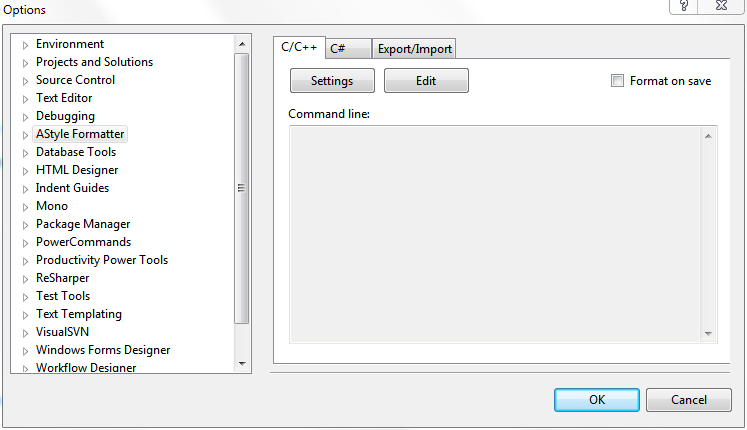
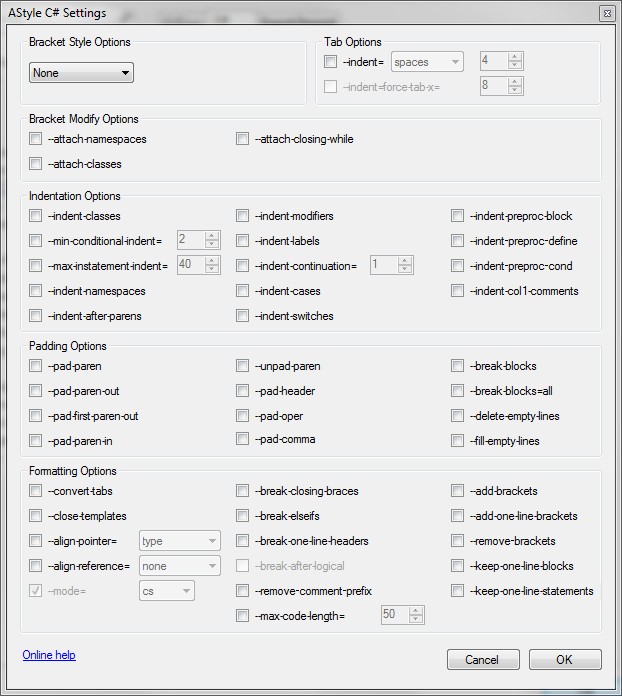
Setup Go to Tools -> Options -> AStyle Formatter -> General. Click on the Settings button of the language you want to set up.
For help with the available options please refer to the Artistic Style documentation at http://astyle.sourceforge.net/astyle.html.
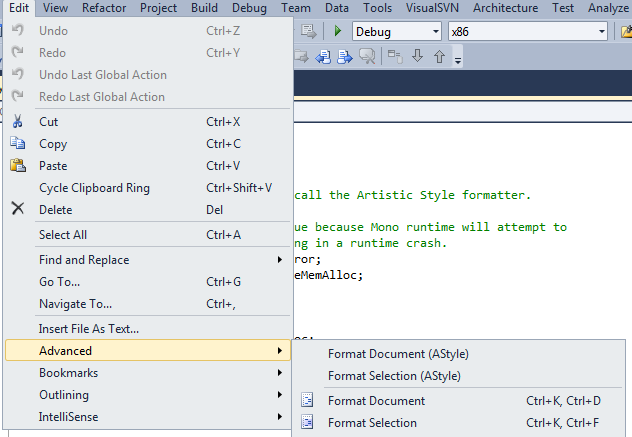
Usage To format the entire active C or C# page, click on Edit -> Advanced -> Format Document (AStyle). To format a section of the active C or C# page, highlight the section and then click on Edit -> Advanced -> Format Selection (AStyle).
You can also assign keyboard shortcuts to these commands at Tools -> Options -> Environment -> Keyboard. |