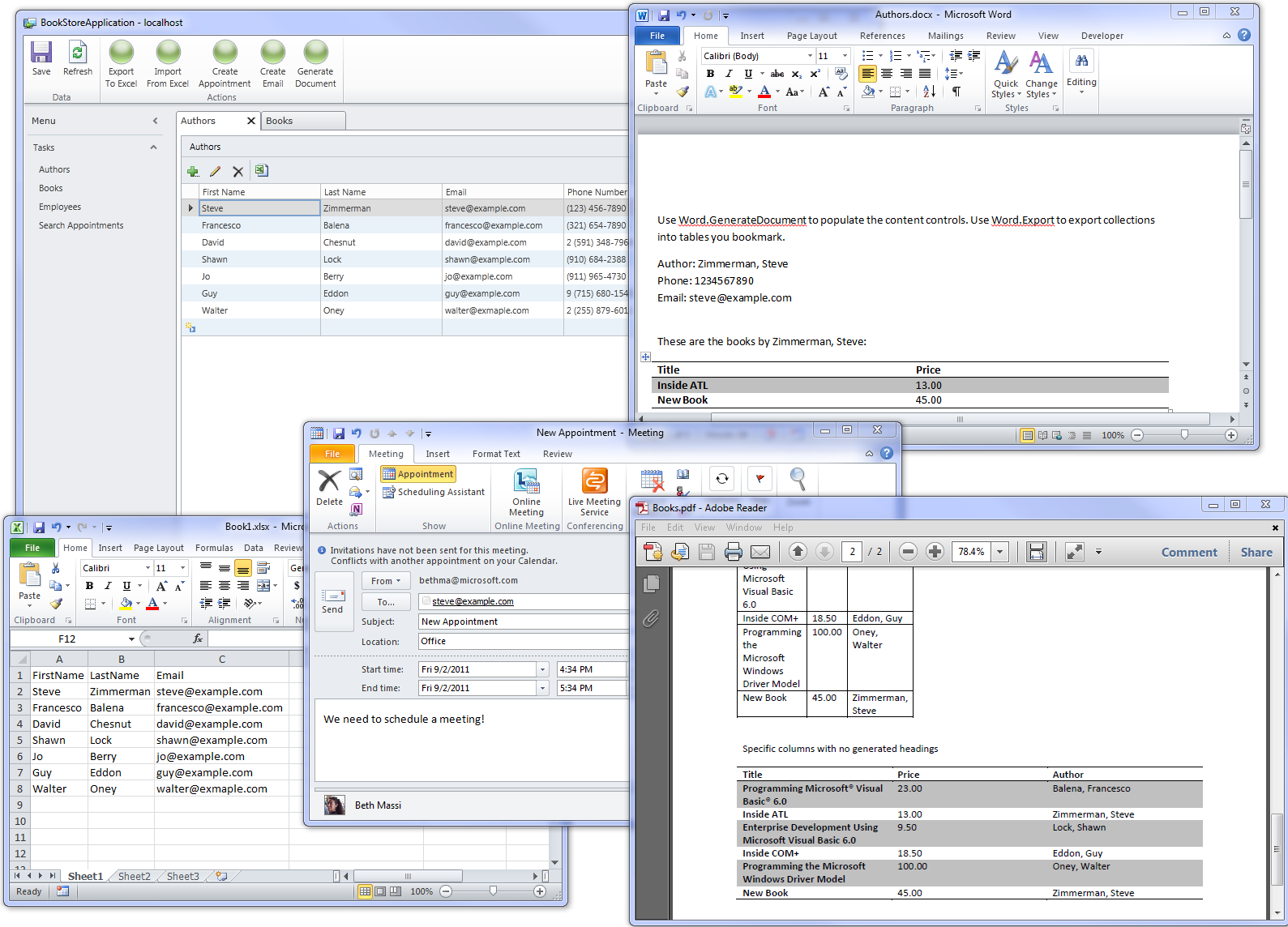
Really good start. We are offering some time and resource to help with enhancements over on codeplex. We have enhanced the area of Excel export significantly.
What I'm missing is an Excel.Export(string fields) overload that creates a new workbook and exports only the selected fields. With the existing overloads an Excel workbook must pre-exist in order to extract some of the fields.
I have vs2010 ultimate SP1rel on an windows 7 SP1 box, the install error was "This extension is not installable on any currently installed products". The supports section in the web description page said 2010 was supported but this was not true in my case for my varient of visual studio. Suggest you download and test a trial version of VS2010 ultimate. I dont have any varient of VS11 preview installed. I also have a varianet of VS2008 installed called 'SQL Server Business Intel DevStudio'. I have office 2007 and also office 2010 that were installed onto the box in that order. All office products are fully patched and service packed.
This Q&A section is not monitored. Please post any questions about the Office Integration Pack to it's CodePlex site at:
http://officeintegration.codeplex.com/
Thanks,
Steve
I dont have Office 2010, so I could not create a template, I am trying to work with the empty document file, why doesn't it work the same way like excel export?
Hello,
I tried running the sample solution, but when I opened the Books screen and clicked the Export To Word button, I got the following exception...
System.ArgumentException was unhandled by user code
Message='Document' is not the expected type of object. Expected object should be a Word.Document object.
Parameter name: Document
StackTrace:
at OfficeIntegration.Word.Export(Object Document, String BookmarkName, Int32 StartRow, Boolean BuildColumnHeadings, IVisualCollection Collection, List`1 ColumnNames)
at OfficeIntegration.Word.Export(String DocumentPath, String BookmarkName, Int32 StartRow, Boolean BuildColumnHeadings, IVisualCollection Collection, List`1 ColumnNames)
at LightSwitchApplication.EditableBooksGrid.ExportToWord_Execute()
at LightSwitchApplication.EditableBooksGrid.DetailsClass.MethodSetProperties._ExportToWord_InvokeMethod(DetailsClass d, ReadOnlyCollection`1 args)
at Microsoft.LightSwitch.Details.Framework.Internal.BusinessMethodImplementation`2.<TryInvokeMethod>b__5()
at Microsoft.LightSwitch.Utilities.Internal.UserCodeHelper.CallUserCode(Type sourceType, String methodName, String instance, String operation, ILoggingContext context, Action action, String additionalText, Func`1 getCompletedMessage, Boolean tryHandleException, Boolean swallowException, Exception& exception)
InnerException:
This happened on the following line in the ExportToWord_Execute() method...
OfficeIntegration.Word.Export(WordFile, "PlainTable", 1, true, this.Books);
Any idea what's going wrong? This looks like a great extension, but I haven't been able to run it at all.
Thanks
Hi Youssu,
Even I am getting the same exception, did u get the solution for this? Can you please give me the source code to export to word, I even tried the sample given in: http://visualstudiogallery.msdn.microsoft.com/35c4cf2a-5148-4716-afcf-0ccf8899cabf
even this is failing at line: Dim doc As Object = OfficeIntegration.Word.GenerateDocument(WordFile,
Me.Customer, custFields)
as conversion failed to IEntityObject.
Any help to run this will be helpful to me.
Thanks
I've been working with the word generatedocument feature and passing data from my LS application to it. That seems to be working well. I'm also able to save the output as pdf. My question is this: is there a way to suppress the word application from becoming visible when generatedocument is called? I want to use the content control aspects of Word but only output to PDF. I don't see any calling parameters that would accomplish that.
Hi,
Having trouble with 2 datatypes. DATE and MONEY.
Outputting a SHORT DATE (dd/mm/yy) (That's how it appears everywhere in my app), but when output to WORD Doc, it appears as a Full Date/Time stamp. (ColumnMapping technique used for this field)
When outputing data defined a MONEY, values appear in app as $9999.99. When output to word getting 9999.9999 (4 decimal places and no $ sign) (Bookmark, ExportEntityCollection used for these money fields).
Any ideas on how to correct?
Regards
James
I am so lost on how to use this extention.
The instructions included with the download are not helping much. And if I try to move the code over to a different project much of the code doesn't seem to be declared properly. I thought knowing a bit of VBA would have given me enough knowledge to use lightswitch. With enough time I might be able to figure this out but I'm not so sure.
Do we have to use the project sample or how do I use this extention for my own program?
The function I am interested in is the import function. The rest of it while useful for other isn't of interest to me at this time.
How is lightswitch different than VBA? I declared a varible dim USERNAME as string and then the next line Username = Environ("USERNAME") but lightswitch is telling me that username isn't declared. I was trying to write this code on button attached to a screen name Toner Screen
First of all, well done! I think that this extension is useful beyond measure! My question is with regards to the size limitations on the excel file. Is there limitations to the number of columns that can be effectively processed. My data file is only 400 kb large but runs from 'A' to 'DL' and i am having troubles mapping the columns.
Any help would be great!