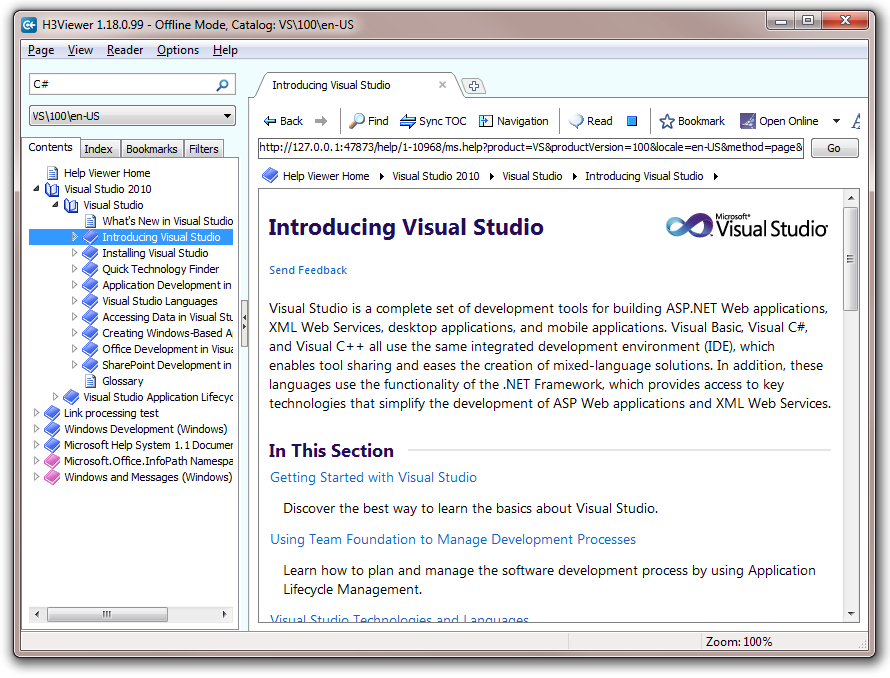
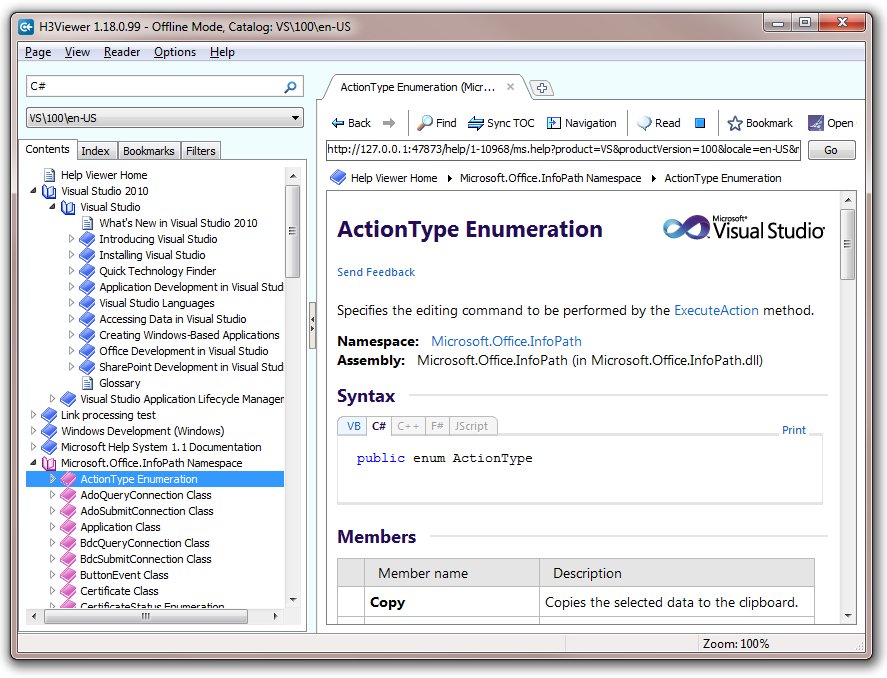
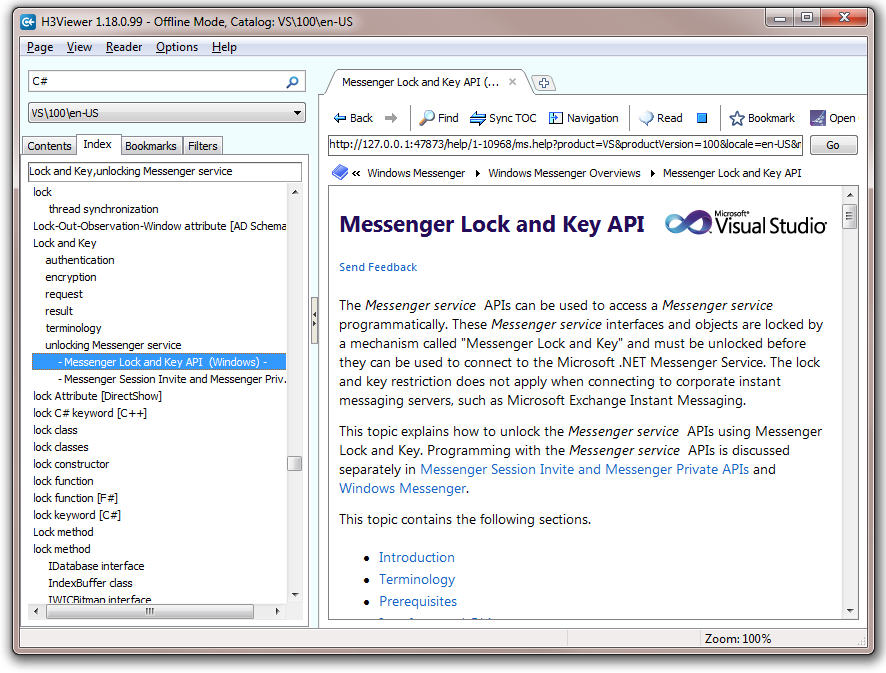
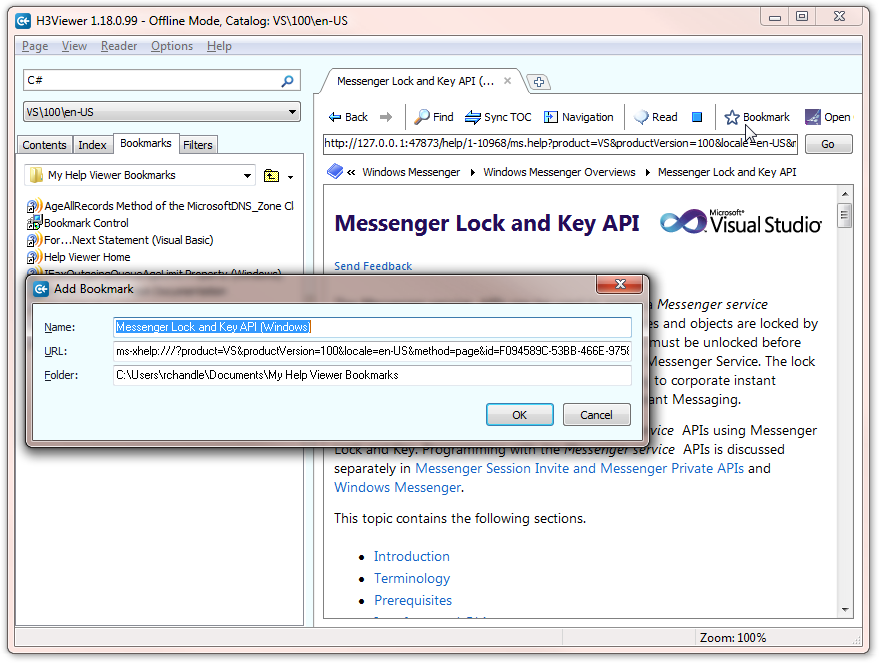
H3Viewer - Help Viewer for VS 2010

Free

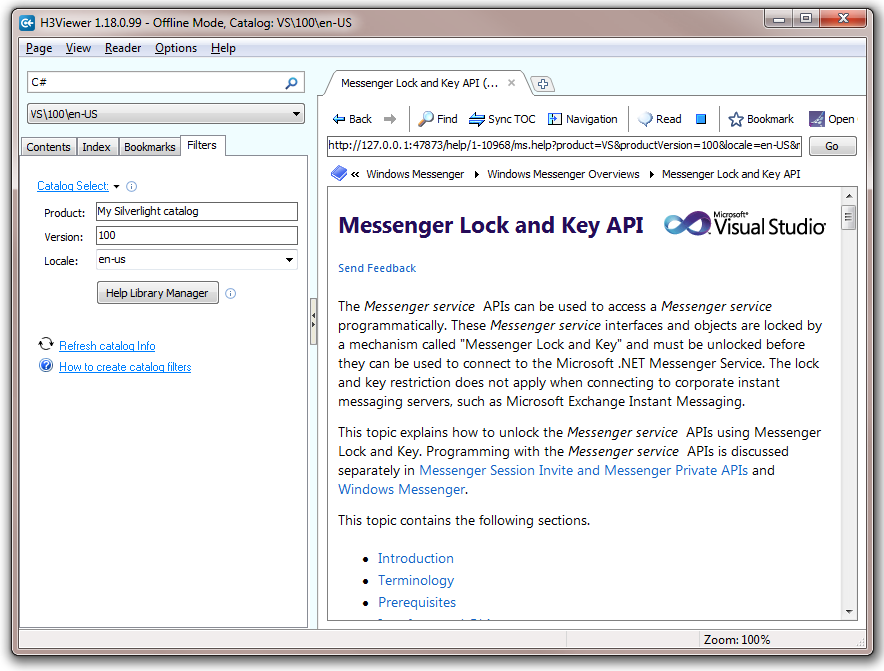
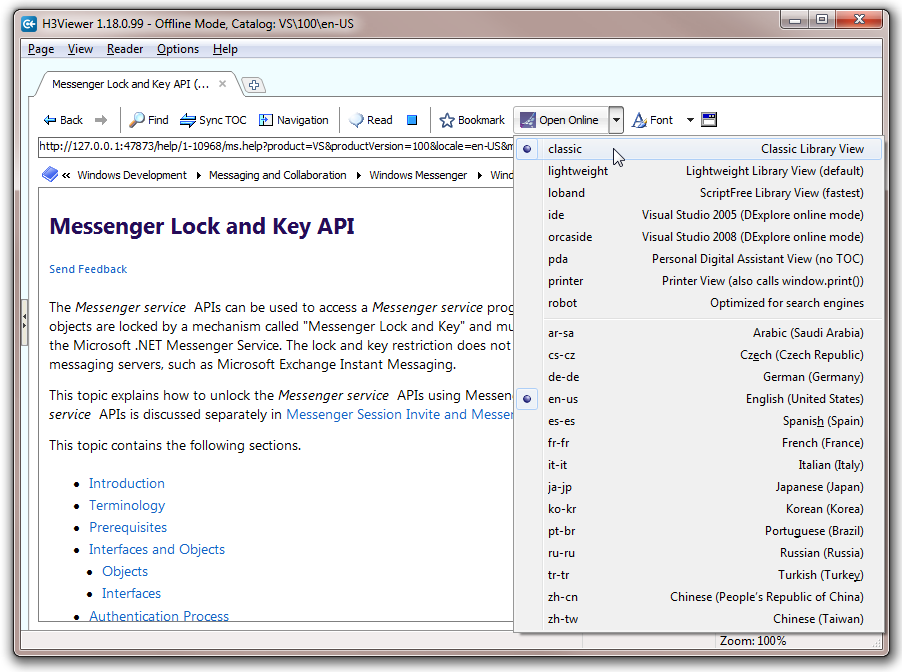
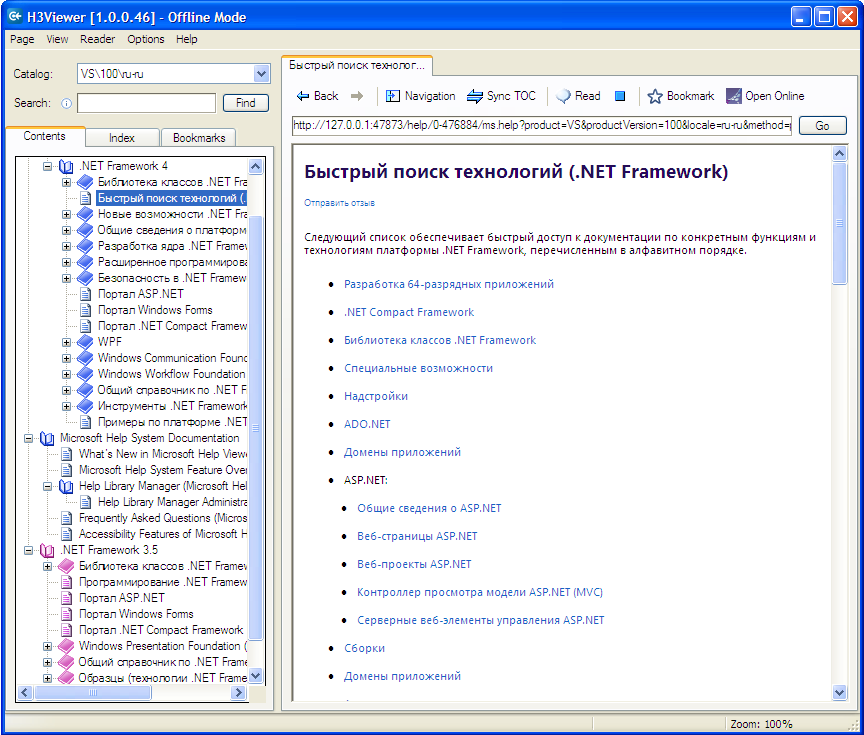
Replacement offline help viewer for VS 2010. Similar to the old VS 2008 DExplore.

(102) Review
Visual Studio
2010
Download (87,226)
9/7/2011
1.20.0.112
E-mail Twitter del.icio.us Digg Facebook
Add To Favorites
Description
Reviews (102)
Q and A (20)
Sign in to Write a Review
Sort By:

by dmprantz_newsham | April 19 2012

I can't fit my full comments here. I wrote them as a "thread" in the Q&A section. Maybe there's something I'm not getting, but I don't see a reply to here.

Rob Chandler [Help MVP] April 20 2012
| Edit |
Delete

Thanks see my response in the Q & A tab.
Now if you can find flaws in the product that are under my control... I will be glad to work with you to make some changes. Otherwise when you cool off please reconsider changing or removing the 2 star rating as I believe you are using my as a whipping board for your frustrations over the limitations of the Microsoft HV 1.x technology.

by MSDN_ice | March 17 2012

不错 不错

by wildmann | March 06 2012

I've been using H3Viewer for a few months,basically its good.my main feedback is as follow:
bookmarks list responses slowly when you use its scrollbar.
and if you select an item in the bookmarks list,use mouse-wheel to scroll up and down,it will refresh many times,obviously more slowly compares to Windows Explorer's scrollbar.can you fix this problem in the next version?

there is also a need to set a toggle to maximize the html help page,Since the html content doesn't always wrap line of example code correctly on small displays.although in you application, we can widen the help page through "Ctrl+Shift+T" and "Ctrl +0" to hide "Embedded Topic Nav" and "Navigation Pane", I think you could provide us with a more easily one-click method by changing the icon-button "Navigation"'s fuction to "Navigation + -",let it toggles the hide or show of both sides Navs.

thanks for reconsidering my opinion!

Rob Chandler [Help MVP] March 06 2012
| Edit |
Delete

Thanks for the great input. Send feature requests through to support @ helpware.net

by Innos_mage | February 24 2012

I wonder how I didn't know about it so long... Great tool, exactly what I wanted from vanilla VS10 help.

by adentum | February 16 2012

This has been my default help viewer since since & I totally fogot to vote. Sorry for the delay

Rob Chandler [Help MVP] February 16 2012
| Edit |
Delete

Thanks for the thumbs up. Good to know it's being used regularly.

by Comaneci | February 04 2012

by Lee Gray | December 15 2011

I've been using H3Viewer for so long as my default help system that I have completely forgotten about it... by that I mean the experience is so seamless, I forget I'm using this tool. And that's the best kind of software: it does ITS job so well that it stays out of my way so I can do MY job. Great stuff, keep it up!

Rob Chandler [Help MVP] December 15 2011
| Edit |
Delete

Lee thanks for the encouraging review. It's nice to know the many hours of coding are of benefit to others :-)

by Harag9 | December 02 2011

Only been using it 20 minutes and love it already, my "back to previous page" button on my mouse works on the main page - which is GREAT (MS help v1.1 doesn't even do this). So for that it deserves 5 stars, would rate it more if possible :) Excellent work!

Rob Chandler [Help MVP] December 02 2011
| Edit |
Delete

:-) Thanks!

by Kotin Danil | November 25 2011

by megaadam | November 14 2011

A fantastic tool to light up my glum Monday morning. And a monumental improvement over that other [unmentionable].

Farken awesome stuff Rob. Thanks!

Rob Chandler [Help MVP] November 14 2011
| Edit |
Delete

Thanks for the nice words :-)

by Santhosh Sivarajan- | November 10 2011

Good job guys!

Rob Chandler [Help MVP] November 11 2011
| Edit |
Delete

Thanks! :-)

by Ehsan Mohammadi | October 08 2011

by ilovewow | October 04 2011

Rob is a good boy,i like it

by JimPeak | September 27 2011

Out-STANDING work. MUCH thx! May much good, & your highest hopes for the future, come your way: you've certainly helped all of the rest of us!!

by Rich Prescott | September 02 2011

by Anthony Thierry | August 30 2011

Best Help Viewer for Visual Studio 2010. Thanks.

by Mamerto Fabian | August 26 2011

by Donald Burr | August 16 2011

REALLY? I also hear that GM is working on a new invention called the "Wheel"....

DExplore (vs2005 help) was fantastic so I guess it was important to fix the things that are not broken.

Man did MS screw the pooch on this one. Almost as lame as Windows 7 search; cause that is such a big improvement over the XP advanced search... NOT... Really guys what's a new Toaster Oven....

Rob Chandler [Help MVP] August 22 2011
| Edit |
Delete

Hi Donald
One star. Really?
I can see lots of complaints about Microsoft but nothing about our product. Once you have calmed down please kindly rate our product and tell us what you think? That would be helpful thanks. -- Rob

by -Dai | July 21 2011

Brilliant - no other word for it. I'm actually really glad that the default help viewer failed and forced me to look for a solution when I first installed VS2010.

by CarlDavidson | July 03 2011

Great help viewer. It is now my default viewer. So much better that the new MS Help Viewer 1.1 with VS2010 SP1.

Thanks Rob! I know you have spent many hours on this product. Allowing us to use it free of charge is a generous gift.

1 - 20 of 102 Items   
« First   < Prev   1  2  3  4  5  6    Next >   Last »
Sign in to Start a Discussion


  • Non-Plused
    6 Posts | Last Post April 20, 2012
    • I recently downloaded a trial of some software which distributed its own documentation as ab msha/mshc file pair.  I found it off that I couldn't just launch the files and have some installed viewer read them, so I found this program after some STFW.
      
      As some one who used the MSDN Library for every previous release of VS, and the VS Documentation through "Help" for several versions before that, I was thrilled to finally find a stand-alone program that allows me to read through documenation while I work.  I quickly downloaded this application and began to use it, but my excitement has turned to dullness and a question as to whether or not I will use the application at all.  My initial reasons for disliking this application are below (I acknowledge that at least some of this may be the fault of MS for messing up a good thing, but the end result is still a difficult to use product).
    • 1)  I can't just open my documentation with the executable and have access to it like I could with CHM files.  Instead I have to run the application and "import" individual files into an all-encompassing library.
      
    • 2)  In order to do the above, I have to run the program with elevated privs.  While not a big deal to me, this seems a bit of a rediculous requirement to read some documentation.
    • 3)  Once I have the application up, there is no way that I can find to just look through the documenation that is important to me at that moment, short of removing everything else from the library (does that require elevation too?).  Put differently, I loaded the docs for a statistical library and want to search for "Random Effect."  I keep getting results from other "books" in the "help library" that have to do with System.Random and Direct3D effects which are not even close to what I want.
      
    • As I said, at least part of this may be the fault of MS, and I blame the library for not distributing documentation which is better searched, but I think this application and/or help system leaves a LOT to be desired
    • DMP All good points. Some of this will be addressed in Microsoft's VS 11 release.
      All of what you say is valid criticism for Microsoft. Not sure it is valid 
      for my free application that has done it's best to work within the limitations
      that HV 1.x sets. Believe me even with deep consultation with the core help team at
      MS I think we've managed to do a reasonable job of building a standard viewer UX.
      
      Remember in the VS 10 RTM release there was no standard help viewer (no TOC or Index). 
      So this is where our application was a great help. Now that VS 10 SP1 provides a 
      similar help viewer our app is not as useful.
      
      Good to have these comments on record. Can I suggest that 
      http://connect.microsoft.com/VisualStudio/ is the best place to bring up these problems. 
      I ask that you critic my application on what it is. And not on the flaws and annoyances 
      of the Microsoft technology it is built upon.
      Thanks!
  • Open Topic in new tab
    9 Posts | Last Post April 20, 2012
    • I really like H3Viewer - thumbs up.
      
      One thing I miss is to right click on a Content or Index entry and find a "Open in new tab" command so that I do not lose the content of the current tab.
    • Hi Sven
      Thanks for the comments. 
      You do the same as in Google. So it's Ctrl Click to open in new tab and Shift Click to open in new page. This works on links and buttons.
      
      Now you now that, please tell me if you think you still need menu items as well?
      Rob 
    • Hi Rob,
      
      that is working fine for me.
      
      So the context menu would be just a nice to have to make this function more discoverable.
      
      Thanks for the tip,
      Sven
    • Appreciate the comments. Will see what I can do next round.
    • Wow, I've been using google chrom for a while now and didn't know about the ctrl click - I always use the Context menu for opening links into new tabs. I noticed this discussion is dated back in January and just checked, but the context menu "Open in new tab" is still disabled. Any change of this being implemented in the near future?
    • You know I've never even noticed that (this is a IE menu). No I have no control over that as far as I know. You can use the item next to it "Open in new Window" .. which actually does an "Open in new Tab" type action.
      
      I like using Middle button click to open page tabs as well as Ctrl+Click.
    • Rob,
      
      I looked at http://mshcmigrate.helpmvp.com/viewer/vhelp/filters, and it seems that although by using command like
          HelpLibManager.exe /product "My Own Catalog" /version 100 /locale En-us
      only things like help language (English, Chinese, etc.) and version (10.0, etc.) can be customized, but not the specific help contents for a given language (English, Chinese, etc.) and VS version? I see no provision in HelpLibManager.exe for customized filtering like:
      VC++
      C#
      Visual Basic
      etc.
      
      This type of filtering was possible with previous versions of VS. Is this achievable in H3Viewer?
      
      Bob
    • Right. H3Viever is trying to help you to set up a different configuration of help in another catalog. If you squint you could almost imagine  that you are seeing a filtered view as you switch between you various catalogs you have set up. This feature is only supported in my viewer. It is still unknown whether we will see filtering in the final release of VS 11. 
      
      Bob when I implemented this I was able to add different content to each catalog I opened in HLM. But updates did not work so well. To call it filtering is maybe the wrong term, but to anyone flicking between catalogs it appears like filtering. Are you saying you had trouble adding new content to other catalogs?
    • DMP All good points. Some of this will be addressed in Microsoft's VS 11 release.
      All of what you say is valid criticism for Microsoft. Not sure it is valid 
      for my free application that has done it's best to work within the limitations
      that HV 1.x sets. Believe me even with deep consultation with the core help team at
      MS I think we've managed to do a reasonable job of building a standard viewer UX.
      
      Remember in the VS 10 RTM release there was no standard help viewer (no TOC or Index). 
      So this is where our application was a great help. Now that VS 10 SP1 provides a 
      similar help viewer our app is not as useful.
      
      Good to have these comments on record. Can I suggest that 
      http://connect.microsoft.com/VisualStudio/ is the best place to bring up these problems. 
      I ask that you critic my application on what it is. And not on the flaws and annoyances 
      of the Microsoft technology it is built upon.
      Thanks!
  • H3Viewer "find" error after VS2010 SP1 install
    9 Posts | Last Post August 09, 2011
    • When I click the "Find" icon at the thop of H3Viewer (or ^F) A Windows Explorer Find window pops up and then H3 opens an Error Popup that states "Trying to revoke a drop target that has not been registered."    What makes this worse is that the popup often ends up underneath the H3Viewer window, but because it it blocking the H3Viewer, the H3Viewer appears that it is locked-up for unknown reasons since there is no way to bring the Error popup to the front, or even know that it exists if you don't see it before it is hidden by H3Viewer window.
      
      I previously had VS2010 installed, and I recently installed SP1 for my VS2010 C# Installation.   I don't know if the SP1 installation was the cause or not, since I think this mysterious "lock-up" of H3Viewer was occuring even before the SP1 update.    I really prefer H3Viewer to the horrid help provided with VS2010, but not being able to search within a help page is very limiting.
    • Hi chetto
      Interesting. It means the WebBrowser is busy and can't respond.
      Is this a normal reaction to hitting Ctrl+F? Does reboot fix it?
      I may need to put in some extra code to check if the WebBrowser ActiveX control is actually ready to accept a new command. On my Win 7 boxes I've never seen this. A slower PC maybe? 
      Do you want to email support.remooveThisBit@helpware.net and I'll try and sort it out for you.
      What OS are you using?
      Rob
    • Hi Rob.   
      
      
      I have VS2010 & H3Viewer on 2 desktops, both with Windows XP/SP3.  I'm in the process of migrating from one to the other.   The old PC is a 3GHz P4 & has VS2010(w/out SP1) + H3Viewer(v1.0.0.43).  The PC is Core i5 & has VS2010(+SP1) + H3Viewer(v1.18.0.10)
      
      The old version H3Viewer does not have a "Find" icon on the toolbar at the top, and <Ctrl>F works as expected, bringing up a small Find dialog box to do a text search within the page.  This is a feature I use all the time.
      
      The new version H3Viewer Has a "Find" icon on the toolbar, and if selected a new Windows-Explorer File Search window appears along with an error popup with the previously mentioned error.  If I dismiss the error popup, I can continue using H3Viewer.   If I press <Ctrl>F, the same Windows-Explorer File Search window appears along with the error popup; BUT the the H3Viewer window is immediately raised, obsuring the error popup.  At this point H3Viewer is totally unresponsive & unlike other programs, the error popup is permanently below the H3Viewer window.  None of the usual tricks to expose a popup that is underneath work.   I now believe this problem was occurring on the new PC even before I installed VS2010 SP1 update, since I would use H3Viewer and when I pressed <Ctrl>F H3Viewer would lockup and I would have to kill it, and later on I would discover multiple Windows-Explorer File Search windows.    Should <Ctrl>F still pop up the expected dialog box to find-text-in-page as the old version, or how does one search for text within a help page?    
    • Thanks for the detail. The problem is this... Multiple tabs means multiple copies of the WebBrowser control, and so multiple Find boxes can be open. So now we try and close the Find box if open as you leave the tab. It's the call to close the Find box that is causing trouble I think.
      
      What I'll is try a fix I have in mind. When build 108 appears (in 24 hrs) please let me know if things have improved. Appreciate your help -- Rob
    • Oops! Missed the request to reply by email.  Is there a way to delete a post here?
    • The problem even occurs when I only have 1 tab open (though in the past, I often had multiple tabs open).  Should <Ctrl>F open a Windows Explorer FileSearch window instead of a text search dialog?  (I provided more info via email.)
    • OK please try build 108. I was running to commands close together.. Now waits until not busy before sending commands.
    • Chetto I can reproduce the problem now. Tricky. Please try build 109. Now if XP/IE6 is detected we now step aside and let IE6 handle Ctrl+F. Thanks for your help!
    • Build 109 fixed the problem.  Ctrl+F now does a text search under XP/IE6 and no more errors.   H3Viewer is an indispensable tool for users of VS2010, and fills the void left by Microsoft. Thanx again.
  • Help system corrupted?
    5 Posts | Last Post July 13, 2011
    • I did an online install of VS2010 and have not been able to make the local help work. I did the install content from on line which spent quite a bit of time downloading the libraries. However when starting the built in local viewer I get the contents and index, but the content pane shows unable to locate page. When starting the H3 viewer it hangs for 5 min and then loads blank. Can you offer some assistance in getting this working?
    • Ok I've tried the reset and lost the contents and index and now get the viewer 1.1 contents, I am a wildblue user and the lan settings screen is greyed out so I can't uncheck the "Automatically Detect Settings" box.
    • It sounds like you are working your way down my list of possible fixes -- http://mshcmigrate.helpmvp.com/faq/init
      
    • I think if and when you give up, try posting in the MS forum here... http://social.msdn.microsoft.com/Forums/en-US/devdocs
      
      And I'll try and get one of the MS guys to sort you out. I'm wondering why your Internet Options are grayed. Is this your ISPs doing?
    • After downloading the help files, it's now back to where it was. There is contents and index info, but no detail page. I'll try the forum, thanks for the direction as to which one to use.
  • To CarlDavidson
    5 Posts | Last Post July 03, 2011
    • > "Worthless! Worse than HelpViewer 1.1!"
      
      Carl H3Viewer requires the Help engine back-end. If there is corruption in the back end or in your .net assemblies, H3Viewer is not going to work.
      
      Please contact me and maybe I can help you get your system working. The problem is not likely to be H3Viewer. Giving it a bad review wont help.
    • I apologize for the flame. I have removed the negative review that was written at nearly midnight after fighting with the viewer all day.
      
      I am running XP SP3. I have installed/uninstalled numerous time with no luck. This morning I carefully read and followed all suggestions on your list at http://mshcmigrate.helpmvp.com/viewer with no luck.
      
      The MS Help Viewer 1.1 shows the tree of all of the documents I loaded from the DVD but when I try to look at anything it says "This program cannot display the webpage".  When I try to run H3Viewer it loads and just hangs with no information being populated in the H3Viewer. I have to use task manager to kill it.
      
      If you have any ideas as to what might be wrong I am open to suggestions. 
      Thanks.
      
    • Thanks Carl. My best page for ideas is here: http://mshcmigrate.helpmvp.com/faq/init
      
      The stuff on resetting help and fixing 404 errors is best info for you I think.
      
      If you have no luck please ping me back and I'll put you in touch with the help team.
      
      Also try repairing your .NET Framework 4. This helped me at one stage when my files corrupted after a bad startup crash.
    • Worthless? Hardly! It was H3Viewer that gave me the clue that solved my problem. After doing a complete repair of NET 4 and VS 2010 and reapplying SP1 MS Help Viewer 1.1 still did not work even though I carefully reviewed the notes from http://mshcmigrate.helpmvp.com/faq/init. I decided to try installing VS2010 on a laptop with Vista and help worked fine. I installed H3Viewer and used it for a while (I really like it!). I then noticed that unlike the MS Viewer 1.1, H3Viewer displays the full URL for the local help. I tried that URL in IE on the XP machine and it did not work at first. I remembered in the notes there was and issue with 127.0.0.1 and 'localhost' so I replaced 127.0.0.1 with 'localhost' and the help displayed in the browser just fine. I had earlier checked the "Internet Settings/Connections/LAN Settings" page to be sure that the "Automatically Detect Settings" box was not checked and it wasn't. I remembered that there was a check box below it that was checked to automatically run a script so I decided to clear that check box and when I did the help system started working as it should. This box was checked and the script that was being run was set by my ISP for the satellite Internet service I am using. Anyone using the WildBlue satellite Internet service may run into the same problem. I hope this will help someone. Thanks for the suggestions Rob.
    • Glad you found a solution Carl. I added your story to my page. Thanks!
  • Is it possible to install h3viewer into VS2010 without Local Admin Rights?
    2 Posts | Last Post May 13, 2011
    • Unfortunately we do not have full access rights on our dev workstations in my company, but I would love to use this tool. Since non-admin users don't seem to have the ability to install this exe, is there a zip version of it available? Thanks.
    • Hi HZ
      Suggest you install on say a home PC or Virtual PC and copy this folder to the target machine (use any location) "C:\Program Files\Helpware\H3Viewer\". If you really get stuck then please get back to me.
      
      There is nothing to register (very simple install). Although if you make H3Viewer the default viewer (see Options menu) then make sure you reverse that before deleting H3Viewer otherwise the registry item will point to a non-existent h3viewer.exe. 
      
      The files are...
      
      1. H3Viewer.exe 
      2. H3Viewer.lang.* (if you want non-English translation).
      3. H3Viewer.ini (some seldom used options)
      
      Rob
  • Embedded Navigation Q
    4 Posts | Last Post April 10, 2011
    • Teoman Soygul: "Excellent substitution for default VS2010 SP1 Help (v1.1). Provides 95% of what I need from a help viewer. It would also be lovely if there was a setting for leaving "Embedded Navigation" always on, since it prevents loosing spaces with SP1."
      
      Hey Teoman
      Are you saying they still have a problem with "Embedded Nav"=off produces spaces to be lost in code examples? I haven't seen that. Can you please give me an example URL.
      
      So as a user you would like that setting to be persistent like other settings?
    • Yep "Embedded Nav"=off still looses space for me (fresh VS2010   SP1 on Server 2003 SP2   IE8). i.e. 
      * RSACryptoServiceProvider class with "Embedded Nav"=off
      //Catch and display a CryptographicException  //to the console.catch (CryptographicException e)
      * RSACryptoServiceProvider class with "Embedded Nav"=on
              //Catch and display a CryptographicException  
              //to the console.
              catch (CryptographicException e)
      
      I see that you made "Embedded Nav"=on persistent (build 105) so that solves the problem for me as I prefer keeping embedded nav always on, on large screen monitor setups. By the way, thanks for the quick update, much appreciated.
    • By the way co-workers notified me that loosing spaces does not happen with Vista/W7. So I guess it is related to me using Server 2003 (XP series of OS). Anyway making "Embedded Nav"=on persistent saved the day for me. Thanks again.
    • Thanks Teoman. I'm pass on you comments to the Paul O'Rear [MSFT].
  • Filtered Search
    2 Posts | Last Post April 01, 2011
    • chicagokahuna | at 12:45 AM said "Getting better....needs a way to block searching everywhere. But then, that could be user error and/or a lack of documentation."
      
      Rob: Filtering is not yet possible with the Help Viewer engine. So you can give the product 3 stars if you want but we still can't do anything about it while the API does not support it.
      
      One trick is ... you could install help modules into other catalogs. So then you can flip between catalogs and so get a pseudo filtered view.
    • Build 99 now has a Filter tab. It allows you to open a catalog then open/remove books for that catalog. Flipping between catalogs is then Filtering content.
  • Search Page Contents
    2 Posts | Last Post December 23, 2010
    • Tarek Najem: I would like from you to add search in contents of pages.
      
      Hi Tarek. This is Ctrl+F same as other programs. We just haven't made it obvious. Maybe we should!
      
      
    • I've now added a Find icon to the browser toolbar.
  • Wonderful
    2 Posts | Last Post December 16, 2010
    • Cannot thank you enough for this tool.
      
      If this is the right place, here are some additional features I'd love:
      1) An option to allow H3Viewer to be "Always On Top" (e.g. on top of Visual Studio while writing code).
      2) An option to be able to map "F1" (in H3Viewer) to minimize H3Viewer (bringing focus back to Visual Studio). "F1" for this being the same key that brings up Help (and H3Viewer) from Visual Studio - and a single key instead of using a more complicated sequence of "Alt-Space + N".
      
    • Please contact me on http://helpware.net/contact.htm
      I'd rather have these requests by email so we can talk about them.
      
      1) On top of VS -- not sure if that's possible if I'm another process?
      2) I already use F1 key for help. Maybe Ctrl F1?
1 - 10 of 20 Items   
« First   < Prev   1  2    Next >   Last »