Visual & Installer
 About About
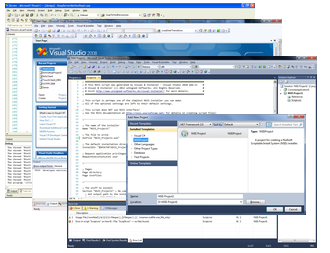
Visual Studio extension for creating NSIS and Inno Setup installers. It integrates NSIS (Nullsoft Scriptable Install System) and Inno Setup with Microsoft Visual Studio IDE and allows you to create and build NSIS and Inno Setup projects right within Visual Studio getting all benefits of common integrated environment!
Visual & Installer installation package also contains Graphical Installer Wizard - optional tool for creating cool-looking skinned NSIS and Inno Setup installers (based on Graphical Installer) directly in Visual Studio. With it whole installer can be created by a few clicks - No manual writing is necessarry!
 Key Features Key Features
- New project types:
 NSIS Project and NSIS Project and  Inno Setup Project Inno Setup Project
- Full integration into Visual Studio IDE
- Visual Studio 2005, 2008, 2010, 2012, 2013, 2015, 2017, 2019 support + 2022 NEW!
- Build installers directly with other project types
- NSIS and Inno Setup Project Properties
- Syntax highlighting (coloring)
- IntelliSense Complete Word support
- IntelliSense Parameter Info
- IntelliSense Quick Info
- Navigation Bars support
- Find / Rename References support
- Complete linkage to the solution build process
- Quick jump from Error List window
- Go To support
- Find and Rename References support
- Hints and tips for writing scripts
- Code optimizations
- Opening script files (Go To file)
- IntelliSense Code Snippets support
- Creating custom Code Snippets
- Plug-ins recognition
- Full version control system support
- Dynamic help system
- Cross-version compatibility for all Visual Studio versions
- NSIS / Inno Setup Form Designing in script
- VS Setup and Deployment projects (*.vdproj) import/conversion!
- Integration with Install Designer - design custom NSIS and Inno Setup dialogs (setup pages)
Graphical Installer Wizard - Features
- Create great looking installers with custom design directly from your preferred IDE!
- Support for NSIS and Inno Setup
- Create new installers
- Convert existing projects
- Build installers directly with other project types
- Intuitive and user friendly GUI
- Visual Studio toolbars for fast work
- No manual writing of scripts necessarry!
- Support for Visual Studio 2005, 2008, 2010, 2012, 2013, 2015, 2017, 2019 and 2022
|

www.visual-installer.com
We are working hard on the product and we are improving it every day. If you find any bug please report it!
If you have any ideas, suggestions or issues with our product please let us know!
Download Trial version from our website.
See Features page for a list with all features and FAQ page for Frequently Asked Questions.
Product Screenshots

|


