SPINE Free Taxonomy Editor By Dotspine Content This free tool is provided by DOTSPINE a software editor focusing on industrializing localized websites. If you like this tool feel free to say so on SPINE's fan page or follow us on twitter: @dotspine.
The tool is a graphical modeler providing design and edition capability to the excellent work done by : Gary Lapointe from Aptillon's We provide a design surface and a simple content template simplifying the description and management of sharepoint taxonomies. The first version supports designing taxonomy default values as well as labels. NOTE: Word is limited to 9 bullets depth so you will only be able to create terms hierarchy of 6 levels from a Word template (9 - term store, term group and termset). You can however go as deep as you please if you decide to create the taxonomy directly in Visual Studio.
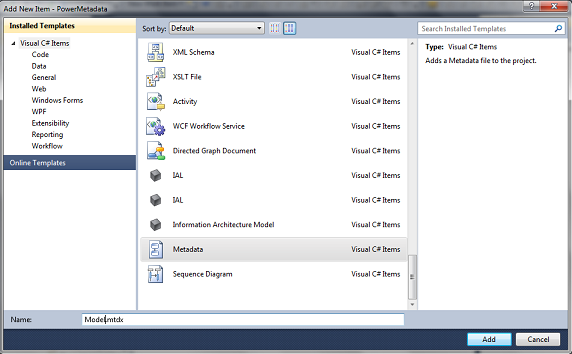
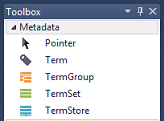
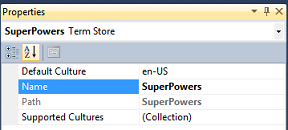
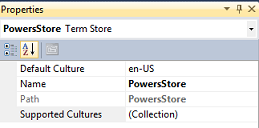
Create a new project and add a Metadata item. Visual Studio shows the design surface and the toolbox. The SPINE taxonomy editor toolbox: Create the TermStore by just dragging and dropping a shape onto the design surface. Edit its property with the property grid. Note: You cannot produce the content template to author your taxonomy if you didn’t have first created a TermStore on your diagram.
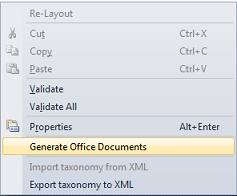
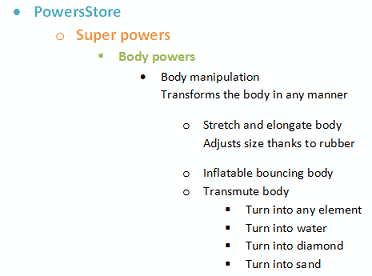
Run the command to generate the Taxonomy tree in Word content template. Edit the word file and use the bullets and tabulations to organize your taxonomy hierarchy, an un-bulleted row serves as a description for Terms sets and Terms. NOTE: Be sure to add your content into the content control field.
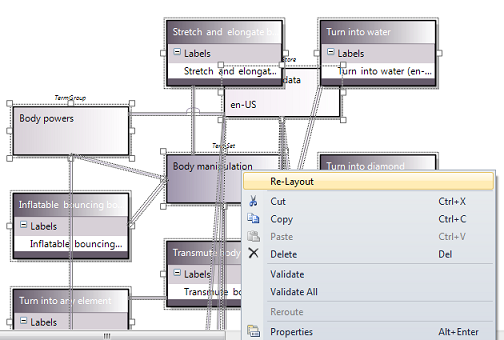
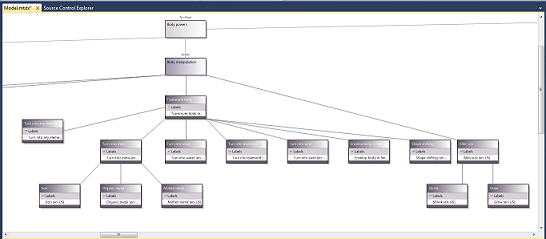
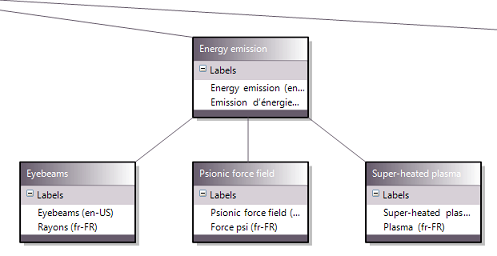
Save the content template then drag and drop it onto the design surface to import it into the taxonomy tree. Once done, select all ( Ctrl+A) and right click to select re-Layout. The result looks like:
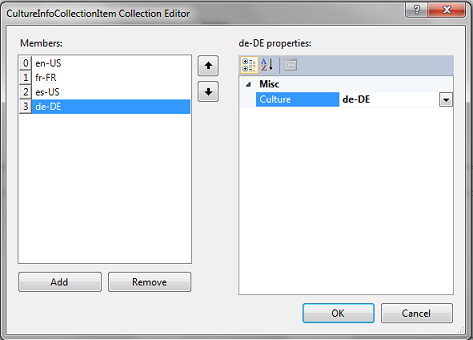
Select the termstore and edit its properties. Click the Supported Cultures to add those you want to support with your taxonomy. Generate once again the Office documents it will now produce beside the word file as many excel file as required by the cultures to describe. For each culture you will have to edit a dedicated excel file. The first sheet documents the different columns A: The hierarchy path of a term, always in the default culture
B: The default culture term’s default value
C: The translation column
D-XX:All others columns are for labeling purpose (synonyms and acronyms) Once the translation is over save the document and drop it to the design surface to add the new culture to the diagram.
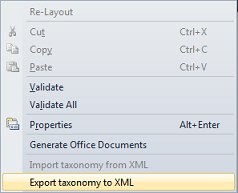
Right click on the design surface and select Export to XML
The new version (1.3) fixes an installation bug and provides new OpenXml sdk assembly. The version (1.2) provides three new properties after a user query in the QA section, so feel free to support us and ask for improvments. The properties are: - IsOpenForCreation on TermSet
- IsSourceTerm on Term
- IsAvailableForTaxonomy on Term
|