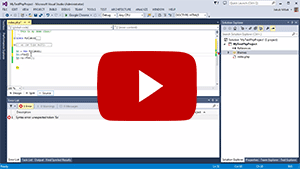
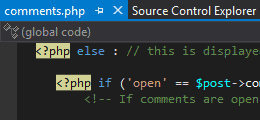
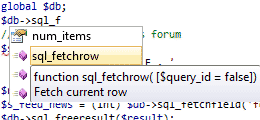
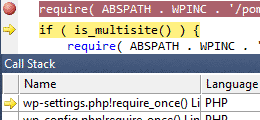
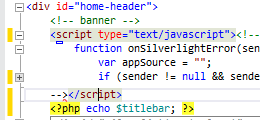
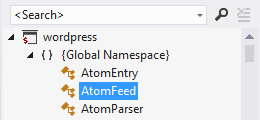
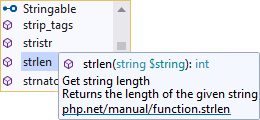
PHP Tools extend Visual Studio with the support for PHP language. The extension adds PHP editor features like syntax highlighting, code folding, navigation bar or IntelliSense.
PHP Tools extension also extend Visual Studio with PHP projects able to configure PHP and debug ...
Hola, me parece excelente poder programar en php en mi visual studio 2010, solo que si hubiera mas documentación de como hacer la instalación y configuración de Php tools seria genial, mil gracias y sigan así.
Gracias por tu pregunta. PHP Tools es el paquete estandar VSIX para extensiones de Visual Studio. Asi que se puede desinstalar directamente del Visual Studio. Sigue este enlace para saber mas informacion http://www.devsense.com/doc/phptools/installation/uninstallation
Pordiar pregutar porque lo estas desinstalando? Si hay algo que podriamos mejorar melo gustaria saber. Si me escribirias a miloslav@devsense.com te lo agradeceria mucho. O si tienes alguna otra pregunta solo dime.
Very great thing. Never had such a great debugging experience with PHP and Visual Studio. God thanks there is PHP tools, so I have all my favourite languages within my favourite IDE!
Great Extension. Switched from VS.php to PHP Tools. Also Great support here and in their own forum! Would be willing to pay even more then they charge now!
Thank you for feedback! We'll try to find an alternative to inform the user that feature which is trying to use isn't available in free version. If you'd have any more suggestion, please contact us at info@devsense.com. We'd appreciate it.
To enable XDebug: - First you have to install XDebug extension on your PHP runtime. You can find the extension at http://www.xdebug.org/download.php. Please choose the version depending on your PHP version, but always 32bit and it’s strongly recommended to use non-thread safe version.
- Update your php.ini with these lines: [XDEBUG] zend_extension = "C:\Program Files (x86)\php-5.4.8\ext\php_xdebug-2.2.1-5.4-vc9-nts.dll" xdebug.remote_enable = on xdebug.remote_handler = dbgp xdebug.remote_host = localhost xdebug.remote_port = 9000
- Additionaly you can go to Tools>Options>PHP Tools>Interpreters and you’d get recommendations for your PHP runtime settings. - When XDebug is properly configured PHP Tools will start to debug when you press F5.
Thank you Steve! If there's something you'd suggest us or you'd like to improve... Could you please be so kind and send us email to info@devsense.com. It'll get our full attention.
I've used other php visual studio extensions, but I really like the usability of PHP Tools over the other plugins. Support for namespacing, solution variables and constants, and even for the newest PHP features is second to none.
The intellisense has tons of useful information, I don't find myself looking to php.net nearly as much to remember function/method signatures.
I've really enjoyed working with this plugin. After the trial period, I promptly purchased a license as this is where I'm going to stay.
We have a trial for professional features. If you have an issue to actvite trial, Please write us on info@devsense.com or on support forum (http://support.devsense.com), we'll do all we can to help you.
Our extension is standard vsix package therefore it has to be uninstalled directly from Visual Studio. Just go to Tools -> Extension Manager. (more details on msdn http://msdn.microsoft.com/en-us/library/dd293639.aspx)
I really like what you've been able to provide for the PHP developers out there. While I am primarily a .NET dev and love the Visual Studio IDE, I do enjoy having the ability to edit PHP as well in an environment that I am familiar with.
One issue that prevents me from ranking this higher, though, is that PHP Tools always resets the Text Editor colors for PHP files each time I open the IDE. Some of the colors used for the PHP formatting can be configured in the options, but not many. I use the Visual Studio "Dark" theme and to get the HTML to format with these colors, I have to reapply the theme *every time* I use the IDE because PHP Tools is resetting the Text Editor format in PHP files to the default, which looks like it was designed for the Light color scheme.
It's important to note that there are some features that are trial, and expires in 21-days. But after all, PHP Tools is an excelent extention for Visual Studio
Amazing. I have been using Notepad++ for over a year now for a pretty big project. Why I didn't move to some form of IDE I have no idea. Anyway, I finally decided to move to an IDE and natrally Visual Studio was my first choice.
PHP Tools give you the complete Visual Studio experience. The debugging is amazing, and the fact it uses intellisense completes it.
I've lately been trying to add as much tools and extensions to VS2012 so that I may have one environment for most of the programming languages. Added this a week ago and I find it a great tool enhancing VS2012 even further!
I'm trying to use some web essential features, most notably zen-coding shortcuts (CTRL+,) and they don't work with PHP pages.
I've also noticed that you can only add a PHP page to a PHP project. Why is that? When I do that, I loose all Web Essential filetypes like LESS, which I use extensively.
Any workarounds for these issues?
Hi,
Thanks for the question.
Web Essentials is turned on for ASPX and HTML pages, so it doesn't work yet for PHP pages.
The same is for project items, but much easier than previous one. Web Essentials only has to turn on these project items for us, I'll ask the author to turn them on for PHP project so you should have these items available.
Thanks!
PHP Tools for Visual Studio
Could not start debugging session because debugger is not configured.
Would you like to open PHP option page?
yes no
help me please
thank :D
Hello,
Thanks for the question
In order to debug PHP it's necessary to configure XDebug extension in your PHP runtime. How to do it it's explained here http://www.devsense.com/doc/phptools/debug/configuring-xdebug.
Thanks!
Hola un abrazo a todos....
quisiera saber si alguine me puede decir si despues de instalado PHP Tools for Visual Studio se puede desinstalar y como lo hago??????
mil gracias.....
Hola,
Gracias por tu pregunta. PHP Tools es el paquete estandar VSIX para extensiones de Visual Studio. Asi que se puede desinstalar directamente del Visual Studio. Sigue este enlace para saber mas informacion http://www.devsense.com/doc/phptools/installation/uninstallation
Pordia pregutar porque lo estas desinstalando? Si hay algo que podriamos mejorar melo gustaria saber. Si me escribirias a miloslav@devsense.com te lo agradeceria mucho. O si tienes alguna otra pregunta solo dime.
Gracias y un abrazo!
Miloslav
I've installed this, and as soon as open the settings page in : Tools -> Options -> PHP Tools -> Interpreter. It causes a crash and restarted Visual Studio (I've got the latest 2012 version with all the updates).
Thanks for your feedback!
May I ask whether you use Win8, you are running VS under Administrator account, and where is located your PHP installation (php.exe)?
Thank You
Hello,
Thanks again for reporting this! We're trying to replicate the issue with various different configurations, but so far we could achive this. Would you mind to send us an email with more details to info@devsense.com ? What system do you have? Does the issue happen always? What PHP runtimes do you have installed? Do you have other Visual Studio extensions installed?
If we are able to replicate it we can fix it for upcoming update.
Many thanks!
Hello,
Hi,
I try the remote debugging with XDebug and I've noticed a bug.
If the project is set in the root directory of a drive (for example my project is set in w:\ "a samba share") without sub-directory; when you start the debugging, it drops the first char.
For example, my index page is w:\index.php (share on the /var/www directory of my webserver).
When I start the debugging, it launchs the browser with
http://mywebserver/ndex.php&XDEBUG_BLABLA_BLABLA
instead of
http://mywebserver/index.php&XDEBUG_BLABLA_BLABLA
Regards
Hi,
Thank You for letting us know. We will definitely try it out.
As I tried personally, it did not happen - isn't there a "Specific page" or "Start URL" option set in project properties?
Thanks!
That's more question for Microsoft than for us. We'd be happy to support it, but Microsoft's business decession is not to allow 3rd party Tools extensions (only templates and such). But there’s free alternative call Visual Studio 2012 Integrated Shell, which is plain IDE and you can install the extension there http://www.microsoft.com/en-us/download/details.aspx?id=30663. This way you can have Express Web together with Integrated Shell with PHP.
Thank you
How do I keep it from showing up all the time? It's very annoying and takes up screen real estate unless I click to close it every time. Did I say very annoying!!
Never mind.. I figured it out. There's a check box at the bottom of the Tab page on the left hand side. Very subtle and hard to see. Please consider moving to the top and make it more visible. I spent over an hour trying to figure this out. Not a good lead in to your paid version.
Other than that I'm happy with the free version so far. Thank you!
How do I install PHP Tools in Visual Studio Express 2012 for Web? The tool is not listed in Tools > Extensions and Updates > Online?
I downloaded it and even tried to run it from the Desktop and I keep getting an error message?!
Visual Studio Express doesn't allow 3rd party Tools extensions (only templates and such). But there’s free alternative call Visual Studio 2012 Integrated Shell, which is plain IDE and you can install the extension there http://www.microsoft.com/en-us/download/details.aspx?id=30663. This way you can have Express Web together with Integrated Shell with PHP.
Thank you
Hi Emil,
Thanks for the question. It's matter of days right now, full PHP 5.4 support is done and being tested right now. To be notified when it's out you can foolow us on facebook http://www.facebook.com/#!/pages/PHP-Tools-for-Visual-Studio/100180130137834?fref=ts
Thanks,
Miloslav
I seem to be having trouble with syntax coloring again. I think the 1.6 update could be what changed. I have extensions, "inc" and "module" mapped to "PHP Editor", but I am getting no syntax coloring for those file types. I know this was working at one point.