TFS 2010 Tester Power Tool - Bulk Copy Test Cases for Microsoft Test Manager
Free
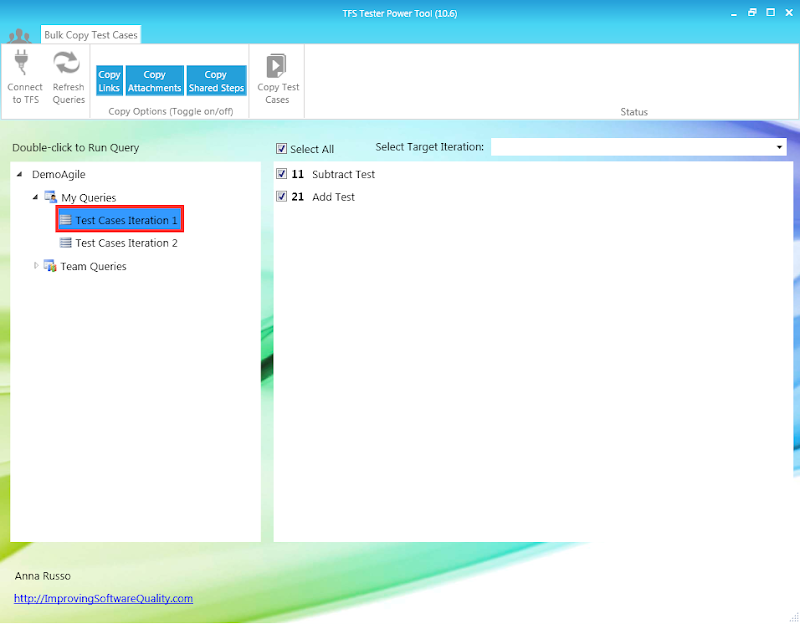
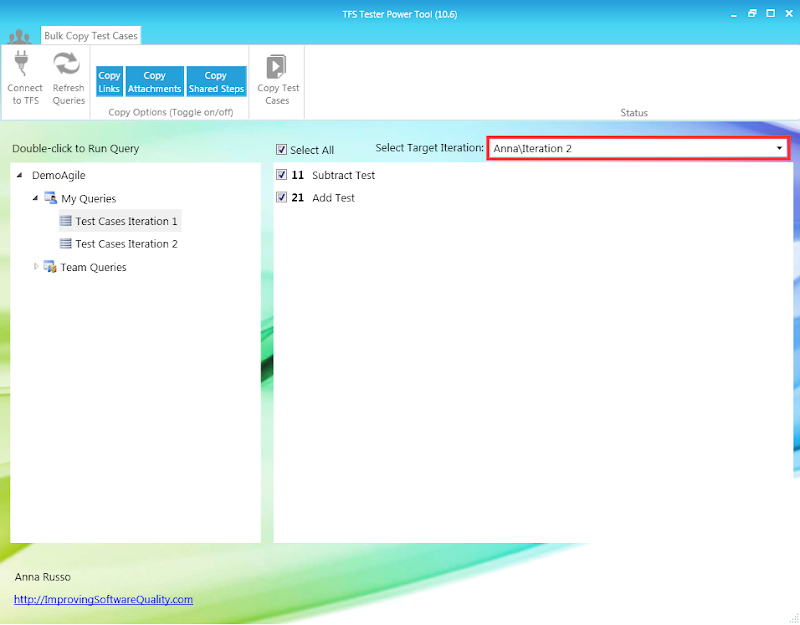
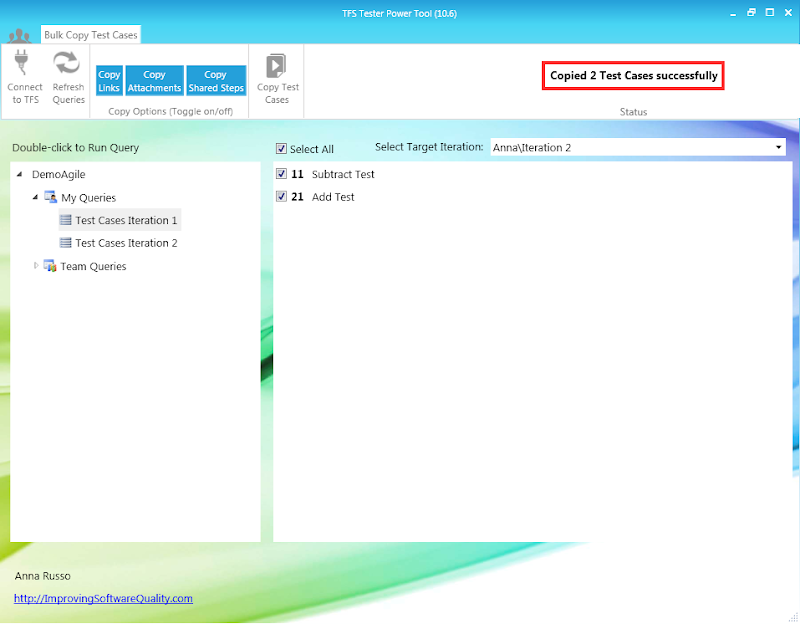
If you are using Microsoft Test Manager and want to manage your test cases over multiple releases aka “versioning test cases” - the only way you can do this is by copying test cases and changing the Iteration field. This tool allows you to do both very quickly in bulk.
We came across an observation while using the “Copy Attachment” functionality of Bulk Copy Test Cases tool (Version 10.5):
•When we select a test case with attachment from the list (displayed by running the query) and keep the “Copy Attachment” check box checked. Clicking the Copy Test Cases button gives error and tool closes.
Hence we are not able to copy a test case with attachment from one iteration to another.
•We are considering it as bug assuming that attachment of any form should be copied using the tool.
Hope you will look in to the query and try to resolve it since we are keenly waiting to use the tool.
Thanks for reporting this, I am looking into what may be causing this.
Resolution- The computer that the tool was running on was on a different domain than TFS. The resolution was to save the user credentials with Manage Window Credentials.
Hi.
My colleague can run the tool - but I cannot.
My colleague has VS2010 on his machine and uses the same TFS over the intranet as I do - also 2010.
As I say, I use the same TFS over the intranet, but my machine itself has VS2012 (on which I run Microsoft Test Manager).
Running either version of the "bulk copy test cases" tool leads to an error on my machine.
A pop up stating "Bulk Copy Test Cases Tool has stopped working".
If I let it go on to check online for a solution or debug or troubleshoot compatibility, nothing useful happens.
Is there a version for this scenario?
Thanks in advance,
Rob.
Here's the "problem details":
Problem signature:
Problem Event Name: CLR20r3
Problem Signature 01: bulkcopytestcases.exe
Problem Signature 02: 1.0.0.0
Problem Signature 03: 501c254a
Problem Signature 04: BulkCopyTestCases
Problem Signature 05: 1.0.0.0
Problem Signature 06: 501c254a
Problem Signature 07: 20
Problem Signature 08: 6
Problem Signature 09: System.IO.FileNotFoundException
OS Version: 6.1.7601.2.1.0.256.4
Locale ID: 2057
Additional Information 1: 7846
Additional Information 2: 784698f850c4860ea6f40057d13acf09
Additional Information 3: 6768
Additional Information 4: 6768af86e7c3681e61514d5539681c64
Read our privacy statement online:
http://go.microsoft.com/fwlink/?linkid=104288&clcid=0x0409
If the online privacy statement is not available, please read our privacy statement offline:
C:\Windows\system32\en-US\erofflps.txt
Actually - sorry - ignore this.
I just downloaded the 2012 version again - to double check the "problem details" - and it now works.
That was my 4th download and install of it.
And I thought 3rd time was the charm.
A great and useful too.
Thanks,
Rob
Hi
Nice tool, can't believe Microsoft does not included this functionality in MTM or TFS, one of many strange oversights.
Do you know if this will work with TFS2012 or if not, will a new compatible version be released?
I see that you can copy Test Cases between iterations within a Project. I need to copy Test Plans and Test Cases from a project on server "A" to a new project on server "B". Is there a way to do that?
There is an easier way, You can write a quary to give you those test cases , open them in xls, change the project path ( etc) , then publish them back to TFS
I am looking to do a more broad effort - to move test plans & suites from collection to collection - and looking for any leverage I can find in doing this quickly. It occurs to me that your own tool might have some of the elements - If you would consider sharing - and I would happily share whatever I come up with and credit your part. I am not seeking to build a tool for commercial use - just trying to avoid an absurdly large effort here at my own job migrating thousands of test cases where the TFS integration package is failing to help much. But if my work can benefit others - why not!? (The path forward to migrate free of the many bad collections and process templates here - anything that gets me further down the road is hugely appreciated.)
Jeff
Reachable at visionary1usa at gmail dot com
Hi Visionary1usa,
I have used the TFS integration package to move work items from one collection to another collection many times without any problems. The logic I am using for copying work items is functionality that is only available in TFS within a collection.
Best of luck,
Anna
Hi Anna,
I just found your tool and I'm using it to copy existing test cases back into the same iteration so I can minor changes. It's very useful. However, when I refresh the query all of the test cases and I have to manually deselect the ones I'm not interested in copying. A mass select/deselect would be super useful. Especially as the number of test cases grows in this iteration.
I'd be willing to help code this change if you'd be willing to share your source code. I will then submit it back to you so you can update your tool and share it with the world.
Thanks,
Brian Beaudet
You can also contact me at brian@ agilesg.com (without the annoying space after the @ symbol)
Hi,
This looks like a very useful tool to use when trying to maintain a specific state of a test case and allowing testers to move on to modify when necessary. I do have a question about the duplication though. If we were to rely on the code coverage to identify which tests to run when changes are made, would the tests identified be duplicated therefore allowing redundant testing to be recommended?
Any insight you can provide would be appreciated.
Thank you,
Catherine
When the tool copies the work item, it creates a related link to the original test case for traceability. Could you help me understand your use case of copying without the work item link?
first off sorry for delay
The copy cmd copys all links if you use the CopyLinks flag, this means if copy a Test Case that was copied from another test the new Copied Test Case would have 2 links one to the Test Case it was copied from and one that Test Case was Copied from. This starts to snowball and can get out of control as it has in our environment. We has some Test Cases with over 900 links to other Test Cases.
This is the reason why I want to turn off the CopyLinks flag
I agree that traceablity is need to be maybe would link to one after.
Bri
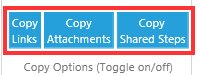
Thanks for the feedback. I have added a new option for Copy Links. When the option is unchecked the tool will not copy links. Just download the tool again for the new version.
I have a set of "version 1" test cases and I would like to duplicate those test cases to create a "version 2" so that each copied test cases has a new ID number. We are working on multiple releases and the test cases need to be customized for each iteration. I wasn't sure if this tool is just copying test suites or creating new test cases.
Hi Anna,
Great tool! However, I wonder what is the recommended approach when it comes to new Test Suite(s). I have a suite of regression test cases that I need to run for each iteration. Should I just "add" (i.e. link) the test cases to the new suites or use your tool to copy (i.e. create) new ones?
Thanks,
-ngan
If you don't need to make changes to the regression test cases, then you can link the test cases to a new suite. If you need to make changes to your regression test cases for that iteration, I would use the tool to copy them and create new ones. Thanks, Anna