devColor

Free

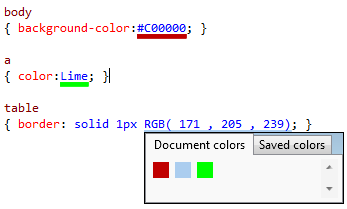
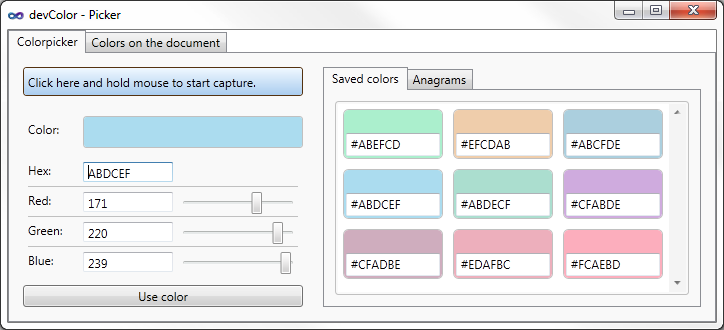
it underlines the colors in stylesheets and contains a color picker.

(51) Review
Visual Studio
2012, 2010
Download (63,451)
11/23/2012
2.0
E-mail Twitter del.icio.us Digg Facebook
Add To Favorites
Description
Reviews (51)
Q and A (33)
Sign in to Write a Review
Sort By:

by leospuds | January 23 2013

Neat idea, and works really well in CSS hence the 4* but doesn't work in .less files which is a shame as I don't use css at all these days if I can help it. Otherwise ace!

by James Wilkins | January 21 2013

Very good! I'll give it 5 once .CS files are supported in VS 2012 (I can associate the files fine, but it loads the color from strings with the alpha in the wrong place [using the same format as XAML files]).

by yfital | October 18 2012

Really made my life easier, thank you so much !

by Cherven | October 18 2012

does not work in scss :(

Mario185 October 19 2012
| Edit |
Delete

Hi,
have you read the Q&A "It does not work on SCSS or SASS files"
I would be glad if you rethink your 1 star rating

by shioka | October 09 2012

Its a neat little tool!!! Thanks!

by Joshua.Rocha | October 02 2012

Fantastic! Good to see a visual representation of what colors I'm using. Very useful for copy-pasting styles around the file. Also, VERY glad it plays nicely with Mindscape Web Workbench! Great work :)

by Николас | September 11 2012

Very useful tool! Thank you for VS 2012 edition!

Best Regards
Nick

by Christophe L | September 10 2012

by astr0wiz | August 30 2012

Loved this...until the latest update on 8/22/2012. Now, I frequently get an exception message at odd times. I have disabled this until the next update. FWIW, this is the message I get in the VS log file:

System.NullReferenceException: Object reference not set to an instance of an object. at donmar.devColor.MouseProcessor.<>c__DisplayClass1.<.ctor>b__0(String e) at System.Linq.Enumerable.Any[TSource](IEnumerable`1 source, Func`2 predicate) at donmar.devColor.MouseProcessor..ctor(IWpfTextView view, IToolTipProviderFactory toolTipProvider, IEditorOperations editorOperation, ColorPicker_wpf colorPicker) at donmar.devColor.Provider.MouseProcessProvider.GetAssociatedProcessor(IWpfTextView wpfTextView) at Microsoft.VisualStudio.Text.Editor.Implementation.InputController.<UpdateMouseHandlers>b__0(IMouseProcessorProvider p) at Microsoft.VisualStudio.Text.Utilities.GuardedOperations.InstantiateExtension[TExtension,TMetadata,TExtensionInstance](Object errorSource, Lazy`2 provider, Func`2 getter)

Mario185 August 31 2012
| Edit |
Delete

Hi,
does this happen on different filetypes or everytime on the same?

by Jens Vestergaard | August 07 2012

Perfect little thing :)

by SeanGarratt | May 11 2012

wow, cool. made my day!

by XAML guy | February 11 2012

How did I survive so long without this? :)
Thanks!

by jpaulo.almeida | February 08 2012

Great work!!

by Wojtow | November 12 2011

Wow. Really useful. Visual editing of .css colors in VS!

by Daniel Cheida | November 05 2011

Seems very nice

by drventure | November 01 2011

Appears to have some odd trouble with being used in VS with a dark background, but uninstalling and reinstalling seems to have corrected the problem, so 5 stars!

by wolexie | October 19 2011

one word: Awesome!!!

by MaximKG | October 07 2011

Best tool for webdevelopers!!!

by Kenneth Scott | September 20 2011

Can't believe this isn't baked-in! Great job.

by jeremyd82 | September 07 2011

Excellent!

1 - 20 of 51 Items   
Sign in to Start a Discussion


  • XAML. Incorrect colors without transparency
    3 Posts | Last Post Sat 1:08 PM
    • Just compare these two screenshots:
      http://take.ms/THg
      http://take.ms/UHg
    • Hi,
      i'am going to fix that.
      regards.
    • Still not fixed ?!
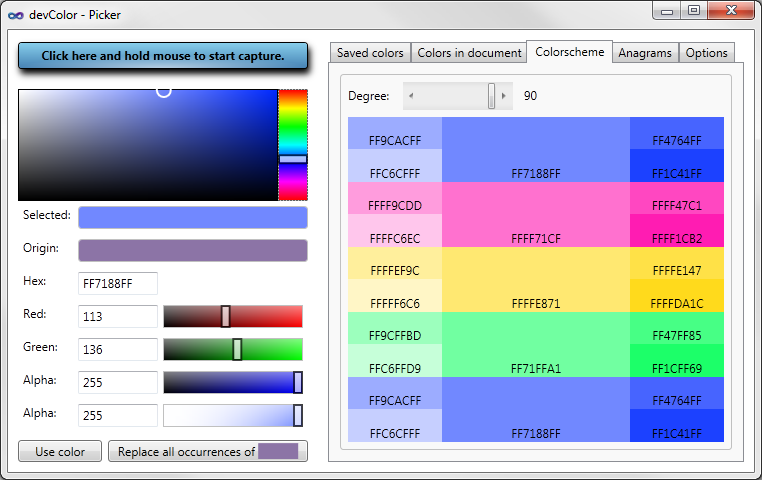
  • Purpose of anagram?
    2 Posts | Last Post April 18, 2013
    • I understand how the anagram feature works, but I don't know *why* I would want this feature. Are they supposed to be aesthetically compatible with each other? Could you clarify? Thanks.
    • Hello,
      
      there is no deeper meaning but sometimes it helped me to find a nice color.
      So it's just there ;)
      regards
  • Error load _wpf.xaml
    1 Posts | Last Post April 11, 2013
    • Error load _wpf.xaml
  • Bug or Feature? ... highlighting in code-behind
    3 Posts | Last Post January 23, 2013
    • Great tool... thank you. It was good to see that the colour underline also works when editing asp.net web form code-behind files (i am using vb) - as well as normal html and css files.
      
      If we may be so bold we would like to make a request.
      When you collapse a method or region of code (in a .vb code-behind file), it underlines the collpased comment-style tag with what appears to be the last mentioned colour in the code.
      
      Is this an intentional feature? Could it possibly become optional if it is?
      
      Again - a great little tool thats speeding things up no end... many thanks for sharing it.
      
    • Hi,
      unfortunately it's no feature.
      I try to fix it, but currently i don't know how to spot if the text is collapsed, but i try to get it.
      
      regards
    • Hi mario, 
      did you ever fixed this? I love your tool. It simplyfies CSS very much. But since I work with regions in large CSS files, it's still a bit anoying that collapsed regions are underscored by the last color.
      
      Maybe I missed a setting?
  • VS2012
    10 Posts | Last Post October 10, 2012
    • Any plans to make a version of this very useful tool for VS2012?
    • Hi, 
      currently not, because of the built in feature of VS2012.
      But if the built in feautre is crap i think i will make a 2012 version.
    • I hope you will. In the VS2012 RC I'm tinkering with the colour picker is very basic. I miss being able to save colours or get quick access to all the colours used in the document; two features in yours I frequently find very useful.
    • Hi Mario 
      Just installed VS2012 and I am missing your extension already! 
      (just so you know) :)
      Cheers
      Chris
    • Mario185, please!
    • Hi,
      
      ok so i will try to port current version to VS2012.
      Maybe i need some beta tester, everyone who wants to help me please write me an e-mail to devcolor@donmar.at
    • I have updated the version for VS2012 but please don't give bad reviews if there are bugs in VS2012 with devColor but report them to me, thx.
    • devColor no longer works for me in CS or XAML files in VS2010 after update. No way to bring up devColor picker/config UI. A shame as I had grown dependent upon it.
    • hi bendenajones,
      
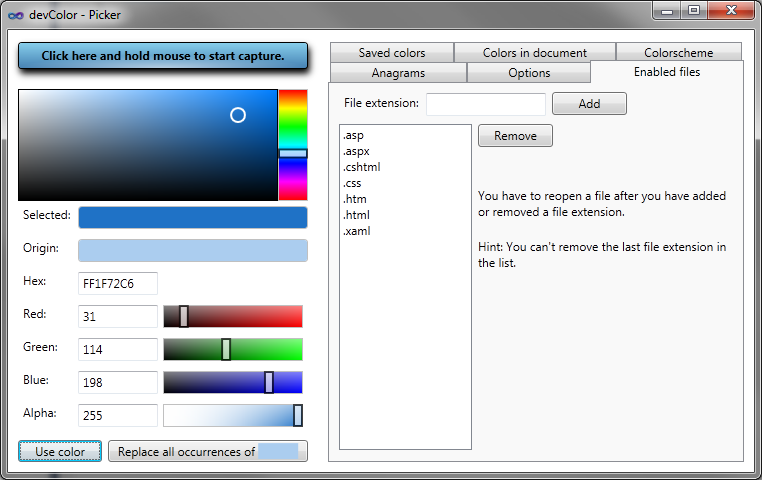
      so try to open devcolor with a css file and then there is an options tab. try adding cs file extension.
      But you have to reopen all open CS files after adding cs
    • mario,
      
      That works to get the popup to work for cs files. But I've still lost color highlighting of hex based colors. Highlighting works for Colors enumeration. 
      
      thanks for the tool!
  • It does not work on SCSS or SASS files
    2 Posts | Last Post October 05, 2012
    • I use SASS (http://sass-lang.com/) to style my projects, and my CSS files actually have the SCSS extension. Is there going to be any support for this tool in these type of files? 
    • Hi,
      so you can enable SCSS files.
      Just open devColor from an css file and go to tab "Enabled files" then add "scss" and re open the scss files.
      variables like "$blue: #0000FF;" there will be a color bar under "#0000FF" but not under "$blue".
      I try to add support for variable names but it could take a while.
      regards 
      
  • Dosen't work
    5 Posts | Last Post September 03, 2012
    •  I am running vs 2010, c# and xaml, and I have powercommands installed. devColor dose not work with namecolors and for the hex colors that work almost all of them are wrong. Gray scale colors turns us as green and pink. Could it be I'm missing some settings? Anyone?
    • Hi,
      do you have an other extension which underlines colors?
    • Hi, no I don't. I added Alpha to all my hex colors and that fixed them, but name colors does not work I'm afraid. I'll just stay with hex.
    • I have the exact same problem.. 
      DevColor show totally wrong colors - it's not taking last 2 digits into account. 
      ex. #EEF7FF show up green(ish) but it should be light blue. 
      Also #888 is not recognised.
    • try adding alpha values
      
      eg: #FFeef7ff and #f888
  • Document
    2 Posts | Last Post June 20, 2012
    • I'd like to know how to launch color picker. and so on.
      
      Is there any document on this extension?
      
      regards,
    • Hi,
      
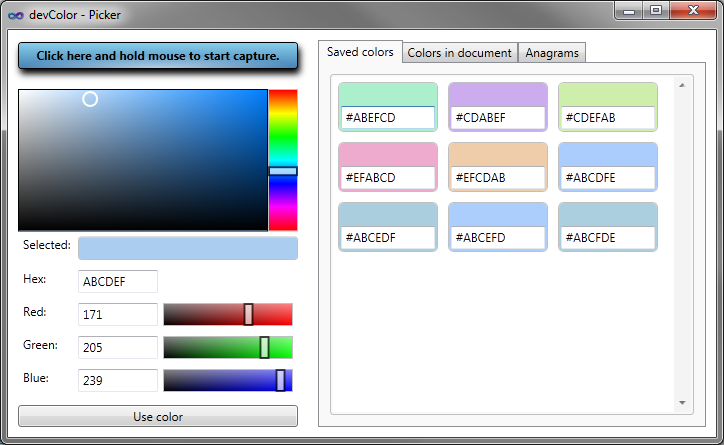
      ctrl + click on a color opens the color picker.
      The only document which exists is the descripition here in the gallery.
      
      regards
  • BUG?:The last item of an array is not displayed.
    3 Posts | Last Post June 20, 2012
    • This extension is very useful. Thank you!
      
      I wrote:
      		readonly Color[] rowColors
      			= { Color.SandyBrown, Color.IndianRed, Color.Orange, Color.Yellow,
      			    Color.LawnGreen,Color.CornflowerBlue,Color.Violet,Color.DimGray};
      
      The 1st ~ 7th item(Color.SandyBrown, ... Color.Violet) in the array is displayed with color bar.
      But the last item (Color.DimGray) is NOT.
      
      I hope this post will contribute to the bugfixing.
    • Hi,
      
      so try adding a blank behind Color.DimGray. -> ...,Color.DimGray }
      
      Regards :)
      
    • Thank you!
      It works well.
  • License Agreement
    2 Posts | Last Post June 13, 2012
    • Is there a license agreement. I can't seem to locate one for my legal department
    • Hi,
      
      there is no license agreement but everybody can use it for free.
      
      regards
      
1 - 10 of 33 Items