Update - it might depend on the order you have Enabled other extensions. Disable others, then enable this one, then enable the others (restarting inbetweeen)
But when you restart VS, later, Ctrl+C, Ctrl+V does not work.
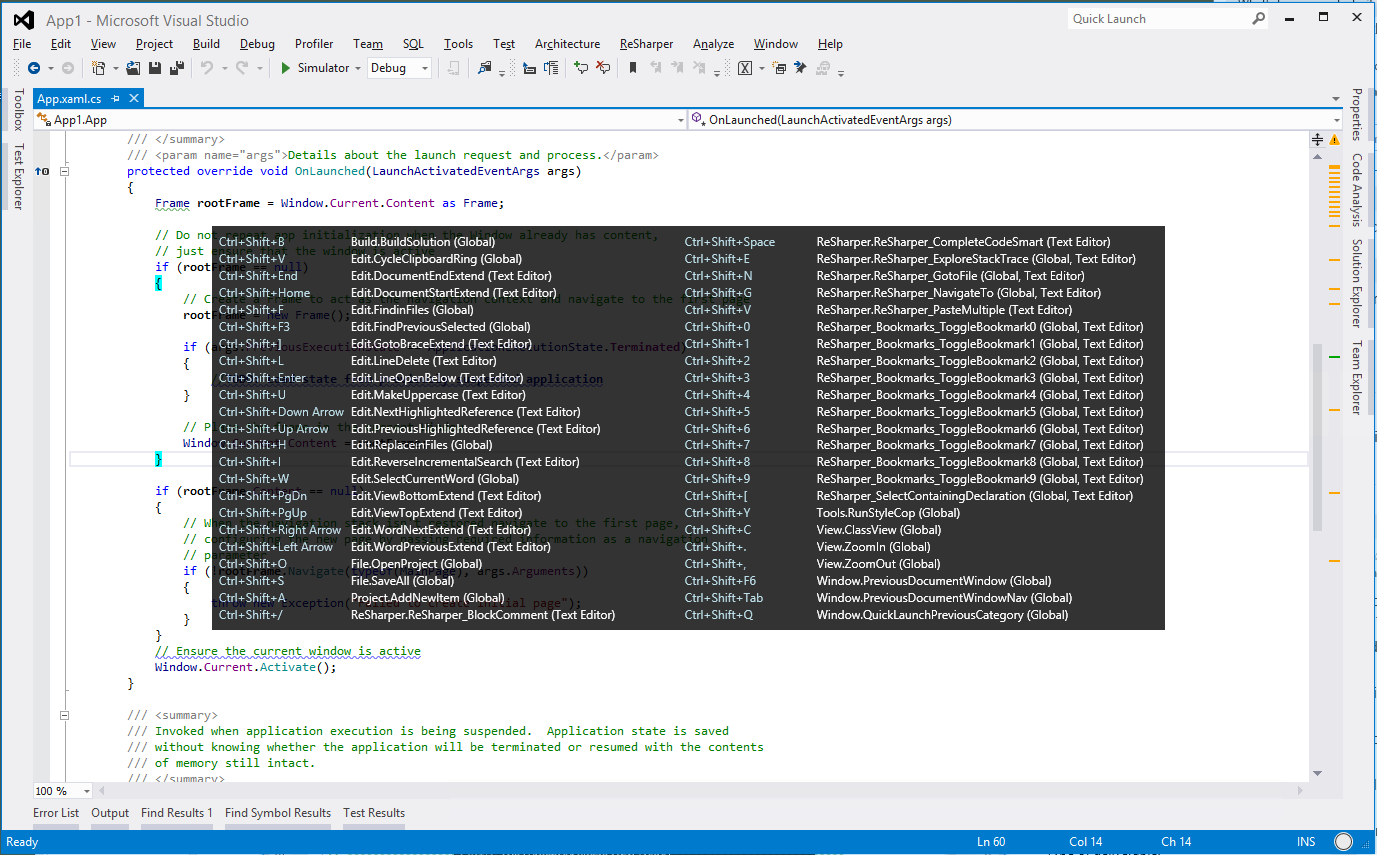
Great utility for Visual Studio. Would love for this to work better with multi-monitor setups. Currently the pop up window opens so that it spans across multiple monitors and makes it a bit hard to pick out the command you are looking for.
Could you please tell me more about your concern? I use multiple monitors as well and I don't see any problems with IntelliCommand. It shows pop up window exactly under window where you have focus.
Could you please provide some video / screenshots / etc?
This is a truly great extension for anyone who prefer using the keyboard over using the mouse. From today this extension is part of my "must install" tools when I rebuild any development machine.
You indicated already that IC may be incompatible with programs that intercept key commands ("It looks like you can have some "translator" or "speller" or virus in the system, which can intercept key down events.") Unluckily, it seems that IC is incompatible with Synergy -- when I have Synergy connected, nothing happens, but when I unload it, IC works normally. Is there a way to make IC work with Synergy?
Anyway, thanks for this helpful extension.
When installing via the Extension manager in VS2012 Pro, the license dialog has the following text:
"This extension did not specify license terms in its manifest that are readable by Visual Studio."
I seem to have a problem with the Shift+F5 not working when I have this extension enabled :-(
I've got a NUnit test file open with a break point in. Start debugging with F5, reach the break point, step through the target code, and hit Shift+F5.
The NUnit window disappears, and nothing will re-open it ... double click in Solution Explorer, right click on it and View Code
Current extension are ...
IntelliCommand
Microsoft Web Developer Tools
NuGet Package Manager
NUnit Test Adapter (Beta 4)
Productivity Power Tools
SlowCheetah
Visual Studio Extensions for Windows Library for JavaScript
Hold down the alt key in the editor so you can use the mouse to select a rectangular region. While you are selecting this region, the menu pops up and gets in the way...so you better do it quick! :-)
So, I propose your timer that determines when to popup takes into account the mouse moving and will not popup!
Great product.
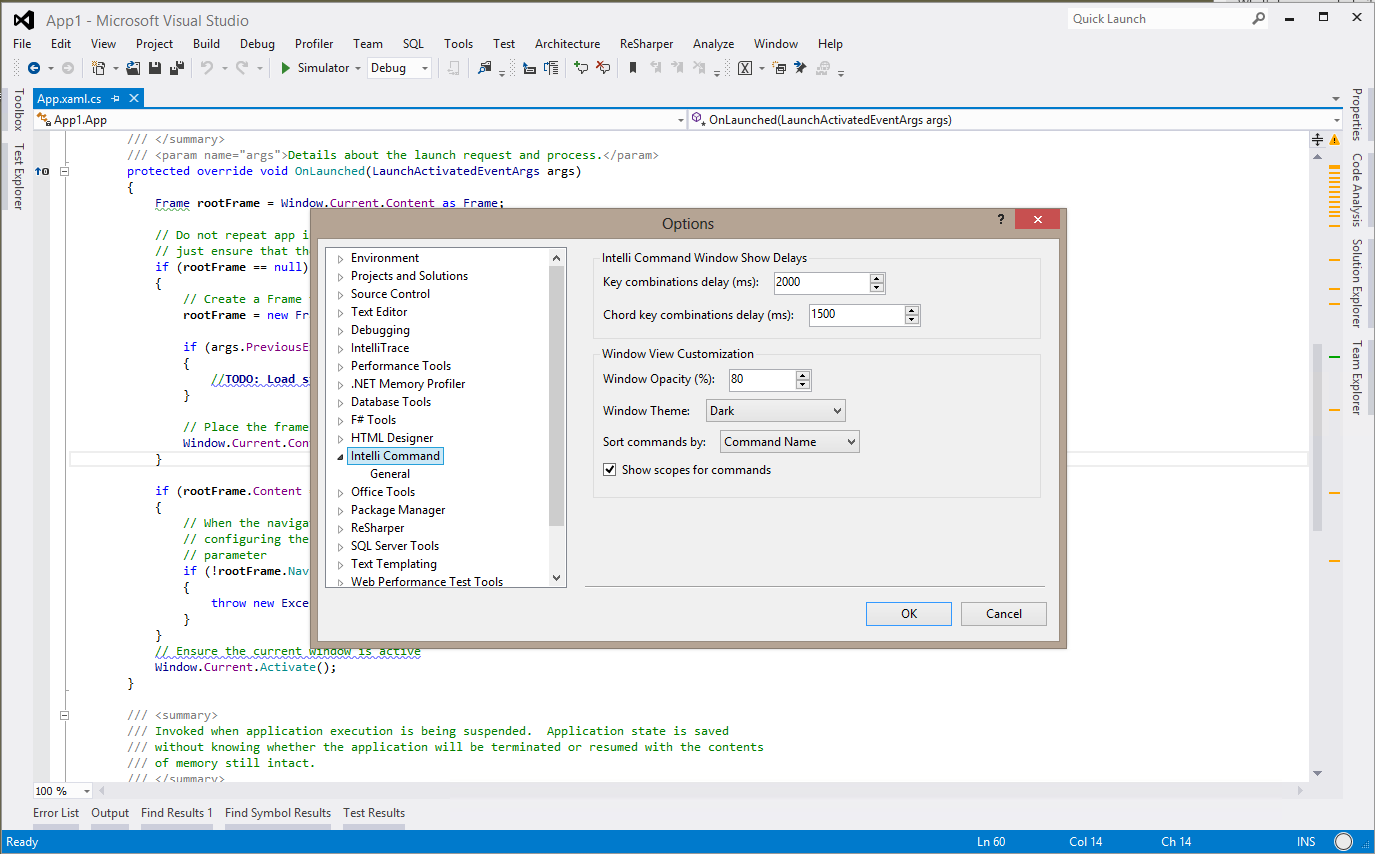
First that is a good idea, but with this extension installed some shortcuts does not work anymore like : Ctrl + F5 or Ctrl + tab ... is there a way to assign a shortcut to show the popup for this extension when needed and not when Ctrl, shift and alt are pressed for 2 seconds?
Regards.
Hi,
Do you have any other installed plugins for VS which can do something with focus / keyboards / etc? It works in this scenario. What text you tried to select, in editor or somewhere else?
Thanks,
Den
Only default Microsoft plugins (such as Microsoft Web Developer Tool, nuget, VS extension...). I choose different pieces of code, fields, class, functions...
Does not work in VS2010 and VS2012
It looks like you can have some "translator" or "speller" or virus in the system, which can intercept key down events. Do you have such software in your system? It can be also some software which take a focus when you select a text.