I installed version 1.4.2 on vs2010, start vs2010 at blank environment, file->new->file->snippet designer->code snippet, vs2010 freezed.
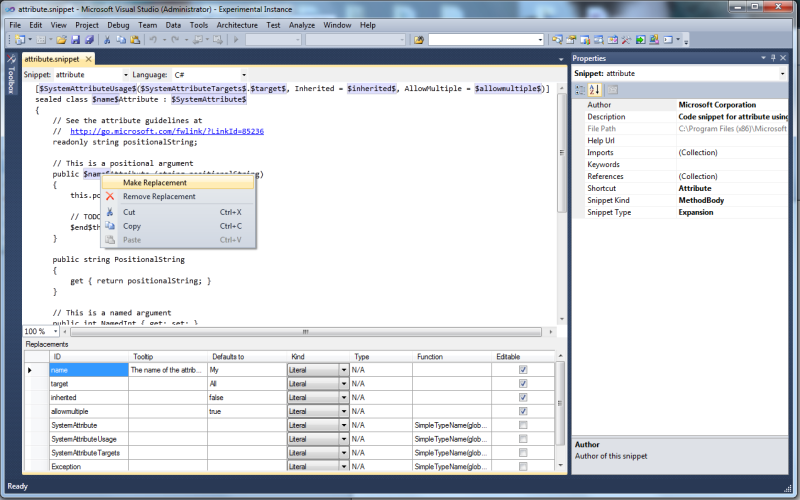
Open a C++ project, file->new->file->snippet designer->code snippet, open, "SnippetFile1.snippet" appears, Visual Basic, C#, XML, JavaScript, SQL and HTML in the Language list box, but there is no C++.
Useful program. But I had to knock off two stars due to a serious bug which caused me to lose all the work I'd just done on a snippet. Clicking save produced no errors, caused the "*" to be removed from the editor tab and allowed it to be closed. But the changes were lost. On closer investigation I noticed that it had appended the snippet path to itself. This happened a few times but I haven't figured out how to reproduce it.
Sorry that you had issues. Thanks for making me aware of this though. Can you file a bug on http://snippetdesigner.codeplex.com/ with repro steps. Thanks!
Snippet editor is the best I've seen, and snippet explorer is a great idea. With these 2 tools, it's easy to integrate snippet creation and usage smoothly into your workflow.
I'm using Visual Studio 2012 Update 2 version 4.5.50709.
By default, the snippet folder it is watching for My Code Snippets is at:
C:\Users\<USERNAME>\Documents\Visual Studio 11\Code Snippets\SQL_SSDT\My Code Snippets
(It is using SQL_SSDT rather than SQL as part of the folder name)
Also, if you view the XML of the snippet created by Snippet Designer, it is showing Code Language="sql" rather than Code Language="SQL_SSDT". If you manually change a saved snippet to "SQL_SSDT" (and make sure the snippet is in a folder watched by VS) it shows up in the list of SQL snippets.
If you can make these 2 changes then SQL snippets should work in VS 2012. Thanks!
Could you please make it possible to change the title of the snippet, as well as to switch to using the original XML editor for making snippets? Thank you.
I read VS 2012 Express RC is supported, but now I have tried installing it into actual VS 2012 Express (no RC) and got this:
Microsoft Visual Studio Express 2012 for Windows 8
Microsoft Visual Studio Express 2012 for Windows Desktop
...
VSIXInstaller.NoApplicableSKUsException: This extension is not installable on any currently installed products.
Am I doing something wrong, or has there been some change in VS from RC to official release?
When I go to add a new file, the Snippet designer template is not shown. This is the only extension I installed other than the NuGet Package manager update. I'on Windows 64 bit, VS 2012, in a website project.
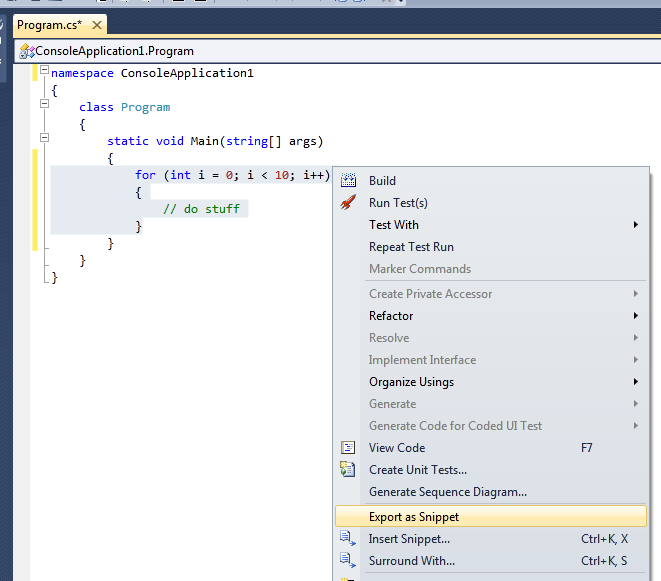
I have installed snipped designer but when i try to export the snipped code changes, (Via Export snipped option),its doesn't open the file in usual .snippet format. Tool asks me to provide a extension for the file to be saved.I have tried even simple thing like console.Readline()( just to avoid any code mistakes) but nothing works. Any idea what might be wrong ?
Some more information might help me.
1. Visual Studio Version
2. What project type where you in (Website, Web Application, Console App,... etc)?
3. What other extensions do you have installed?
4. What language is your VS in (e.g. english)?
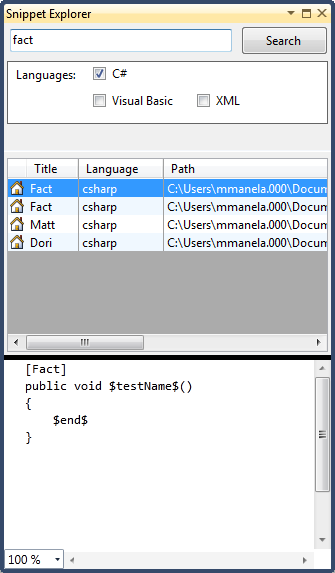
Can you please add some light how snipets explorer finds snipets files. Is it from the settings of Snippets Manager? Because it does't seems to me so. If only I have broken paths or so. Thanks. Regards.
Many thanks for nice tool.
Ok. I find out. Path's are added to collection which is in snippet designer options. It has nothing to do what is in snippets manager settings. Thanks again.
The Snippet Explorer uses an initial list of paths to search for snippets. This initial list is found through the VS registry settings but you can customize it after the initial set up.
Thanks again. There is some collection in Tools/Options and then 'Snippet Designer', 'General Options' and then 'Snippet Index Location'. It seems like it adds these paths to default. Isn't it?
And aka tip - if snippet is not "working" check if xml document is valid with some redactor (notepad++).
In the options menu there is an open called IndexedSnippetDirectories. These are additional directories you can have the Snippet Explorer index in addition to the default directories. The default directories are the ones which Visual Studio is configured out of the box to use for snippets.
Is there a way to create shortcuts to the two submenus you need to use to create and retrieve the snippets?
BTW, thanks for the program, its really good.
Robert Homes
rohomes@gmail.com
I'm kind of embarrased to ask this, but I have not been able to google my way out of it: How do you install this addin in Visual Studio 2008? I've downloaded the .vsix file, but double clicking on it does nothing.
Coming to this page from Tools > Find More Extensions in VS just lets me download the .vsix...
Thanks.
The download from this site only contains the Visual Studio 2010 version of the Snippet Designer. For the 2008 version visit this page: http://snippetdesigner.codeplex.com/releases/view/43862 and download SnippetDesignerFor2008
Is there any way to reopen a snippet with this tool after I've closed the window? I feel like I'm missing something obvious here. Does anyone know?
So far, I'm loving this tool though...