Visual AssistProductivity tool for C/C++ and C# that improves IDE features related to navigation, refactoring, code generation, and coding assistance along with specific tooling for UE4. |

Visual Assist: Eliminate frustration with intelligent coding assistance in Visual Studio for C/C++ and C# DevelopersVisual Assist is a productivity extension for Visual Studio development work. It provides a set of contextual and timely refactoring, navigation, code highlighting and generation features for C, C++, and C# development. Visual Assist is one of the definitive plugins that conceptualized and shaped most of the current features you see now in Visual Studio. And to this day it continues to develop user-centric design for maximum productivity and usability. Read more about the features and benefits provided by Visual Assist. Benefits of using Visual Assist
What's newVisual Assist 2024 expands on the plugin's core functionality and language support. Recent updates take advantage of the exceptional performance gains from unlocked bandwidth from the monumental Visual Studio 2022 update. Learn more about the latest changes in Visual Assist here.
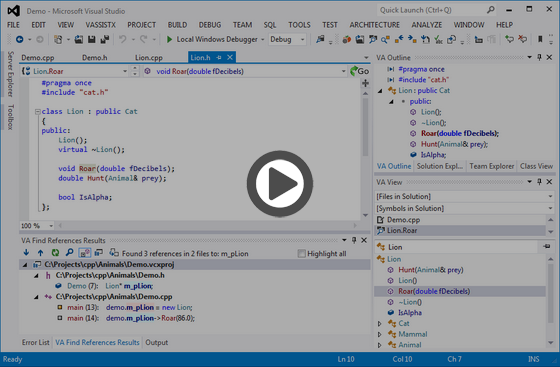
Productivity tool for C/C++ and C# with support for UE4 & UE5Visual Assist also fills gaps in the coding experience of Microsoft Visual Studio, making a great IDE, a phenomenal one. Add navigation and syntax highlighting for specialized languages and applications not natively supported by the IDE. Watch the video below to see how it can help make your coding experience faster and easier:
Sample Features by Category· Unreal Engine Specific Tooling Make your games epic with integrated Unreal Engine support (including UE5) and new features that run as fast as your code. Save time, see more and work smarter.
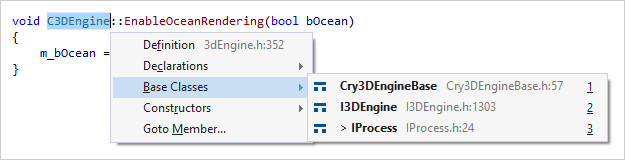
· Navigation Move about your code efficiently and easily—to any file, method, symbol, or symbol reference in your projects and solutions. Navigate with commands like Find Symbol in Solution, Open File in Solution, an upgraded version of Find References, and Goto Related. Go to related locations of any symbol, including base classes, derived classes, constructors, and members.
Navigate throughout a solution via VA Hashtags in comments. VA Hashtags are user-defined, shared bookmarks that move with code. You can also use the feature also as a task list. Navigate among VA Hashtags using a dedicated tool window or local context menu.
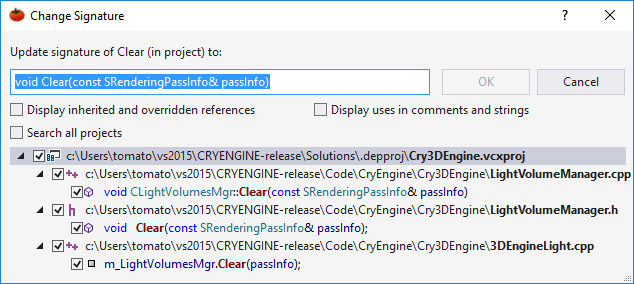
· Refactoring Reduce the complexity of your code, improve its readability, and make it extensible without changing its external behavior. Refactor with commands like Rename, Encapsulate Field, Introduce Variable, and Change Signature. Use Change Signature to add, remove and reorder parameters in definitions and call sites.
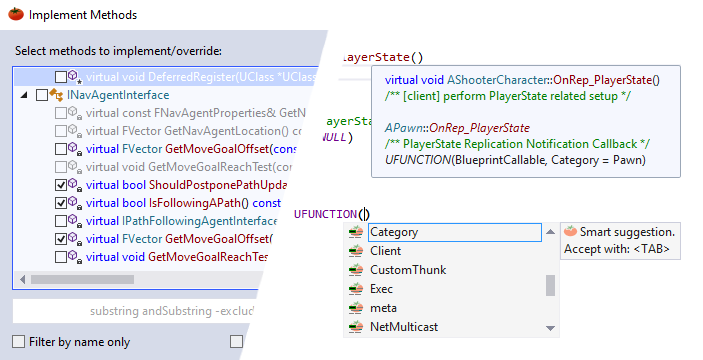
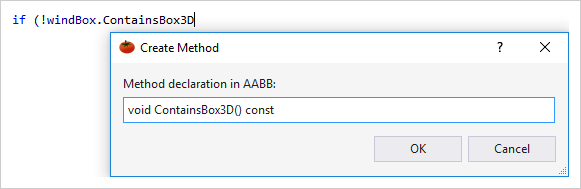
· Code Generation Generate code quickly with commands like Add Missing Case Statements, Implement Interface / Virtual Methods, and Create from Usage. Create methods, variables, and enums without leaving your place in code.
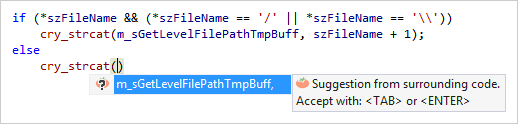
· Coding Assistance Write code with assistance that doesn't get in your way. Select using enhanced member listboxes, surround selections with code snippets, quickly grow selections on logical boundaries, and accept suggestions that appear before you type. Suggestions include relevant bits of nearby code.
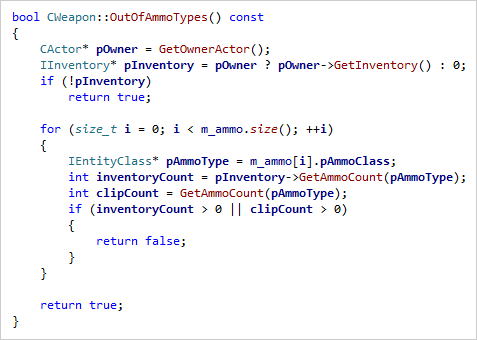
· Code Understanding Make sense of complex or unfamiliar code with an assortment of informative fields, highlights that update as you move about code, and enhanced syntax coloring. VA provides timely and contextual hints with tool windows, browsers, and fields. Get information more often, and with more thorough content to help you make sense of code.
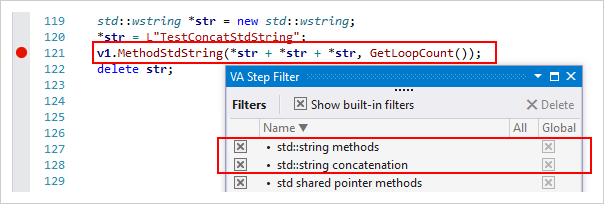
· Debug Assistance Use debugger enhancements in Visual Assist to shorten the time required to debug native C/C++. Browse PDBs efficiently; resolve symbols in text-only call stacks; and use the VA Step Filter to step over trusted methods in argument lists.
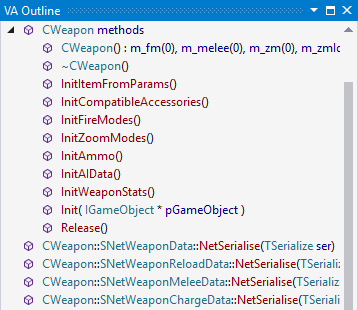
· Tool Windows Access tool windows for a hierarchy of header files, list of recently visited places, and an outline of the current file that allows drag-and-drop to rearrange its contents.
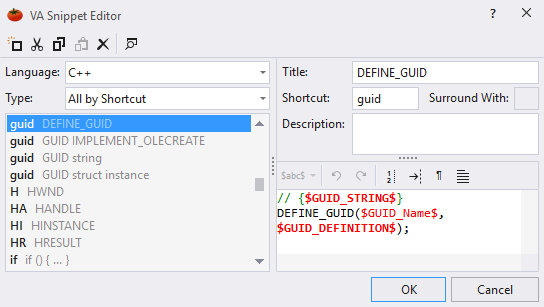
· VA Code Snippets Expand frequently typed segments of code with a more powerful version of the like-named feature in the IDE. Expand symbols from the current context, prompt for user input, and edit VA Snippets in a custom editor.
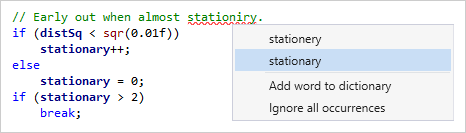
· Code Correction Correct typing mistakes as you make them, including incorrect symbol case, invalid pointer notation, and spelling errors in strings and comments.
Looking for more tools? Check out the latest from our sister company, Embarcadero, here. If you haven't heard of InterBase, a super lightweight and secure relational database, check it out. |