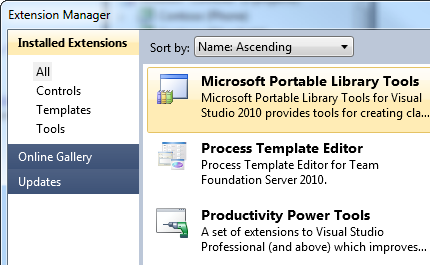
Microsoft Visual Studio 2010 (with SP1) must be installed before installing Portable Library Tools 2 for Visual Studio 2010. But I installed Microsoft Visual Studio 2010 SP1. What is problem?
Amazing tool. Still, there are some missing objects. Mainly: ObservableCollection (cannot be shared with PC .Net 4) WebClient
Edit: The latest release contains ObservableCollection! This is awesome! I'm actually able to share the same project between Windows Phone, PC and WCF service of the same application.
Great addition that was desperately needed for multi-platform. It's not perfect yet, but is a great stride forward to delivering a cross-platform runtime. Please keep adding namespaces such as the new ones introduced in .NET 4 and 4.5. Thank you!
It is great tool, but as the other said, please add the namespace System.XML.Linq and System.ComponentModel.DataAnnotations.dll since they are available in new .net framework. http://support.microsoft.com/kb/2600211
This is an extremely useful tool. It has helped me a lot when designing data models for projects where the target platforms have not yet been finalized and where leaving open the option to add additional platforms in the future is desirable.
Hi David
Thanks, that's good to hear. I guess supporting the mentioned namespace would require the addition of WP 7.1 as a 5th platform, right?
Regards,
Andreas
I have two PCL libraries with the same profile (88). One library is a netmodule (/terget:module) and the second one is a normal dll. The second library has a project reference to the first library. After tinkering with .csproj, the libraries build fine, but I get the following warnings:
2>C:\Windows\Microsoft.NET\Framework\v4.0.30319\Microsoft.Common.targets(1578,5): warning MSB3268: The primary reference "A:\_All\My.Creativity.Coding\Ark.Pipes\Ark.Weak\bin\Debug\Ark.Weak.netmodule" could not be resolved because it has an indirect dependency on the framework assembly "mscorlib, Version=4.0.0.0, Culture=neutral, PublicKeyToken=b77a5c561934e089" which could not be resolved in the currently targeted framework. ".NETPortable,Version=v4.0,Profile=Profile88". To resolve this problem, either remove the reference "A:\_All\My.Creativity.Coding\Ark.Pipes\Ark.Weak\bin\Debug\Ark.Weak.netmodule" or retarget your application to a framework version which contains "mscorlib, Version=4.0.0.0, Culture=neutral, PublicKeyToken=b77a5c561934e089".
2> Primary reference "mscorlib, Version=2.0.5.0, Culture=neutral, PublicKeyToken=7cec85d7bea7798e, Retargetable=Yes".
2> Resolved file path is "C:\Program Files (x86)\Reference Assemblies\Microsoft\Framework\.NETPortable\v4.0\Profile\Profile88\mscorlib.dll".
2> Reference found at search path location "C:\Program Files (x86)\Reference Assemblies\Microsoft\Framework\.NETPortable\v4.0\Profile\Profile88\mscorlib.dll".
Here is the csc.exe command line for the netmodule:
C:\Windows\Microsoft.NET\Framework\v4.0.30319\Csc.exe /noconfig /nowarn:1701,1702,2008 /nostdlib+ /errorreport:prompt /warn:4 /define:DEBUG;TRACE /errorendlocation /preferreduilang:en-US /reference:"C:\Program Files (x86)\Reference Assemblies\Microsoft\Framework\.NETPortable\v4.0\Profile\Profile88\mscorlib.dll" ---skipped--- /debug+ /debug:full /filealign:512 /optimize- /out:obj\Debug\Ark.Weak.netmodule /target:module /utf8output Ark\DelegateExtens
Spoke to the compiler team. They are aware of the bug, and were unable to fix it this release due to compatibility requirements (they actually attempted to fix it and had to roll it back because a few internal teams broke because of it).
Unfortunately, I don't have a very good workaround, other than manually stripping the reference via something like ildasm/ilasm. :(
Hi David,
is there a connect issue to track this bug?
Are there any known circumstances for this bug to arise or not?
Also other projects now have this problem (e.g. https://oxyplot.codeplex.com/discussions/431821).
I have created a Microsoft Connect issue:
https://connect.microsoft.com/VisualStudio/feedback/details/779370/vs2012-incorrectly-resolves-mscorlib-version-when-referencing-pcl-assembly
When defining the BaseObservable below in a Portable Library (target: SL 5.0 & .NET 4.5):
public interface IChild
{
string Name { get; set; }
}
public class BaseObservable<T> : ObservableCollection<T> where T : IChild
{
}
The code works fine when referencing the portable library from SL5, but when I reference it from a .NET (4.5) class library I get the following error:
The type 'System.Collections.ObjectModel.ObservableCollection`1<T0>' is defined in an assembly that is not referenced. You must add a reference to assembly 'System.Windows, Version=2.0.5.0, Culture=neutral, PublicKeyToken=7cec85d7bea7798e, Retargetable=Yes'.
You need to add a reference to System.Windows (new for 4.5) from the .NET 4.5 project. It's needed to tell the compiler where the "real" location of ObservableCollection<T> is.
With this particular issue, no. Is there any reason you didn't make the connection between the error message and adding the reference itself? (so that we can see if we can clear that up somehow?)
I think I was just so focused on that it worked so well when I compiled against the SL5 platform and the stress of a major refactoring was in vain, that I thought there was some mismatch in the portability lib, so that I had to go and play some ping pong. When I arrived back you have already given me the answer to my prayers. :)
A small 5 point list troubleshooter with common pitfalls, if possible would be great!
Thanks again and have a nice day!
Can I get a clarification on this solution, please? The error says it's expecting system.windows 2.0.5...I have the same issue (portable library targeting 4.5 + SL5 + Store Apps - referenced by a 4.5 project), but I have a reference to system.windows in my framework 4.5 project (version 4.0...I don't see system.windows 4.5)...point being, it seems to want an OLD version of system.windows...I see that this relates to another thread here where there is an incorrect mscorlib being referenced...Is there an easy way out of this box? Note - it only happens when I add Silverlight 5 to the portable library. If I compile with 4.5 + Store Apps then it works just fine...
I'm really at a loss without a solution to this...I can do an IList workaround, but then I lose the collection changed events.
Unfortunately, we couldn't get this error message fixed to state what it is actually expecting. Adding a reference to the 4.0.0.0 version of System.Windows is correct.
Well, I came in today renamed some projects, and closed and re-opened the solution and now it's building fine (it didn't make sense that it didn't work in the first place)...There seems to be some issues with modifying the project targeting not getting flushed/rebuilt correctly. Now I'm being told that types defined in "system.runtime" are not available, i.e. System.Enum, System.Action, etc...Not having as much luck here, but I assume it will work out with enough cleaning, closing, etc...
Thanks for the response...
I take that back...Most of it, anyway - I did something stupid and didn't add the System.Windows reference in another assembly...The System.Enum thing was still weird though, and has fixed itself after deleting all obj and bin folders.
Thanks again.
Can something be done with interface covariance/contravariance? When I add WP7 as a supported platform, the life gets harder since I can no longer use covariance/contravariance. I thought that it was supported by CLR/IL for a long tome, but was only added to C# in the 4.0 version. Can you please add support for that for the WP7 platform?
example code which doesn't compile for WP7:
new List<object>().AddRange(new List<string>());
I'm trying to create a Portable Class Library with the following line of code in it:
StorageFolder guidesLocalFolder = await ApplicationData.Current.LocalFolder.GetFolderAsync(guidesFolder);
This requires the GetAwaiter method which is found in the WindowsRuntimeSystemExtensions class in the System.Runtime.WindowsRuntime.dll, but this dll is not available in the .NET Portable Subset. This seems strange to me as it is in the .NET for Windows Store apps component set and in the Windows Phone 8 component set, which are the two platforms I'm trying to target, would it be possible for Microsoft to add it, or is there some other constraint I'm missing?
Hello,
I'm attempting to create a Portable Library project which can be leveraged by both Silverlight and WPF applications. I have added a Service Reference for a 3rd party Web Service to my Portable project, but I'm running into a problem. Now, my SOAP request has a Wrapper on it, which causes the web service request to fail - malformed SOAP request / unexpected elements.
I investigated the auto-generated client stub code and it seems there's a subtle difference between how it is generated in a regular Silverlight project and how it appears in a PCL project:
Client Stub in Portable Library project:
[System.Diagnostics.DebuggerStepThroughAttribute()]
[System.CodeDom.Compiler.GeneratedCodeAttribute("System.ServiceModel", "4.0.0.0")]
[System.ComponentModel.EditorBrowsableAttribute(System.ComponentModel.EditorBrowsableState.Advanced)]
[System.ServiceModel.MessageContractAttribute()]
Client Stub in regular Silverlight project:
[System.Diagnostics.DebuggerStepThroughAttribute()]
[System.CodeDom.Compiler.GeneratedCodeAttribute("System.ServiceModel", "4.0.0.0")]
[System.ComponentModel.EditorBrowsableAttribute(System.ComponentModel.EditorBrowsableState.Advanced)]
[System.ServiceModel.MessageContractAttribute(IsWrapped=false)]
I tried modifying the client stub and adding the "IsWrapped=false" property, but that property is undefined in the Portable project! Can anyone tell me why this is?
Is there a work-around, so that I can force the SOAP request not to include the wrapper ?
Thanks,
Joe.
One of my types in my PCL (net4+win8+sl4+wp71) library returns a TaskAwaiter<T> when its GetAwaiter() is called.
I'm trying to consume this using await in a unit test project (net45), but I get an interesting error:
'System.Runtime.CompilerServices.TaskAwaiter`1<int>' does not contain a definition for 'IsCompleted'
I've tried adding an app.config (as a side note, it looks like if you binding-redirect System.Runtime, then VS "loses" all the tests), and referencing MS.Bcl.Async, but the error persists.
Okay, I figured this out - the compiler is failing to complain that you need to reference Microsoft.Threading.Tasks.dll. It fails to resolve TaskAwaiter which lives in Microsoft.Threading.Tasks, hence, can't find its IsCompleted property.
As a workaround, add a manual reference to Microsoft.Threading.Tasks from the package (it doesn't matter to which one) and this will build successfully. Make note, it's not a matter of referencing Microsoft.Bcl.Async from 4.5, because we don't install any binaries for 4.5 projects.
Thanks for your help, David!
Unfortunately, my unit test project also uses Task.Yield, and when I add a reference to Microsoft.Threading.Tasks.dll from MS.Bcl.Async, I get this error:
The type 'System.Runtime.CompilerServices.YieldAwaitable' exists in both '...\packages\Microsoft.Bcl.Async.1.0.12-beta\lib\portable-net40+sl4+win8+wp71\Microsoft.Threading.Tasks.dll' and 'c:\Program Files (x86)\Reference Assemblies\Microsoft\Framework\.NETFramework\v4.5\mscorlib.dll'
I tried to make my own .NET 4.5 Microsoft.Threading.Tasks.dll just doing a type forward of TaskAwaiter<> to mscorlib, but couldn't get that working (it still has the 'IsCompleted' error).
I'm currently working around this by just defining my own awaiter type instead of using TaskAwaiter<>.
Love the tool!
I'm using the VS2012 portable libraries as supplemented by WP8. The titular member is supported by all platforms except XBox. In particular, it's supported on these platforms but not by portable libraries on these platforms: net40, net403, sl4, sl5, wp70, wp71. It *is* included for portable libraries on these platforms: net45, win8, wp8.
Could you add it to the earlier platforms as well? They already have SynchronizationContext, but I need SetSynchronizationContext in particular.
While "present" on Phone 7.x and Silverlight, it's not callable by user code because its "security critical". We do make it available, however, when targeting .NET 4.5, Phone 8 and Windows Store apps.
(VS2012/Win7x64 with KB2468871)
If I install Microsoft.Bcl.Async version 1.0.12-beta (and its dependency Microsoft.Bcl version 1.0.11-beta) into a new .NET 4.0 (or .NET 4.0.3) class library, I get warnings like:
The primary reference "Microsoft.Threading.Tasks" could not be resolved because it has an indirect dependency on the framework assembly "System.Runtime, Version=1.5.11.0, Culture=neutral, PublicKeyToken=b03f5f7f11d50a3a" which could not be resolved in the currently targeted framework. ".NETFramework,Version=v4.0.3". To resolve this problem, either remove the reference "Microsoft.Threading.Tasks" or retarget your application to a framework version which contains "System.Runtime, Version=1.5.11.0, Culture=neutral, PublicKeyToken=b03f5f7f11d50a3a".
If I attempt to use TaskEx, then these warnings cause an actual error.
Also, if I have a class library that is SL4 using MS.Bcl.Async, or if I have a class library targeting net40 or sl4 that references a pcl using MS.Bcl.Async, then I get warnings like this:
Consider app.config remapping of assembly "System.Runtime, Culture=neutral, PublicKeyToken=b03f5f7f11d50a3a" from Version "1.5.11.0" [...\Test\bin\Release\System.Runtime.dll] to Version "2.5.11.0" [...\packages\Microsoft.Bcl.1.0.11-beta\lib\sl4\System.Runtime.dll] to solve conflict and get rid of warning.
C:\Windows\Microsoft.NET\Framework\v4.0.30319\Microsoft.Common.targets(1578,5): warning MSB3247: Found conflicts between different versions of the same dependent assembly.
These warnings then cause the first warning/error when those libraries are used by a platform-specific library (net40 or sl4).
Thanks! For some strange reason, I was thinking app.config had no effect on library projects...
I'm still getting warning MSB3247 (with no details) on the SL4 targets. Can this be safely ignored?
With regards to the Silverlight warning, can you go to the output window and paste the text around the MSB3247 warning? MSBuild will output the assemblies that are the cause. It's likely that a lack of an App.Config is also the problem.
I just tried extending my portable class library from .Net 4.5 and .Net Store Apps to include WP8 and now have a whole bunch of VB language related issues. Whilst I can work around some easily enough, it looks like I can't use Modules. That's not a big issue by itself, but it seems to take Extension Methods down with it. Not being able to use the = sign with strings also seems a bit dodgy.
I'm beginning to wonder if the WP8 SDK actually installed properly. I might test it on another machine...
Apologies for the inconvenience. We shipped a bug in the VB template that prevents this from working when targeting just those three platforms. You can workaround it by opening the project file in a text editor (Right-click -> Unload, Right-click -> Edit) and adding <VBRuntime>Embed</VBRuntime> just under the <ProjectTypeGuids> element.