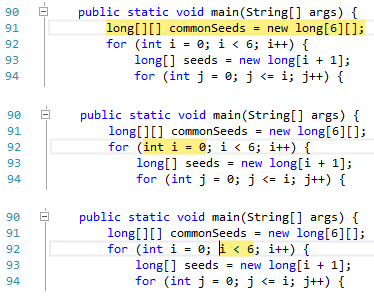
Bugs and Feature Requests: Issue TrackerThis extension provides basic features for the Java programming language. Current editing features include:
The latest version of this extension also includes an experimental project system and debugger for Java code. More information about these features is included below. This extension is not meant to replace a full IDE, but has certainly helped when I wanted to quickly reference a Java source file while working within Visual Studio. Debugger SupportCurrent features of the debugger include:
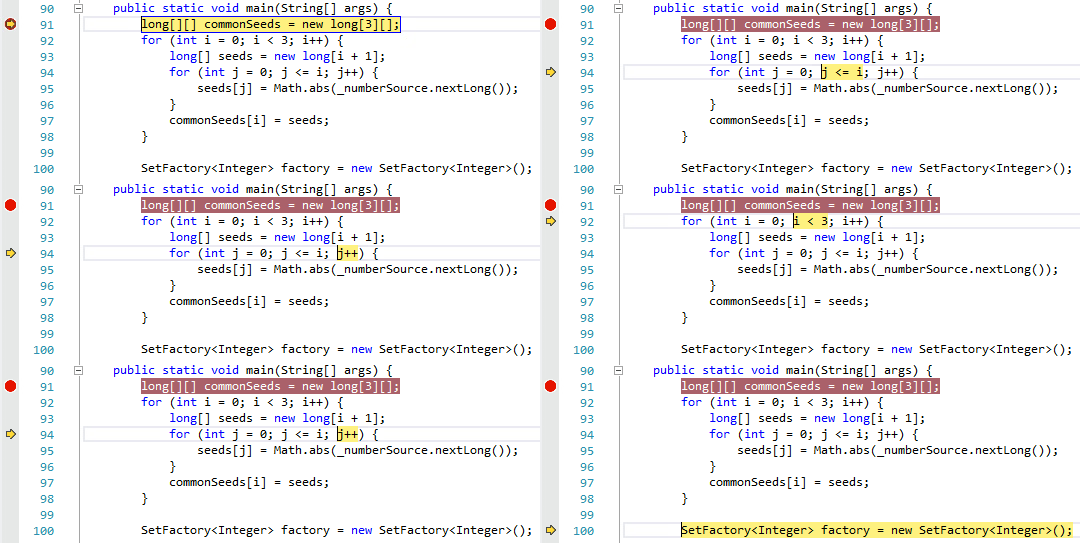
Stepping over statementsIn our opinion, this is hands-down the coolest feature of our debugger. We’ve been looking, but so far it seems that no current Java IDE can properly distinguish between multiple statements on a single line. We aim to change that.The image below shows a series of steps in the debugger (the Step Over command was executed exactly one time between each image). As you can see, our debugger follows the logical stepping sequence from the initializer to the condition of the
Here is an animated image showing a more complete example.
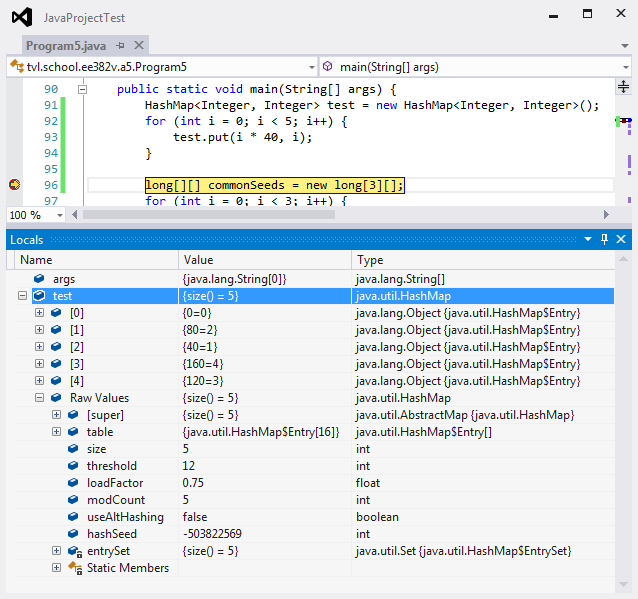
Intuitive display of collections without hiding dataThe debugger provides special handling for arrays and classes implementing
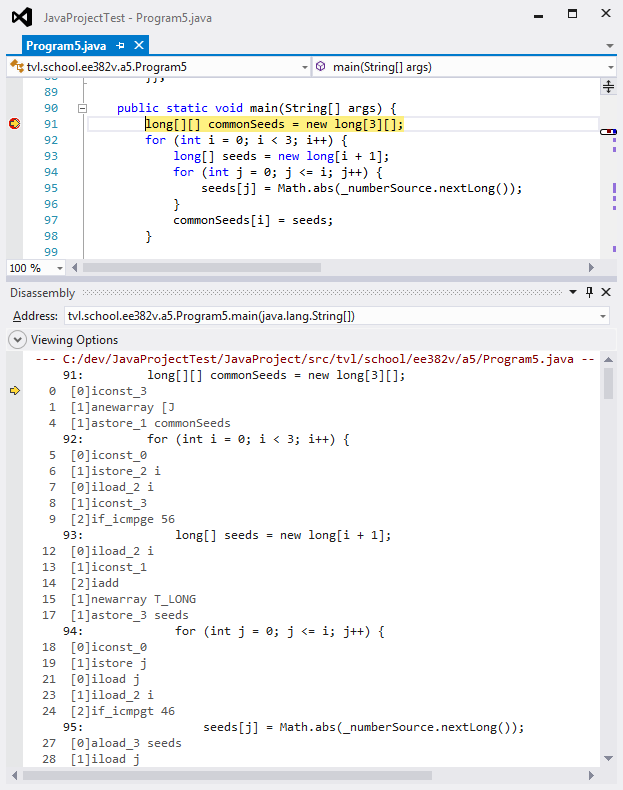
Bytecode disassemblyCurious about what your code is compiling to? The disassembly window fully supports Java bytecode while debugging your program.
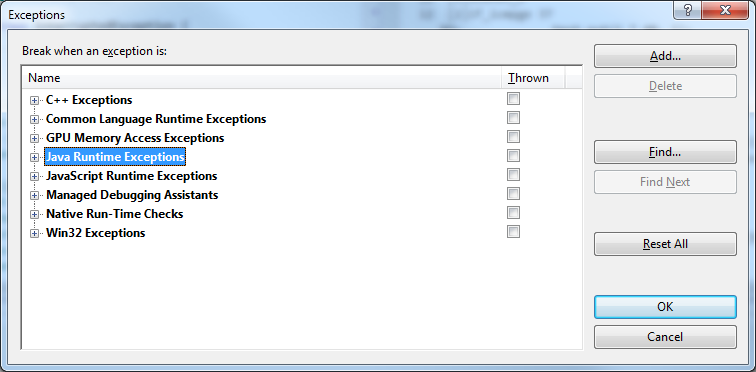
ExceptionsThe Java debugger extends the Debug → Exceptions window with support for Java Runtime Environment exceptions.
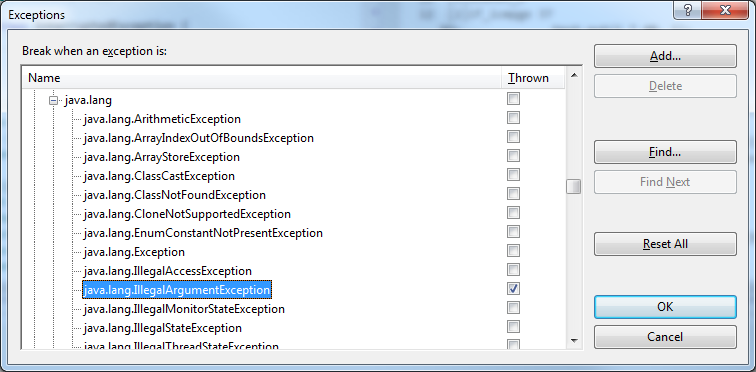
Handling behavior for exceptions may be configured by package or by individual exception type. The following example shows a user configuration requesting the debugger stop immediately when an
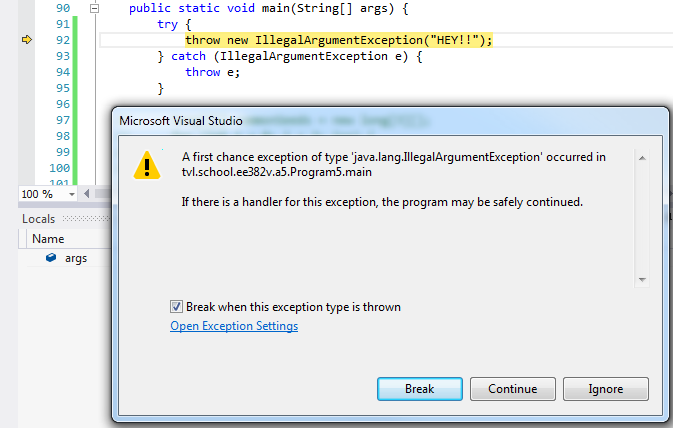
When an exception is thrown, the debugger first checks to see if the user has requested the debugger stop when the exception is thrown. In this case, we configured the debugger to stop when an
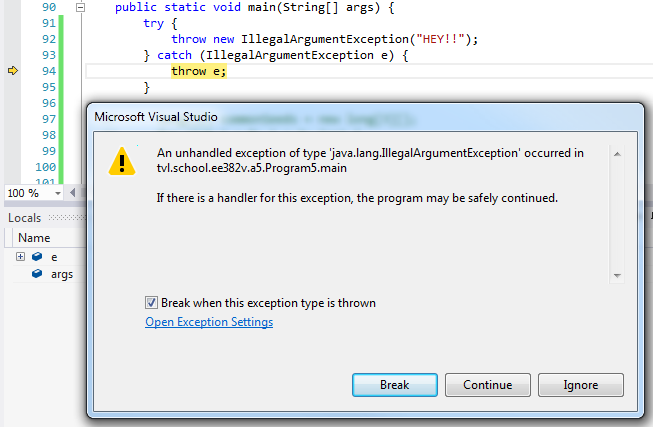
If an exception is thrown and no exception handler is available to handle the exception, the debugger stops immediately at the point the unhandled exception is thrown. The user does not need to specially configure the debugger to respond to this error case.
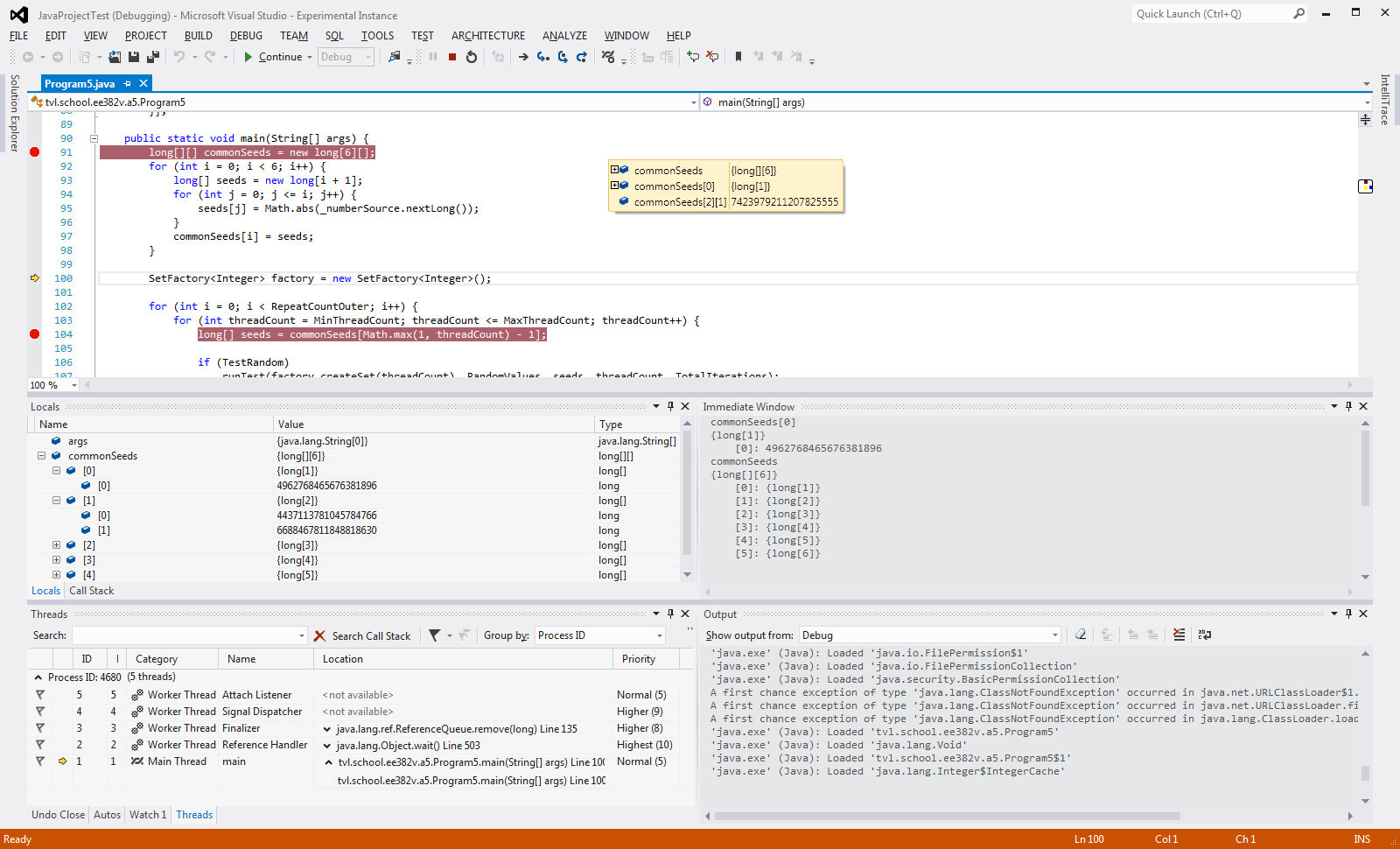
Debugger tool windowsThe following image shows the contents of many (but not all) of the currently supported debugger windows in Visual Studio.
Version History1.2.0 (April 25, 2015)This should be considered a preview release of the new features of this extension.
1.1.0 (March 16, 2014)This should be considered an early preview release of the new features of this extension.
1.0.8 (February 20, 2014)This should be considered an early preview release of the new features of this extension.
1.0.6.318 (July 9, 2011)
1.0.5.311 (July 8, 2011)
|