Code Compare

VSIP Partner Free

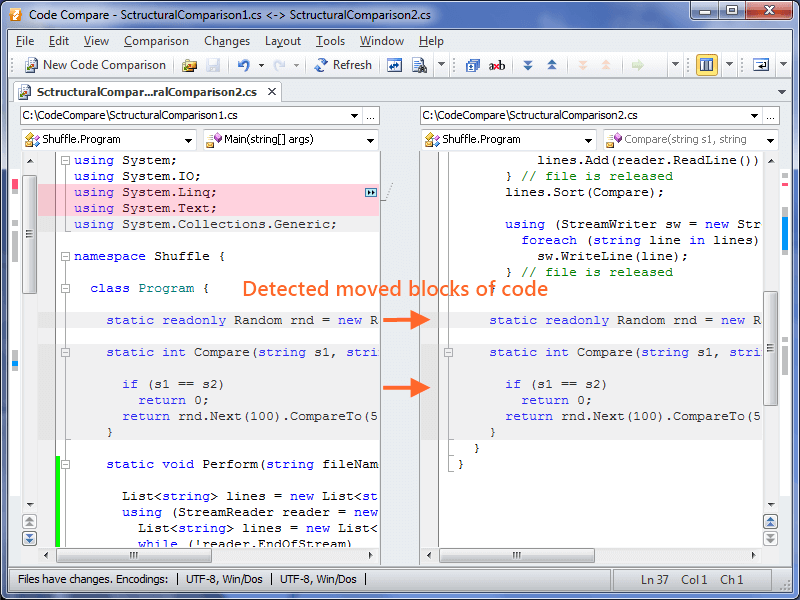
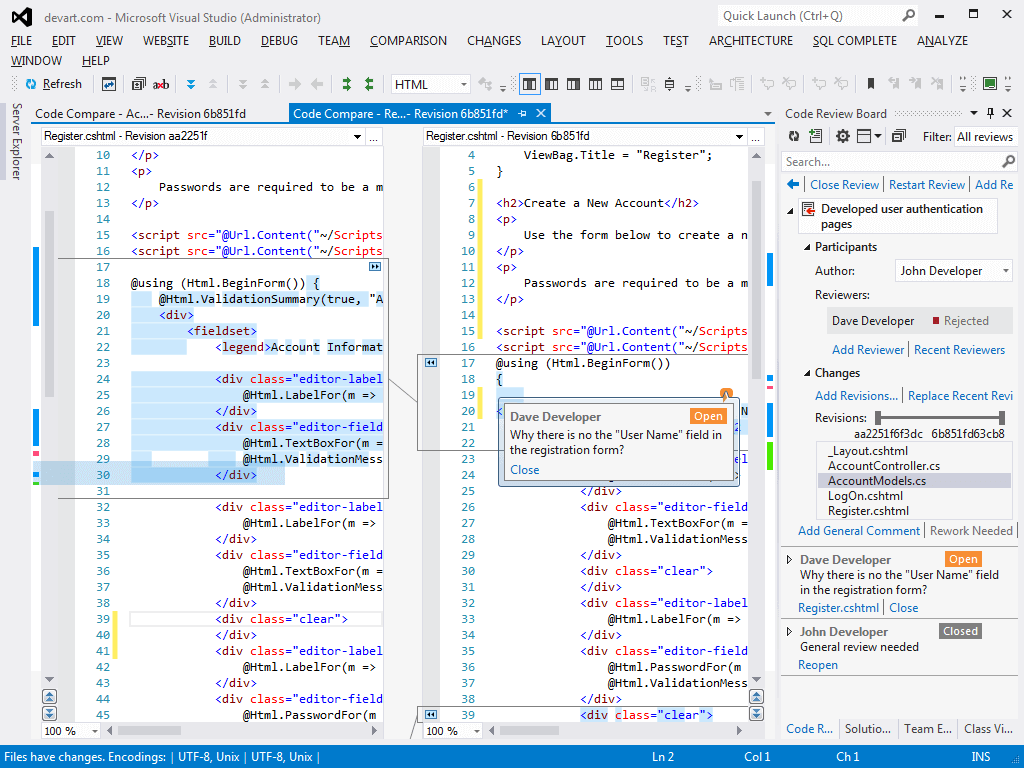
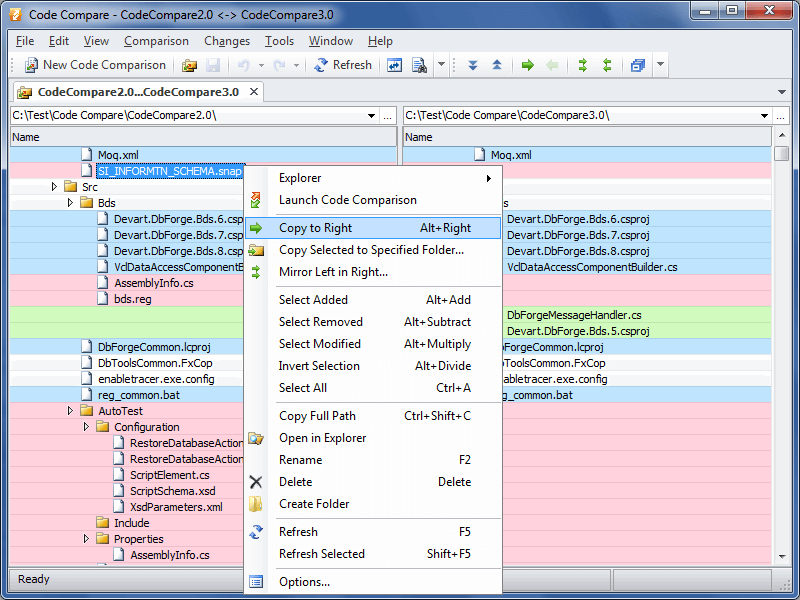
Code Compare is an advanced file and folder comparison tool. This programming languages oriented diff tool can be used as a Visual Studio add-in and as a standalone application.

(106) Review
Visual Studio
2012, 2010, 2008
Get Now (156,400)
2/4/2013
2.80
E-mail Twitter del.icio.us Digg Facebook
Add To Favorites
Description
Reviews (106)
Q and A (18)
Sign in to Write a Review
Sort By:

by S. Watt | May 10 2013

I couldn't do my job without it!

by Mr Johnny | May 10 2013

by mcswap1 | May 07 2013

This is a really useful add-in!

by Matt DiTrolio | May 03 2013

Best code comparison tool I've yet used. Can be a bit slow to launch, but it does the job much better than anything else I've tried.

by khizhaster | May 02 2013

Really good compare tool for VS!

by Darph W | April 15 2013

fantastic tool, did great work for me.

by Ma7moud El-Naggar | March 14 2013

i liked it so much thanks for this great app

by Station 10 | March 13 2013

Fantastic tool. Definitely recommend.

Only two slight negatives: I haven't figured out how merging code branches work and it does struggle a little when a block of code is commented out and re-written. Still five stars though.

by ScanIAm | March 06 2013

Very nice tool that makes visual comparisons of files much clearer than the built-in VS 2010 version.

by Monish C Mohan | February 18 2013

by Gamesh | February 18 2013

Pros:
Intuitive usage, easy click and move changes form one pane to the other.
Good difference detection.

Cons:
Very slow start-up, sometimes it doesn't feel like a light tool.
Not comfortable hot-key combinations for next/previous changes, especially if you are working with your mouse and keyboard.

by Willie Z | February 07 2013

by Tanja Schmidt | February 07 2013

by Ballarin Stefano | January 28 2013

Useful and beautiful. I'm using a free version but is powerful. Thank you

by FryGuy1013 | January 17 2013

by Anderson Rissardi | January 14 2013

Extremally good and usual, perfect to work in various versions...

by Jorge Ivan Luna | January 10 2013

The best companion tool for TFS.... I cannot think of comparing and merging w/o this thing... It is awesome!

by harwi | January 07 2013

awesome tool! I use it all the time.

by jeje003 | January 07 2013

excelent tool

by Flaugh | January 07 2013

Better than tfs, visual svn native compare tool.

1 - 20 of 106 Items   
Sign in to Start a Discussion


  • email notifications
    2 Posts | Last Post May 13, 2013
    • Love the tool. Would be even more awesome if the server sent emails to all reviewers, and when someone approves/reject a review.
    • We highly appreciate your interest in our products. I think you wrote it about Review Assistant, anyway we plan to implement this in next Review Assistant version.
      
  • Source control
    4 Posts | Last Post November 15, 2012
    • Can I use this to replace the default compare that the team foundation source control plugin uses?  And, if so, how do I configure it?  Someone else asked a similar question, but the link failed to explain how to do this.
    • Sorry for the delay. You can find the information about configuring TFS plug-in to use CodeCompare at http://www.devart.com/codecompare/articles/tfs.html . Also you can use our support page to get answer quickly: http://www.devart.com/codecompare/support.html .
    • I think the link is http://www.devart.com/codecompare/onlinedocs/Team_Foundation_Server.html
    • The new link is http://www.devart.com/codecompare/integration/integration_tfs.html
  • Screen shot links broken
    3 Posts | Last Post October 04, 2012
    • Most of the screen shot links are broken on home page.
    • Thank you, we will fix that problem :)
    • Not all fixed. The 2 last screenshot thumbnail links exchanged between each other. Last thumbnail click opens the last but one big image.
  • memory shortage
    4 Posts | Last Post September 20, 2012
    • When I try to use this extension, it actually works sometimes, but mostly I just receive the error:
      
      The following files cannot be opened due to the memory shortage: {file 1} {file 2}
      
      Any options available?
    • Please send the information about installed extensions in your Visual Studio (you can get it from Help -> About -> Copy Info) and solution you working with "(types and approximate number of projects and files) to support@devart.com ("Code Compare" as the subject). Thanks in advance.
    • I have the same problem, Here is my info:
      Microsoft Visual Studio 2010
      Version 10.0.40219.1 SP1Rel
      Microsoft .NET Framework
      Version 4.0.30319 SP1Rel
      
      Installed Version: Professional
      
      Microsoft Office Developer Tools   01018-532-2002181-70847
      Microsoft Office Developer Tools
      
      Microsoft Visual Basic 2010   01018-532-2002181-70847
      Microsoft Visual Basic 2010
      
      Microsoft Visual C# 2010   01018-532-2002181-70847
      Microsoft Visual C# 2010
      
      Microsoft Visual C++ 2010   01018-532-2002181-70847
      Microsoft Visual C++ 2010
      
      Microsoft Visual F# 2010   01018-532-2002181-70847
      Microsoft Visual F# 2010
      
      Microsoft Visual Studio 2010 Team Explorer   01018-532-2002181-70847
      Microsoft Visual Studio 2010 Team Explorer
      
      Microsoft Visual Web Developer 2010   01018-532-2002181-70847
      Microsoft Visual Web Developer 2010
      
      CodeRush for Visual Studio   11.2
      
      CodeRush Xpress   11.2
      
      Crystal Reports for .NET Framework 4.0   
      Crystal Reports for .NET Framework 4.0
      
      
      Devart Code Compare Pro   2.80.5
      Visual Studio package that solves the tasks referred to the source comparing, including advanced features:  Structure Comparison and Difference Explorer.
      
      Copyright 2010-2012 Devart. All Rights Reserved.
      
      DXCore for Visual Studio   11.2
      DXCore for Visual Studio
      
      Hotfix for Microsoft Visual Studio 2010 Professional - ENU (KB2565057)   KB2565057
      This hotfix is for Microsoft Visual Studio 2010 Professional - ENU.
      If you later install a more recent service pack, this hotfix will be uninstalled automatically.
      For more information, visit http://support.microsoft.com/kb/2565057.
      
      Hotfix for Microsoft Visual Studio 2010 Professional - ENU (KB2581019)   KB2581019
      This hotfix is for Microsoft Visual Studio 2010 Professional - ENU.
      If you later install a more recent service pack, this hotfix will be uninstalled automatically.
      For more information, visit http://support.microsoft.com/kb/2581019.
      
      Hotfix for Microsoft Visual Studio 2010 Professional - ENU (KB2591016)   KB2591016
      This hotfix is for Microsoft Visual Studi
    • MDruger,
      You can try the version 2.80 of Code Compare, in which the amount of used memory is reduced. But the problem may still exist when using extensions like ReSharper or CodeRush on large solutions, because the memory that remains for the Visual Studio process is not enough for comparison. We still work on reducing memory usage on our side. As alternative you can use standalone Code Compare without integration to Visual Studio, this allows you to compare larger files, especially if you have 64-bit Windows and large amount of RAM.
  • Version 2.80.1 crashes VS2010 at launch
    4 Posts | Last Post July 30, 2012
    • Application : devenv.exe
      Version du Framework : v4.0.30319
      Description : le processus a été arrêté en raison d'une exception non gérée.
      Informations sur l'exception : System.Security.Principal.IdentityNotMappedException
      Pile :
         à System.Security.Principal.NTAccount.Translate(System.Security.Principal.IdentityReferenceCollection, System.Type, Boolean)
         à System.Security.Principal.NTAccount.Translate(System.Type)
         à System.Security.AccessControl.CommonObjectSecurity.ModifyAccess(System.Security.AccessControl.AccessControlModification, System.Security.AccessControl.AccessRule, Boolean ByRef)
         à System.Security.AccessControl.CommonObjectSecurity.AddAccessRule(System.Security.AccessControl.AccessRule)
         à System.IO.Pipes.PipeSecurity.AddAccessRule(System.IO.Pipes.PipeAccessRule)
         à Devart.CodeCompare.Ipc.d.a()
         à System.Threading.ThreadHelper.ThreadStart_Context(System.Object)
         à System.Threading.ExecutionContext.RunInternal(System.Threading.ExecutionContext, System.Threading.ContextCallback, System.Object, Boolean)
         à System.Threading.ExecutionContext.Run(System.Threading.ExecutionContext, System.Threading.ContextCallback, System.Object, Boolean)
         à System.Threading.ExecutionContext.Run(System.Threading.ExecutionContext, System.Threading.ContextCallback, System.Object)
         à System.Threading.ThreadHelper.ThreadStart()
      
    • This error appeared on localized versions of Windows. The bug was fixed and included in the latest build.
    • Running 2.80.4 and VS 2012 ans 2012RC is crashing now even when uninstalled.
      
      44 ERROR CreateInstance failed for packageCreateInstance failed for package {F166FE7B-79A2-450A-92D8-7339424328D7} 80070002 VisualStudio 2012/07/27 14:27:50.259 
      45 ERROR End package loadEnd package load {F166FE7B-79A2-450A-92D8-7339424328D7} 80004005 - E_FAIL VisualStudio 2012/07/27 14:27:50.259 
      
    • Unfortunately, we cannot reproduce this issue. Please install Code Compare into Visual Studio 2012 and run Visual Studio with /log command line switch. After the error appears, close Visual Studio, and send the %appdata%\Microsoft\VisualStudio\11.0\ActivityLog.xml file to support@devart.com ("Code Compare" as the subject). Inform us about any other details of reproducing the problem. Thanks in Advance.
  • Visual Studio integration - compare working copy to source copy
    2 Posts | Last Post February 28, 2012
    • How do i compare a local working copy to the latest version in TFS?  I have entered the information into Visual studio to replace it's compare tool but I can't compare a file to the tfs copy from solution explorer.  When I click 'Compare this file' from solution explorer the compare window opens with the local copy in the left pane but nothing in the right pane and I don't see a way to navigate to tfs to select the source copy.  I can only navigate the local file system.  I was able to do this compare but I have to locate the file in Source control explorer right click the file and start the compare but this seems clunky.  Am I missing something?
    • "Compare This File" just opens your local file. This command does not relate to any version control system. If you want to compare a local file with a file from server, you should use the "Compare..." TFS command.
      
  • How do I change so Code Compare so it always opens outside of Visual Studio
    2 Posts | Last Post February 03, 2012
    • I am using Visual Studio and really like Code Compare.  I originally wanted to see how it looked with Code Compare windows opening in Visual Studio instead of as an external app.  I do not like it...I would prefer it to always open the windows as a separate app.  How do I change this option?
    •  In order to select the comparison environment you can use the following command line argument: /environment=standalone. Possibility to choose what environment to use by default will be included in one of the next builds. With the current build you should launch standalone Code Compare manually before opening a comparison via Explorer context menu.
  • Does two way merge work for checkin conflicts?
    2 Posts | Last Post January 27, 2012
    • If I have a check in conflict, TFS/Visual Studio shows me my file, and the file in TFS then another window of what the "New" file will be.  Is this a two way merge or a three way merge?
      
      Because I am not sure what a Two Way merge is, I am left wondering if I need the Paid Version of this tool to get the functionality that comes with Visual Studio now?  (As only "Two Way" merges are supported in the free version.)
      
      Thanks!
    • Yes, what you have described is three-way merge. At  two-way merge, Code Compare will open a file from TFS on the left, and your file copy - on the right, that will be used as merge result after you apply changes.
  • How can I remove the CodeCompare page from Options after attempted uninstall?
    2 Posts | Last Post December 26, 2011
    • I tried this add-on awhile back and uninstalled after too many problems. The uninstall hung and I've been left with the add-on apparently uninstalled except that the settings page still appears in Tools -> Options. ("An error occurred loading this property page" is displayed.)
      
      How can I remove this, and any other vestiges of the add-on, from my Visual Studio install?
    • To remove all information about Code Compare from the registry, download this registry file -  http://www.devart.com/pub/CodeCompareClean.zip , and run it. We will be very grateful if you give a more detailed description of the problem. What exactly hung?  Uninstall process or devenv.exe? In the second case you should have waited till the Visual Studio process finishes. Did you kill any process during uninstall? Which problems occurred when you were working with Code Compare?
  • Having to close my document to do a comparison is no good
    2 Posts | Last Post August 01, 2011
    • If I have to close my document to do a code compare, I lose my undo history on the file.  It would be entirely acceptable to me to allow the original document to remain open and open CodeCompare in a separate tab in VS.  
      
      If I were silly enough to go edit my document in the other code window then codeCompare would do well to see that I've changed it and re-compare.  I think avoiding this problem may have been the reason for closing the original document, but it adds frustration, knowing I'm about to lose my undo history.
    • Using  Visual Studio native documents is the specificity of CodeCompare. Unfortunately, there is no possibility to clone (the Window -> New Window command is not available) some document types (for example, vb and html) or shift them to another window. That's why we have to ask user to close such documents before comparing them.
1 - 10 of 18 Items