Array Visualizer

Free

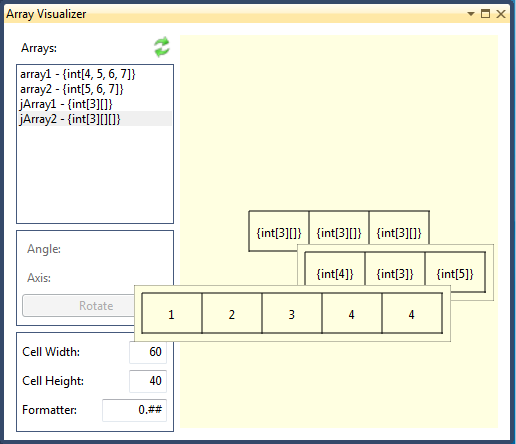
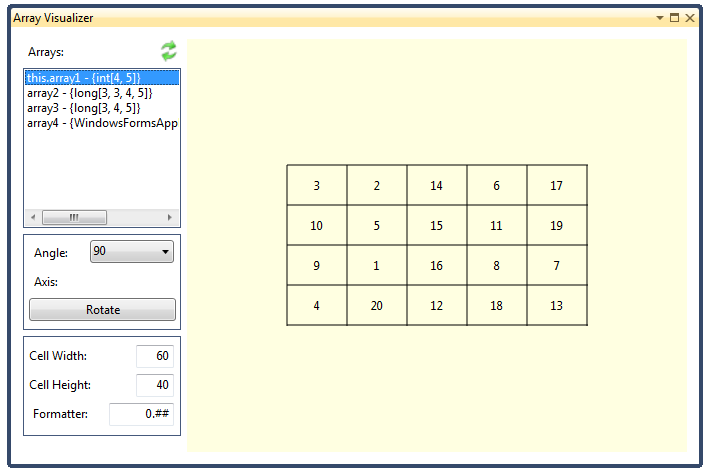
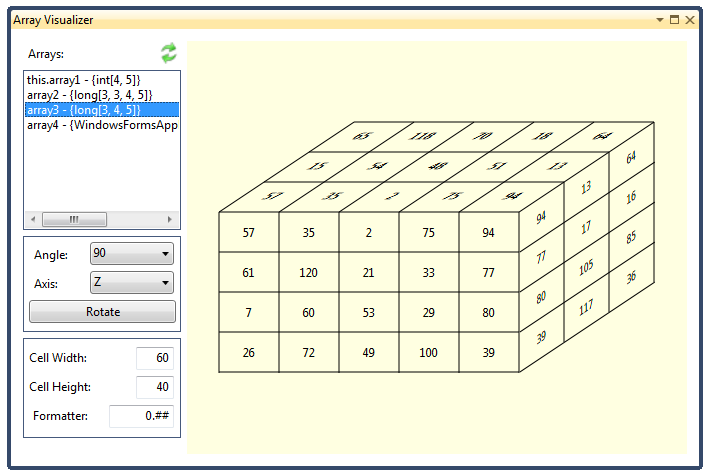
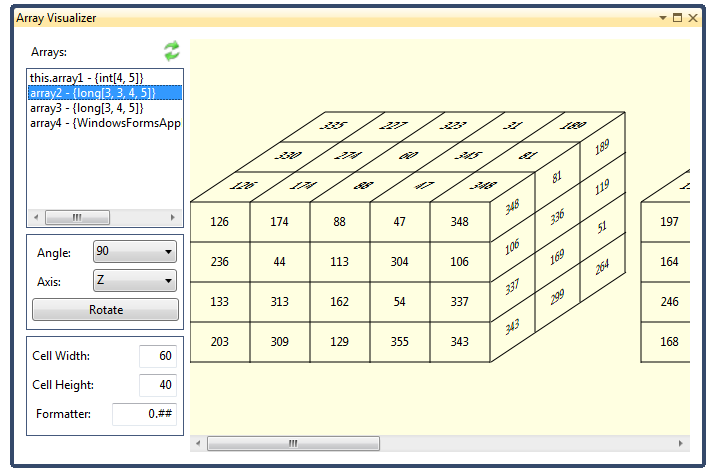
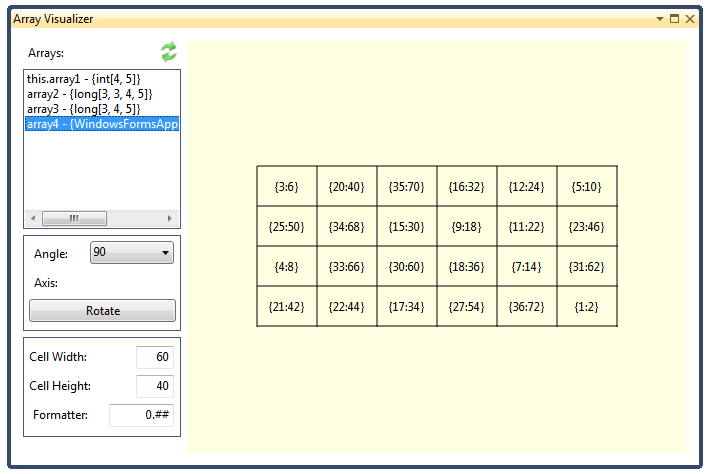
Array Visualizer is a free, open source extension for visual studio. It is designed to display arrays (Jagged and up to 4D) while debugging an application.

(15) Review
Visual Studio
2012, 2010
Download (16,539)
4/9/2013
1.2.0.5
View
E-mail Twitter del.icio.us Digg Facebook
Add To Favorites
Description
Reviews (15)
Q and A (6)
Sign in to Write a Review
Sort By:

by kakkoii | March 04 2013

Great little utility! Thanks!

by E-Masque | March 04 2013

by Bassam Alsaidi | March 01 2013

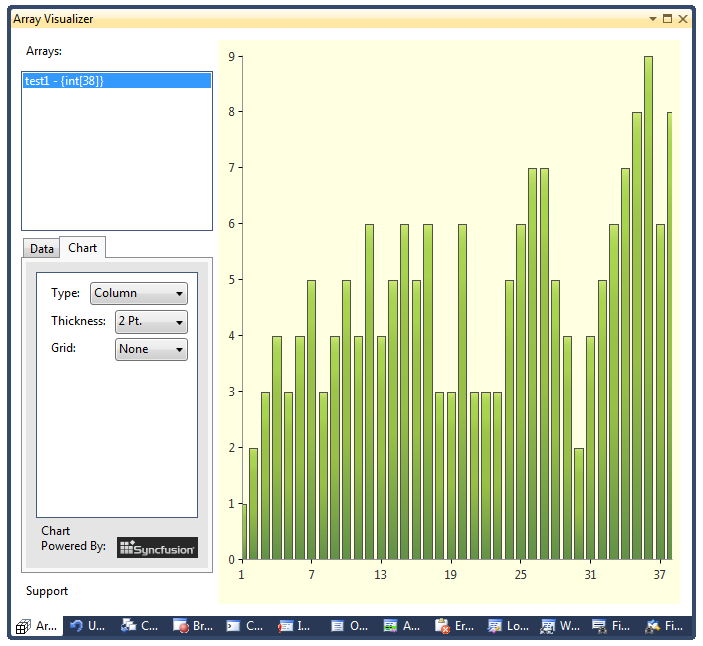
Very useful tool to have. I love the charting support as you can quickly get an overview about your data using the built in charts. Well done!


by A Daniel | February 28 2013

Awesome tool, runs and works well for me.

It's easy to do a quick check on arrays, also its very pretty visual tool. I am taking my kids through learning programming, and this couldn't be cooler as I am explaining arrays.

by G. Quiroga | February 27 2013

A handy tool for visualizing arrays with four dimensions.

by Binori | October 17 2012

by AAKoken | September 10 2012

by artmasa | September 06 2012

Not working for me

by DarkAngel1004 | August 26 2012

Doesn't function with my german version of Visual Studio 2010 Ultimate.
Have the arrays to be named with "array" to be found?
Have the arrays to be integer arrays to be found?
I didn't find a documentation so my questions are not answered.

Amir Liberman August 26 2012
| Edit |
Delete

1) No, arrays can be called anything not just array to be “found”
2) Yes it does support non integer arrays. Did you look at the last sample?
3) I did not test it on each and every environment/language combination known to mankind, I did provide the source code so feel free to look at it and help making it a better free add-on.
4) While I understand your disappointment/frustration, Q/A is the appropriate place for questions…

by Omar Gameel Salem | July 30 2012

Amazing, debugging functions with manipulate multidimensional arrays can be a drag, and this is just the tool i was looking forward.

by Debru Aklil | June 20 2012

Very creative and well implemented.

by oaba | May 26 2012

very useful. a nice tool to have. thanks.

by Rajiv Ralhan | May 22 2012

A very useful and well thought out extension. Good Job.

by jcarl21 | May 22 2012

Very handy, great extension

by RohitArora | May 22 2012

It's a real good extension, especially for scientific applications. Good work Amir Liberman

Sign in to Start a Discussion


  • Graphic Visualization
    4 Posts | Last Post February 27, 2013
    • Is it possible to add graphic visualization?
      At least for 1D or 2D matrixes.
      I mean, it would be pleasant to have plot with X-Y data taken from the given array.
    • Vlad, I looked into implementing a graph for array data. The add-on forms are WPF forms and unfortunately WPF does not ship with a chart control. I looked  for a good free control and could not find anything too reliable.  There are a lot of good commercial controls that are rather pricy and because this is a free contribution, I don’t want to pay for a license.  If you know of a free good chart control or a way to get a license from a commercial provider I would be happy to add the feature.
    • Amir, I've got your point.
      Unfortunately for now I don't know much - I've just switched from Eclipse to VS :)
      If I find anything useful/stable/free, I'll let you know.
      Thanks for response!
    • Vlad, 
      
      I recently found a wonderful chart control from SyncFusion and they have a special open source license! I added it to the extension and it is available for download. Please let me know what are your thoughts.
      
      Amir
      
  • Only C#?
    2 Posts | Last Post December 01, 2012
    • How about stating this upfront in the add-in description?  I've installed this for debugging a C++ app only to find that C++ isn't supported...
    • Sorry, this extension does not support C++. it was tested with C#, F# and VB. 
  • Floating point values
    2 Posts | Last Post July 19, 2012
    • Although this visualizer works for integer values, it has a lot of problems displaying floating point values. It looks like it just handles the data as integers. Is there any special format to be selected?
    • You can modify how numbers are formatted from the Visualizer window, just change the default 0.## to the precision you need and make the cell wider to allow all the digits to display. 
      
      The default width of a cell is 60 (pixels), try 90 or 120 and see if it helps.  Also, look at http://arrayvisualizer.codeplex.com/wikipage?title=Visualizer%20Addon%20Help for details.
  • Visualizing 1D arrays as 2D, 3D, ...
    2 Posts | Last Post May 24, 2012
    • Would it be possible to view one-dimensional arrays (with the proper dimensions) as 2D, 3D or 4D arrays?
      
      Example: With that feature, you could view a int[9] (or much larger) array as a 3x3 matrix if you can't use int[3,3] instead.
      
      What do you think?
    • Mario, the reason I did not include a one dimension viewer is that VS does a good job showing lists and single dimension arrays out of the box.  Showing a single dimension array as multi-diminution array is an interesting idea. In the meantime you can use the LinqLib library to transform your array to a multi dimension array using the ToArray(X, Y) extension.
      
      In the immediate window type:
      
      var temp = MyArray.ToArray(3, 3);
      
      MyArray can be a single dimension array, multi-dimension array, or any type that implements IEnumerable.
      
      switch over to the visualizer window and you will see it (prefixed with a $ sign)…
      
      The LinqLib library is an open source project and you can find it at: http://linqlib.codeplex.com/
      
      HTH,
      Amir
  • Languages support
    3 Posts | Last Post May 17, 2012
    • Only C# is supported (i tried VB.NET and C++ and it didn't find array variables)?
      What array types are supported?
      
      Example(VB):
              Dim a As Integer(,)
              ReDim a(10, 10)
              For i = 1 To 10
                  For j = 1 To 10
                      a(i, j) = 1
                  Next
      
              Next
    • Currently Only C# is supported. I am working on support for VB version.  I mentioned it at the bottom of the description section; I'll move that disclaimer to the top. 
    • VB is now supported
  • Screenshot
    3 Posts | Last Post May 13, 2012
    • Looks great, but all the screenshots under description look 2D to me...
    • It is very strange; I get three 4D images and one 2D image on my phone and the proper display (one of each) on my desktop browser.
      Thank you for pointing this out, I'll look into it.
    • Can you check if it is better now?