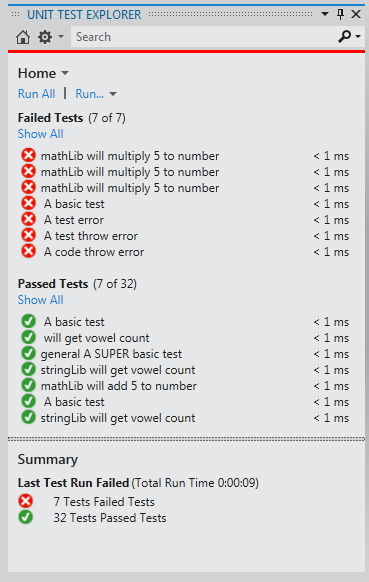
Chutzpah adapter for the Visual Studio 2012 Unit Test Explorer. Chutzpah is an open source JavaScript test runner which enables you to run JavaScript unit tests from the command line and from inside of Visual Studio.
I like the plugin on my local development environment. But it has been a huge problem on setting up TFS with chutzpah in typescript. I have not able to fix an issue in the issue tracker almost a month: http://chutzpah.codeplex.com/workitem/98
I also not sure whether it is the only problem I faced unless I can solve it and move forward. Also the blog for setting up TFS with chutzpah is outdated. The dll files are not matched. So I am also wonder whether I am doing a right by following the blog. Thanks.
I've ranked this two stars which is a bit generous but I did have it working at some point a while ago. I've tried to install several times and have now rebuilt my machine and still no joy. I have posted a question on StackOverflow but, alas, not a single answer yet. I do a lot of JavaScript these days and this would be a real help but I'm wondering whether it's worth ditching VS and moving to WebStorm and a Mac environment.
Sorry that you are running into issues. I responded a few days ago on your StackOverflow post asking if you could file a bug on chutzpah.codeplex.com and attach a zip file which contains a repro. That would help me track and diagnose your issue.
I had to add the following to the extension.vsixmanifest in Chutzpah.VS2012.vsix, to get it to install in VS Express: <InstallationTarget Version="[11.0,12.0)" Id="Microsoft.VisualStudio.VWDExpress" />
I'm using Chutzpah to test some Typescript files and I have the Run Tests After Build option selected in the Test Explorer. I'm also using Web Essentials and the Compile TS on save/build options are set to true. If I save one of my test files then all of the tests are re-run but if I save any other file then the tests are not run. Any idea why not?
Thanks for making Chutzpah! Seems like a great tool.
From looking at your code it looks like this may be the expected behavior. Are there any work arounds that will let me run the tests whenever I save a TypeScript file.
I tried adding a reference to QUnit in one of my TS files so that chutzpah would think it was a test file but this didn't make any of the tests in the actual test files get run. I also tried adding a dummy test to one of my TS files which sort of worked but it seemed to cause some circular dependency issue and tests were run multiple times and had the wrong line numbers in the output.
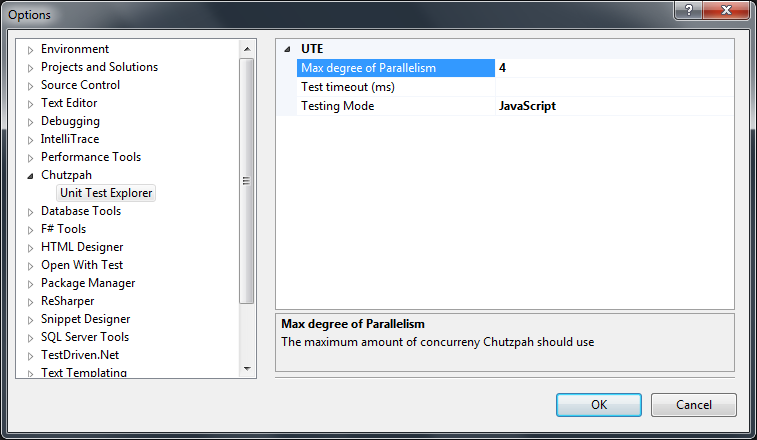
Have you tried setting Chutzpah to run directly on the .ts files instead of on the generated .js file? There is an option in the Tools->Options->Chutzpah page.
First I must say, nice work!
However, I can't get the Test Adapter to run headless through using phantom.js.
I've installed the NuGet-package for phantom.js and headless jasmine.js, but it still opens the jasmine side in the browser (not displaying anything).
I can't find any options for this - the "test explorer" however runs headless, but do not have as much feedback as the "unit test sessions"-tab.
I am not really following what you are asking. Chutzpah has nothing to do with Resharper.
What exactly are did you try to do? It might be better to move your questions to chutzpah.codeplex.com.
We are trying to do unit test of our Metro app developed with javascript; we use WinJS.xx and Windows.xx in our js file, when we try to do unit test with Chutzpah, the following error is thrown out.
"JS Error: ReferenceError: Can't find variable: WinJS"
Hi , Thanks for your work, I have one question
I configured TFS Build to use Chutzpah runner & it is running my jasmine java script(.js) test ,without any issue.
But the issue is , the unit test for .html files is not running as part of the TFS build. I am using QUnit for my .html files. i have added a separate automated test for html (**\*html ) as part build configuration .
No ,it is not working. where should the .runsettings be put ,is it as part of chutzpah binaries or part of test scripts. it cannot be included in the vs2012 solution because , the file name starts ".". Please advise.
Sorry, I wasn't clear enough. You need to create a file named something.runsettings. Then in the TFS Build setup there is a section where you can specify your test settings and you can point at this file. I will look this up and add screenshots to that page I sent soon.
Hi, thanks for your work, I have 2 questions:
#1: currently I'm using Chai (chaijs.com) with Mocha for tests (BDD "should" style; mostly in-browser for some reasons). Is there a chance to make them working using your adapter or should I rewrite them to Jasmine/QUnit?
#2: is it possible to automate these test in VS (immediately after source file modification)?
#1: Chutzpah doesn't support Mocha yet. This would be a nice addition but I probably won't get to it for a while. You can file an issue for this on chutzpah.codeplex.com so we can track it. You can use ChaiJS though with QUnit or Jasmine.
#2: Yes you can, in the Unit Test Explorer you can check the "Run Tests after Build" toggle. Even though it says "after build" for Chutzpah this will mean each time you save your test file.
+1 for Mocha. Mocha allows you to use any assertion library (QUnit and Jasmine don't) and async test writing in Mocha is an order of magnitude simplier than the other two.